- Shadow Blog
- Play on Mac
- How do I play Life is Strange: Reunion on Mac with the graphics set to maximum?
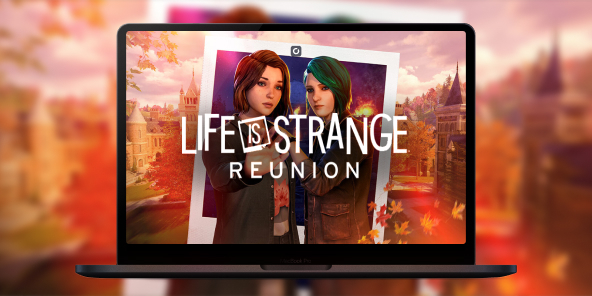
How do I play Life is Strange: Reunion on Mac with the graphics set to maximum?
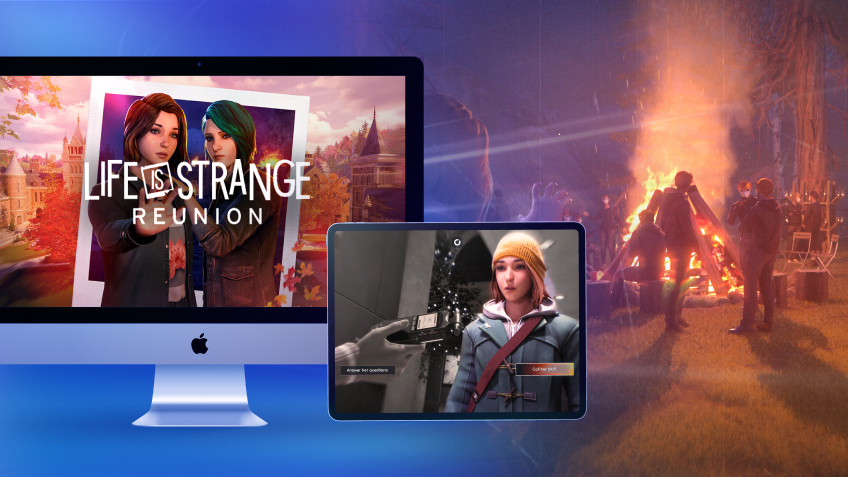
Life is Strange: Reunion marks the triumphant return of Max and Chloe in a deeply moving narrative adventure. Built using Unreal Engine 5, the game is a visual masterpiece, but it doesn't offer a native version for macOS and requires phenomenal graphics power to run at its best. Don’t compromise on the emotional impact: with Shadow PC, turn your Mac into a powerhouse capable of running the game at its “Hella High” settings. Dive into the story of Caledon University with perfect fluidity, without worrying about the limitations of your Apple hardware.
Unlock "Hella High" mode (Ultra 4K) directly on your Mac
In the game’s official settings, the "Hella High" preset delivers the ultimate 2160p experience. Shadow PC brings that power to your MacBook or iMac through the cloud. It’s a full Windows gaming PC hosted in the cloud, letting you enable Lumen lighting and high resolution textures with no compromises.
AMD EPYC CPU, 8 Kerne (3,25 GHz); 16 GB RAM; NVIDIA RTX 2000 Ada GPU, 16 GB (GPU der GeForce RTX 4060-Klasse); 512 GB SSD
AMD EPYC CPU, 8 Kerne (bis zu 3,7 GHz); 28 GB RAM; NVIDIA RTX A4500 GPU, 20 GB (GPU der GeForce RTX 3070 Ti-Klasse); 512-GB-SSD
The most ambitious narrative experience in the series
Life is Strange: Reunion pushes Unreal Engine 5 to its limits for total immersion. Experience every emotional moment without compromise thanks to cloud gaming power.

Reunite with Max Caulfield and Chloe Price, brought to life by their original voice actors, in a sequel that blends the timelines of Double Exposure.

Explore Caledon University, a stunning location threatened by an act of arson set to destroy everything in just three days.
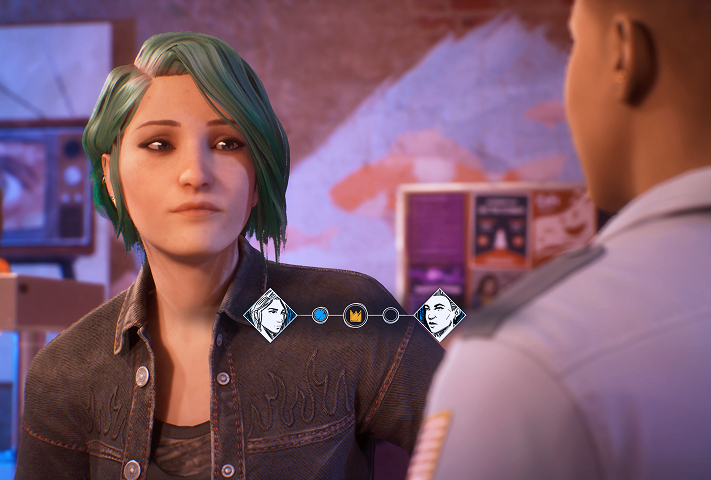
Investigate the source of the disaster and decide who will survive; every decision shapes one of the multiple endings in this emotional finale.
Unreal Engine 5: stunning visuals without the slowdown
The game uses technologies like Lumen lighting to create a unique atmosphere, but these effects can cause major FPS drops on many setups. Shadow PC removes that barrier by handling the full processing load on its high performance servers. Your Mac receives a flawless high resolution video stream, so you can enjoy every detail of the "Photo Wall" with no latency.

Tutorial: play Life is Strange: Reunion with cloud gaming in 3 steps
Whether you’re on Mac with no native macOS version, on Linux, or using an older computer, Shadow gives you access in just a few clicks to a powerful gaming PC so you can enjoy your favorite games with max graphics settings.

Go to shadow.tech and choose the PC configuration that matches your performance needs.

Install the Shadow client on your Mac, or sign in directly from your web browser via pc.shadow.tech

Launch your Shadow PC and install Life is Strange: Reunion. That’s it. All that’s left is to play in Ultra settings.
Your gaming PC, whenever you want, wherever you are
Sign in to your Shadow PC and play Life is Strange: Reunion along with all your favorite games on any Apple device, including iPhone and Apple TV, or directly from your web browser. Shadow’s cloud gaming technology turns your Mac into a powerful gaming PC you can access from anywhere.

FAQ
Shadow ist ein kompletter Windows-Gaming-PC, der vollständig in der Cloud gehostet wird. Es ist die einzige virtuelle Maschine, deren Leistung mit der eines lokalen PCs mithalten kann. Und im Gegensatz zu Cloud-Gaming-Diensten können Sie jedes Spiel, jede App und jede Software installieren und ausführen: Es gibt keinen eingeschränkten Katalog.
Ihr Shadow ist eine echte professionelle Windows-Arbeitsstation. Installieren Sie alles, was Sie benötigen*: Adobe Suite, CAD-Programme, Entwicklungsumgebungen, usw.
kompatibel-mit-allen-macs
Für jedes Endgerät Ihrer Wahl steht die Shadow PC Clientsoftware kostenlos zum Download zur Verfügung; Diese ermöglicht Ihnen insbesondere das Testen der Navigationsqualität und die Anpassung Ihrer Einstellungen für Videoqualität bis hin zur höchsten Auflösung von 4k. Für den schnellen Zugriff von einem neuen Endgerät oder einem Arbeitsplatz mit beschränkten Möglichkeiten zur Softwareinstallation können Sie jetzt direkt über einen Browser auf Ihren Shadow PC zugreifen. Und zwar ganz schnell und einfach, es ist keine Installation erforderlich: Besuchen Sie die Seite pc.shadow.tech! Dieser Zugriffsmodus ist besonders praktisch, wenn Sie Ihre Inhalte über eine anspruchsvolle Software direkt vom Rechner Ihrer Kunden und Interessenten aus vorführen oder schulen wollen: Sie müssen nun Ihr Endgerät, Ihre Software und Ihre Daten nicht mit sich herumtragen, sondern können ganz einfach ortsunabhängig darauf zugreifen.
Ja, mit Shadow erhalten Sie Downloadgeschwindigkeiten von 1 Gbit/s auf Ihren Shadow-PC, selbst wenn Ihre lokale Internetverbindung langsam ist.
Kurz gesagt: Nein. Wir stellen ausreichend Leistung bereit, um Ihre Anforderungen je nach gewähltem Angebot zu erfüllen. Hinsichtlich der Latenz ermöglicht unsere fortschrittliche Technologie eine Nutzung bereits ab einer geringen Bandbreite (ab 15 Mb/s) und sorgt dabei für eine kaum wahrnehmbare Verzögerung. Natürlich kann die Kompression die Bildqualität beeinflussen, und falls Ihre Verbindung zu langsam ist, könnten Sie im Vergleich zum Originalbild Unterschiede feststellen.
Ja, Shadow begrenzt die Auflösung nicht und ermöglicht es Ihnen, Windows sowie Ihre Spiele und Programme in 4K UHD auszuführen. Beachten Sie bitte, dass einige Spiele möglicherweise kein 4K unterstützen oder dabei geringere Leistungen aufweisen können. Zudem benötigt diese hohe Auflösung eine höhere Bandbreite, weshalb eine stabile und schnellere Internetverbindung als bei niedrigeren Auflösungen erforderlich ist.
Ja, Sie können direkt über das Schnellmenü Ihres Shadow-PCs einen zweiten Bildschirm aktivieren.