How to play Octopath Traveler 0 on iPhone, iPad, or Android?
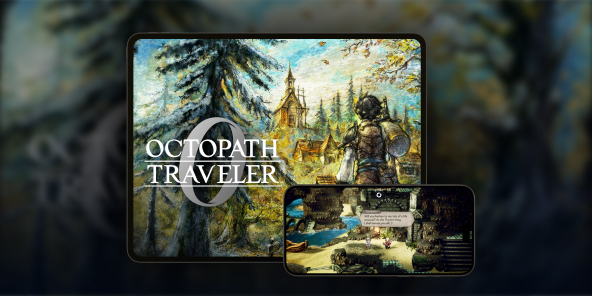
A console adaptation of the game Champions of the Continent, Octopath Traveler 0 does not have an iOS or Android version. The solution for playing Octopath Traveler 0 on iPad? Use Shadow PC, your Windows computer in the cloud, to stream the full PC version to tablets (iPad and Android) and smartphones.

Play Octopath Traveler 0 on your smartphone or iPad with Shadow PC
Shadow PC gives you access to a powerful Windows gaming PC directly from an application on your Android smartphone or tablet, or iOS device. Simply install Octopath Traveler 0 via Steam or the Microsoft Store on your Shadow PC (directly on your iPhone or iPad) to start playing as if you were on your computer... but from your iPad, iPhone, or Android phone! In short, a complete gaming PC in your pocket, thanks to cloud gaming!
AMD EPYC CPU, 8 Kerne (3,25 GHz); 16 GB RAM; NVIDIA RTX 2000 Ada GPU, 16 GB (GPU der GeForce RTX 4060-Klasse); 512 GB SSD
AMD EPYC CPU, 8 Kerne (bis zu 3,7 GHz); 28 GB RAM; NVIDIA RTX A4500 GPU, 20 GB (GPU der GeForce RTX 3070 Ti-Klasse); 512-GB-SSD
Octopath Traveler 0: A dark prequel set in the heart of Orsterra
Delve into the origins of the saga with a brand-new story centered on revenge and rebuilding.
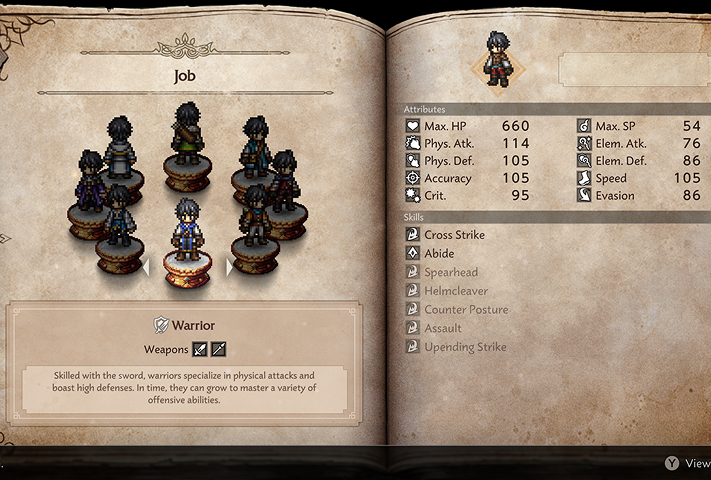
For the first time in the series, you don't choose a predefined hero. Thanks to the new character creation system, you can shape your avatar, choose their appearance and voice (English or Japanese), and start without a fixed class.
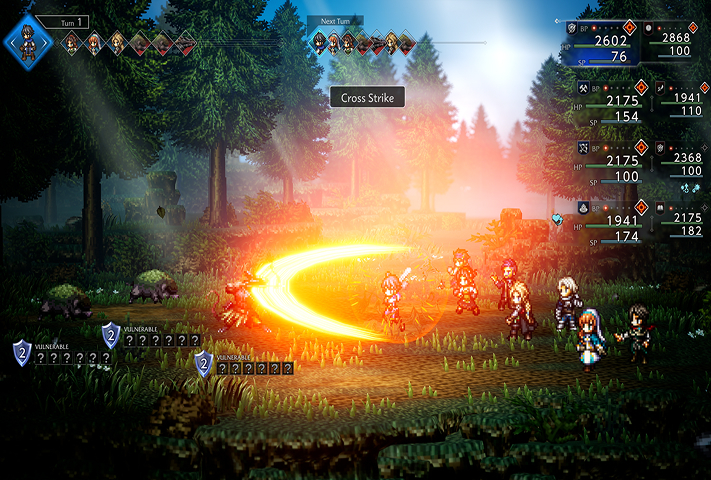
The gameplay has evolved significantly, with battles involving up to 8 simultaneous combatants spread across two lines (front and rear).
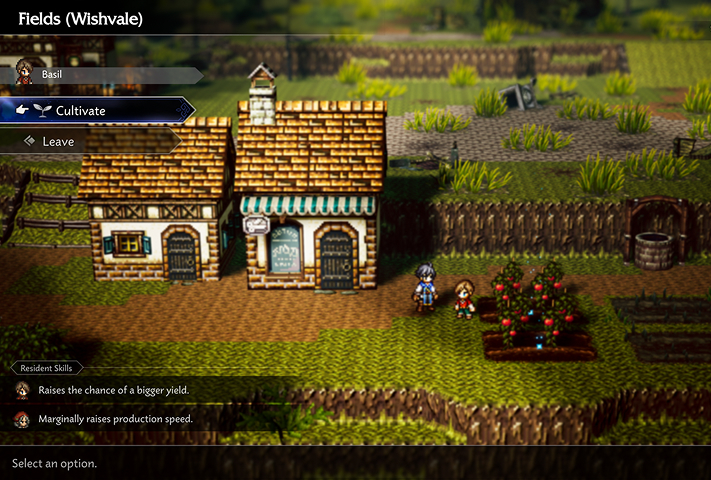
Your quest also involves rebuilding your hometown, Wishvale. This town building system allows you to freely place buildings and assign recruited inhabitants.

More than an RPG: Rebuild your home
Discover how city management fits into the heart of the action in Octopath Traveler 0. Your mission doesn't end with combat: gather resources, recruit allies across Orsterra, and watch Wishvale rise from the ashes. Thanks to the power of Shadow PC, enjoy every detail of the animations and HD-2D art direction of this deep simulation, right on your mobile screen.

Thanks to Shadow PC, enjoy Octopath Traveler 0 on your smartphone and tablet
Discover three key advantages of playing the Cloud Gaming version of Octopath Traveler 0 with Shadow PC: from the flexibility of mobile farming to seamless continuity between your screens.

Carry the full PC version of Octopath Traveler 0 in your pocket. Turn your commute into an opportunity to manage the reconstruction of Wishvale or perform Travel Actions with NPCs. The game runs without compromise on Shadow PC, allowing you to progress anywhere, anytime.

The larger screen of your iPad or Android tablet is ideal for admiring the unique HD-2D art direction, combining pixel art and modern 3D effects. Enjoy perfect readability to manage your strategic 8-character battles and appreciate the dynamic lighting effects of Orsterra with the comfort of a high-definition touch screen.

Never miss a minute of this adventure, which promises nearly 100 hours of gameplay. Start a quest on your computer and finish it on your phone. Your session is streamed from the cloud: your save data and cross-game bonuses are always synchronized and instantly accessible, regardless of the screen you choose.
Turn your Mac or iPhone into a gaming PC in just a few clicks!
Whether you're on a Mac (with few games compatible with macOS), a Linux machine (where Windows emulation hurts performance), or an older PC (or one with an underpowered graphics card), Shadow gives you access in just a few clicks to a powerful gaming PC to install all your favorite games*!

Choose the plan that best fits your needs.


Launch Shadow, install Octopath Traveler 0, and start playing. It’s that simple!
Your gaming PC, whenever you want, wherever you are
Log in to your Shadow PC and play Octopath Traveler 0 along with all your favorite games* on any Apple device (even iPhone or Apple TV), or directly from your web browser. Shadow's cloud gaming and streaming technologies turns your Mac into a powerful gaming PC, accessible from anywhere, anytime!

FAQ
Shadow ist ein kompletter Windows-Gaming-PC, der vollständig in der Cloud gehostet wird. Es ist die einzige virtuelle Maschine, deren Leistung mit der eines lokalen PCs mithalten kann. Und im Gegensatz zu Cloud-Gaming-Diensten können Sie jedes Spiel, jede App und jede Software installieren und ausführen: Es gibt keinen eingeschränkten Katalog.
Ihr Shadow ist eine echte professionelle Windows-Arbeitsstation. Installieren Sie alles, was Sie benötigen*: Adobe Suite, CAD-Programme, Entwicklungsumgebungen, usw.
kompatibel-mit-allen-macs
Für jedes Endgerät Ihrer Wahl steht die Shadow PC Clientsoftware kostenlos zum Download zur Verfügung; Diese ermöglicht Ihnen insbesondere das Testen der Navigationsqualität und die Anpassung Ihrer Einstellungen für Videoqualität bis hin zur höchsten Auflösung von 4k. Für den schnellen Zugriff von einem neuen Endgerät oder einem Arbeitsplatz mit beschränkten Möglichkeiten zur Softwareinstallation können Sie jetzt direkt über einen Browser auf Ihren Shadow PC zugreifen. Und zwar ganz schnell und einfach, es ist keine Installation erforderlich: Besuchen Sie die Seite pc.shadow.tech! Dieser Zugriffsmodus ist besonders praktisch, wenn Sie Ihre Inhalte über eine anspruchsvolle Software direkt vom Rechner Ihrer Kunden und Interessenten aus vorführen oder schulen wollen: Sie müssen nun Ihr Endgerät, Ihre Software und Ihre Daten nicht mit sich herumtragen, sondern können ganz einfach ortsunabhängig darauf zugreifen.
Ja, mit Shadow erhalten Sie Downloadgeschwindigkeiten von 1 Gbit/s auf Ihren Shadow-PC, selbst wenn Ihre lokale Internetverbindung langsam ist.
Kurz gesagt: Nein. Wir stellen ausreichend Leistung bereit, um Ihre Anforderungen je nach gewähltem Angebot zu erfüllen. Hinsichtlich der Latenz ermöglicht unsere fortschrittliche Technologie eine Nutzung bereits ab einer geringen Bandbreite (ab 15 Mb/s) und sorgt dabei für eine kaum wahrnehmbare Verzögerung. Natürlich kann die Kompression die Bildqualität beeinflussen, und falls Ihre Verbindung zu langsam ist, könnten Sie im Vergleich zum Originalbild Unterschiede feststellen.
Ja, Shadow begrenzt die Auflösung nicht und ermöglicht es Ihnen, Windows sowie Ihre Spiele und Programme in 4K UHD auszuführen. Beachten Sie bitte, dass einige Spiele möglicherweise kein 4K unterstützen oder dabei geringere Leistungen aufweisen können. Zudem benötigt diese hohe Auflösung eine höhere Bandbreite, weshalb eine stabile und schnellere Internetverbindung als bei niedrigeren Auflösungen erforderlich ist.
Ja, Sie können direkt über das Schnellmenü Ihres Shadow-PCs einen zweiten Bildschirm aktivieren.