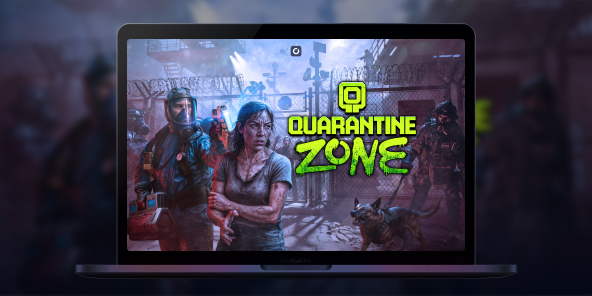
How to play Quarantine Zone: The Last Check on Mac?
Quarantine Zone: The Last Check is available on Steam as a Windows PC game, so you may not have a native macOS version to install on your MacBook. With Shadow PC, you can play Quarantine Zone: The Last Check on Mac by streaming a full Windows gaming PC to macOS and launching the official Steam version. Step into a collapsing city’s last checkpoint, scan survivors for signs of infection, and make split-second calls that decide who gets saved, and who becomes tomorrow’s threat.

Play Quarantine Zone: The Last Check on your Mac with Shadow PC
Shadow PC is a Windows gaming PC in the cloud. On your Mac, you simply open the Shadow app (or use your browser), access your Windows desktop, then install the game from Steam like any PC player. Check Shadow PC pricing, download the Shadow app for macOS, and start playing on MacBook without dealing with local Windows installs.
AMD EPYC CPU, 8 Kerne (3,25 GHz); 16 GB RAM; NVIDIA RTX 2000 Ada GPU, 16 GB (GPU der GeForce RTX 4060-Klasse); 512 GB SSD
AMD EPYC CPU, 8 Kerne (bis zu 3,7 GHz); 28 GB RAM; NVIDIA RTX A4500 GPU, 20 GB (GPU der GeForce RTX 3070 Ti-Klasse); 512-GB-SSD
A zombie border patrol game where every choice has consequences
In Quarantine Zone: The Last Check, you command a critical quarantine checkpoint during a zombie outbreak. You inspect survivors, manage scarce resources, and try to keep your base standing as the situation spirals. It’s a tense, single-player loop built around observation, decision-making, and survival management.
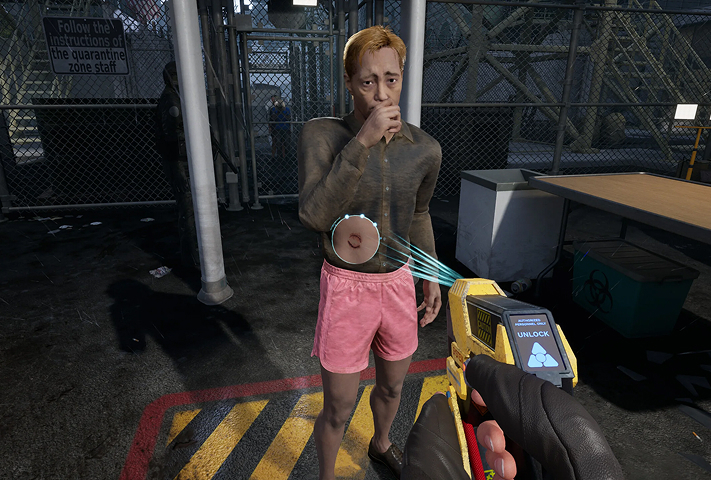
Use screening tools and your instincts to spot symptoms, suspicious behavior, and contaminated items. Search baggage for contraband and forbidden goods, then choose: send them through, quarantine them for observation, or stop them at the gate.
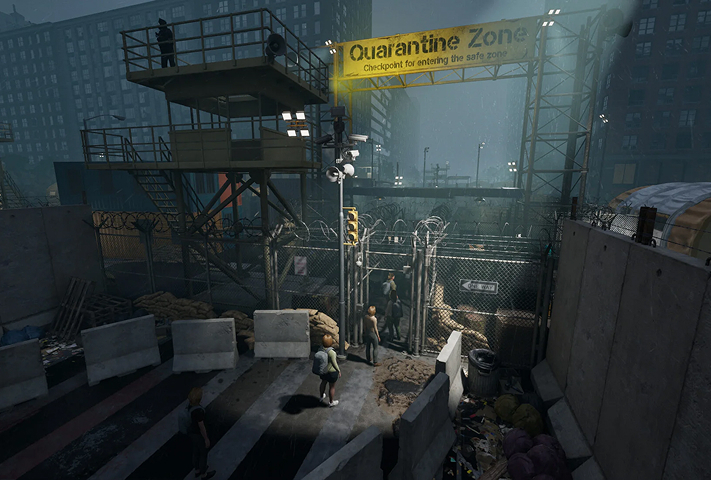
Your checkpoint isn’t just a desk, it’s a living operation. As more survivors arrive, you expand your living blocks and keep the essentials running while pressure builds day after day.
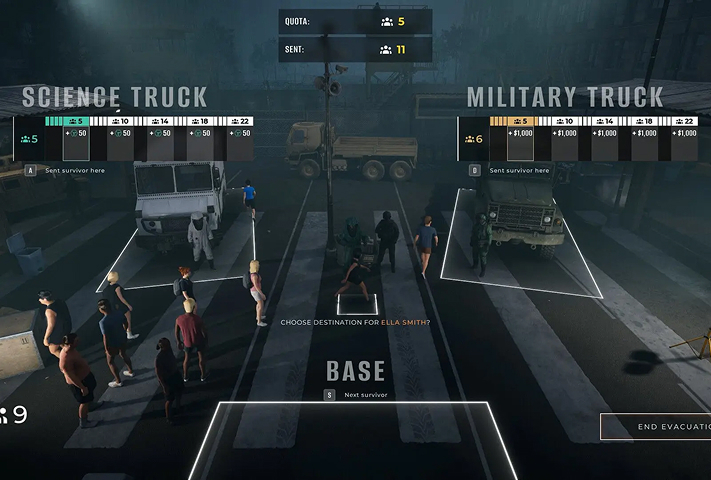
Power, food, and medicine are never enough. When breaches happen, you shift from paperwork to defense, reinforce your perimeter and deploy armed drones to keep infected from overrunning the compound.
The full game expands your tools beyond the demo
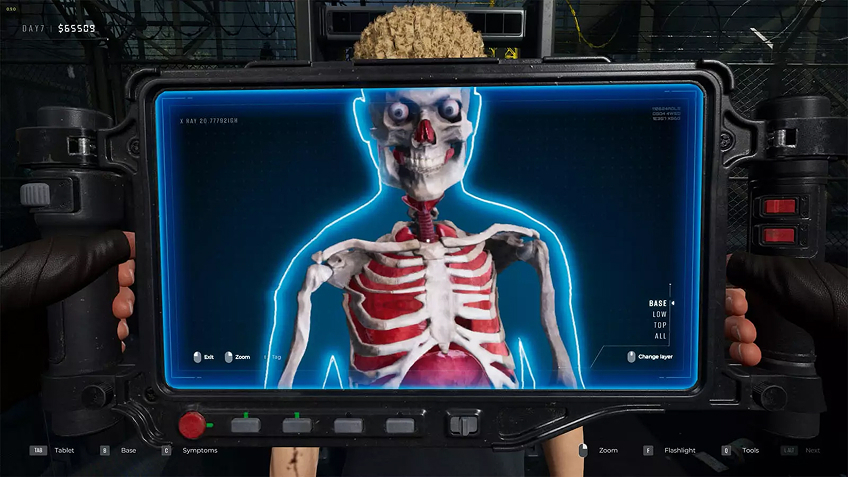
If you tried the demo, the full game goes deeper with advanced diagnostic checks designed to catch what a quick glance misses, like X-ray scanners, eye probes, and reflex tests. This matters because the game rewards careful reading and punishes sloppy approvals: the more precise your inspections, the fewer outbreaks you’ll have to fight later. On Mac via Shadow PC, you still get the full Windows feature set and the same detailed UI, streamed cleanly to macOS while you focus on the choices, not the hardware.
Your Gaming PC in just a few clicks
Shadow runs games directly from powerful remote servers, providing you with a Windows gaming PC experience equipped with Nvidia graphics, no matter your device! Whether you use a PC, Mac, or Linux device, using your Shadow PC is easy:

Choose the plan that best
suits your needs.


Launch Shadow, install Quarantine Zone: The Last Check and start playing. it’s that simple!
Your gaming PC, anytime, anywhere
Log in to your Shadow PC and play Quarantine Zone: The Last Check along with all your favorite games on any Apple device (even iPhone or Apple TV), or directly from your web browser. Shadow's cloud gaming and streaming technologies turns your Mac into a powerful gaming PC, accessible from anywhere, anytime!

FAQ
Although the game is limited to Windows, Shadow PC allows you to run it on a Mac by streaming a full PC. Simply install the Shadow app on your Mac to access a high-performance Windows environment. You can then launch Steam and play with optimal graphics without worrying about Apple's software incompatibility.
Shadow PC makes it possible to run this PC game on a smartphone or tablet via its dedicated app. Once connected to your cloud instance, the game launches on your phone exactly as it would on a standard computer. For precise playability, using a Bluetooth controller or an accessory like a Razer Kishi is highly recommended.
To play via Shadow, subscribe to a plan and log in to your cloud PC from any device. Install Steam on your virtual Windows session, then download the game as usual. This method guarantees a smooth, high-quality experience even if your physical hardware is old or low-powered.
Shadow ist ein kompletter Windows-Gaming-PC, der vollständig in der Cloud gehostet wird. Es ist die einzige virtuelle Maschine, deren Leistung mit der eines lokalen PCs mithalten kann. Und im Gegensatz zu Cloud-Gaming-Diensten können Sie jedes Spiel, jede App und jede Software installieren und ausführen: Es gibt keinen eingeschränkten Katalog.
Ihr Shadow ist eine echte professionelle Windows-Arbeitsstation. Installieren Sie alles, was Sie benötigen*: Adobe Suite, CAD-Programme, Entwicklungsumgebungen, usw.
kompatibel-mit-allen-macs
Für jedes Endgerät Ihrer Wahl steht die Shadow PC Clientsoftware kostenlos zum Download zur Verfügung; Diese ermöglicht Ihnen insbesondere das Testen der Navigationsqualität und die Anpassung Ihrer Einstellungen für Videoqualität bis hin zur höchsten Auflösung von 4k. Für den schnellen Zugriff von einem neuen Endgerät oder einem Arbeitsplatz mit beschränkten Möglichkeiten zur Softwareinstallation können Sie jetzt direkt über einen Browser auf Ihren Shadow PC zugreifen. Und zwar ganz schnell und einfach, es ist keine Installation erforderlich: Besuchen Sie die Seite pc.shadow.tech! Dieser Zugriffsmodus ist besonders praktisch, wenn Sie Ihre Inhalte über eine anspruchsvolle Software direkt vom Rechner Ihrer Kunden und Interessenten aus vorführen oder schulen wollen: Sie müssen nun Ihr Endgerät, Ihre Software und Ihre Daten nicht mit sich herumtragen, sondern können ganz einfach ortsunabhängig darauf zugreifen.
Ja, mit Shadow erhalten Sie Downloadgeschwindigkeiten von 1 Gbit/s auf Ihren Shadow-PC, selbst wenn Ihre lokale Internetverbindung langsam ist.
Kurz gesagt: Nein. Wir stellen ausreichend Leistung bereit, um Ihre Anforderungen je nach gewähltem Angebot zu erfüllen. Hinsichtlich der Latenz ermöglicht unsere fortschrittliche Technologie eine Nutzung bereits ab einer geringen Bandbreite (ab 15 Mb/s) und sorgt dabei für eine kaum wahrnehmbare Verzögerung. Natürlich kann die Kompression die Bildqualität beeinflussen, und falls Ihre Verbindung zu langsam ist, könnten Sie im Vergleich zum Originalbild Unterschiede feststellen.
Ja, Shadow begrenzt die Auflösung nicht und ermöglicht es Ihnen, Windows sowie Ihre Spiele und Programme in 4K UHD auszuführen. Beachten Sie bitte, dass einige Spiele möglicherweise kein 4K unterstützen oder dabei geringere Leistungen aufweisen können. Zudem benötigt diese hohe Auflösung eine höhere Bandbreite, weshalb eine stabile und schnellere Internetverbindung als bei niedrigeren Auflösungen erforderlich ist.
Ja, Sie können direkt über das Schnellmenü Ihres Shadow-PCs einen zweiten Bildschirm aktivieren.