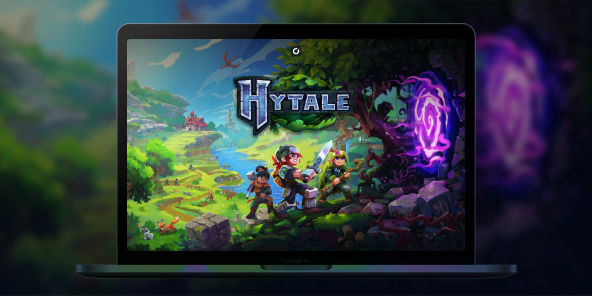
How to create or join Hytale servers?
Want to create or join servers and play with your friends on Minecraft's concurrent game? With Shadow PC, you stream a full Windows gaming PC and you can play the official Windows version of Hytale, even if your setup is limited. Team up with friends for multiplayer adventures, join community worlds, or build your own private server.

Play Hytale online with Shadow PC
Shadow PC is a high end Windows gaming PC in the cloud. Install Hytale like you would on a regular PC. Play with a smooth streamed experience and jump into multiplayer coop adventures.
AMD EPYC CPU, 8 Kerne (3,25 GHz); 16 GB RAM; NVIDIA RTX 2000 Ada GPU, 16 GB (GPU der GeForce RTX 4060-Klasse); 512 GB SSD
AMD EPYC CPU, 8 Kerne (bis zu 3,7 GHz); 28 GB RAM; NVIDIA RTX A4500 GPU, 20 GB (GPU der GeForce RTX 3070 Ti-Klasse); 512-GB-SSD
Hytale: a Minecraft-like sandbox survival experience
Hytale mixes a block based sandbox with RPG flavored exploration. It is built for adventurers, builders, and creators who want a world that feels alive, full of secrets, and shaped by the community.
Mods and servers that feel effortless to join
Hytale is designed around a server first philosophy: even single player is treated like joining a local server. The goal is simple for players: join a server without fighting with separate client mod packs, and let servers shape the experience.
How to play Hytale online with friends?
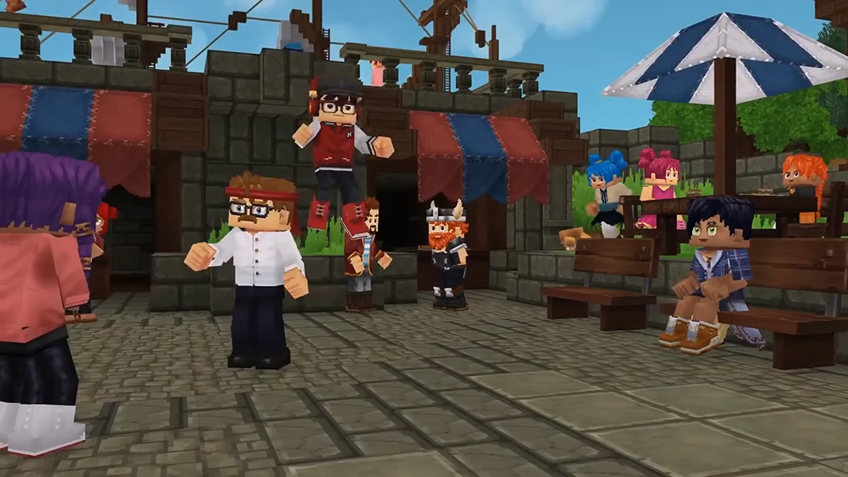
Online play in Hytale revolves around one thing: servers. In just a few clicks, you can jump into a public server with other players, or set up a private space reserved for your own group.
Hosting a public Hytale server
If you want to run your own public server, you have several hosting options available, with pricing tiers to suit different budgets and player counts.
To help you compare providers, we recommend starting with this article to the best Hytale server hosting services:
https://www.hostinger.com/tutorials/best-hytale-server-hosting-providers
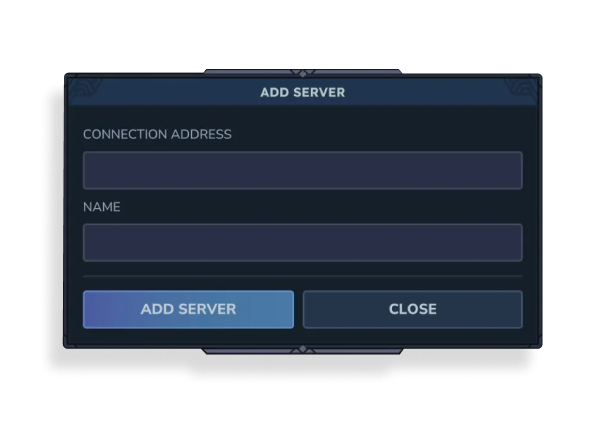
If you prefer joining servers that already exist, just open the Servers menu, click Add Server, then enter the server’s Connection Address and assign it a name. You’ll be connected in seconds.

Creating a private server (friends-only)
If your goal is simply to play with friends and not with strangers, you can create a private multiplayer session instead.
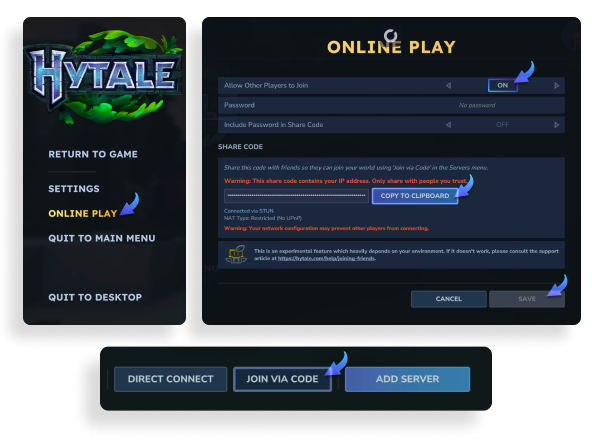
To set up a private peer-to-peer server, go to the Worlds tab and choose the mode you want: Adventure, Exploration, or Creative. Name your world and adjust any settings to match your preferences. Once the world is running, press Escape, open Online Play, and make sure Allow Other Players to Join is turned On. You can optionally add a password, then click Save.
The game will then generate a join code. Click Copy to Clipboard and send it to your friend(s). On their side, they’ll need to go to the Servers tab, select Join via code, paste the code, and connect.
Installing mods to enhance your experience
WIth Shadow PC, since you have access to a full Windows PC, you can even install mods to expand and improve your gameplay.
Start by visiting:
https://www.curseforge.com/download/app
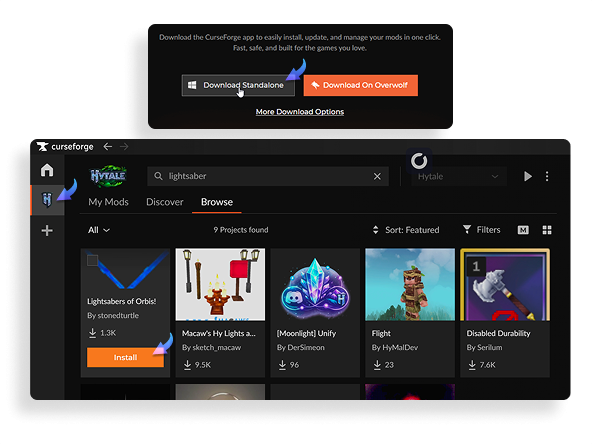
Download and install the CurseForge app. Once it’s open, add Hytale from the left-hand sidebar (if it isn’t already listed), then browse the available mods. When you find one you like, simply click Install.
After installation, your mod should appear in the My Mods tab. From there, simply launch the game via its official launcher and you’re ready to play.
Turn any of your device into a gaming PC in just a few clicks!
Whether you're on a Mac (with few games compatible with macOS), a Linux machine (where Windows emulation hurts performance), or an older PC (one with an underpowered graphics card), Shadow gives you access in just a few clicks to a powerful gaming PC to install all your favorite games*!

Choose the plan that best fits your needs.


Launch Shadow, Hytale, and start playing. It’s that simple!
Your gaming PC, anytime, anywhere
Connect to your high-performance Shadow PC and play Hytale along with all your favorite titles on any device, whether it’s an iPhone, iPad, mobile tablet, Windows or Linux computer, Meta Quest, or just your web browser. Benefit from a smooth, dependable, and ultimate cloud gaming service wherever you go, and elevate your gaming sessions with the unmatched power of Shadow PC.

FAQ
Join the same server. You can pick a public server, or set up a private server and share the address with your group. Servers can be vanilla or modded, so agree on a server style before you start.
Yes. You can host a private server for friends, then share the connection details. For a server that runs all day, use a dedicated hosting option and keep regular backups.
Yes, servers are a core part of the modding vision. Many community servers will offer custom rules, content, and experiences, so check each server description before joining.
Shadow ist ein kompletter Windows-Gaming-PC, der vollständig in der Cloud gehostet wird. Es ist die einzige virtuelle Maschine, deren Leistung mit der eines lokalen PCs mithalten kann. Und im Gegensatz zu Cloud-Gaming-Diensten können Sie jedes Spiel, jede App und jede Software installieren und ausführen: Es gibt keinen eingeschränkten Katalog.
Ihr Shadow ist eine echte professionelle Windows-Arbeitsstation. Installieren Sie alles, was Sie benötigen*: Adobe Suite, CAD-Programme, Entwicklungsumgebungen, usw.
kompatibel-mit-allen-macs
Für jedes Endgerät Ihrer Wahl steht die Shadow PC Clientsoftware kostenlos zum Download zur Verfügung; Diese ermöglicht Ihnen insbesondere das Testen der Navigationsqualität und die Anpassung Ihrer Einstellungen für Videoqualität bis hin zur höchsten Auflösung von 4k. Für den schnellen Zugriff von einem neuen Endgerät oder einem Arbeitsplatz mit beschränkten Möglichkeiten zur Softwareinstallation können Sie jetzt direkt über einen Browser auf Ihren Shadow PC zugreifen. Und zwar ganz schnell und einfach, es ist keine Installation erforderlich: Besuchen Sie die Seite pc.shadow.tech! Dieser Zugriffsmodus ist besonders praktisch, wenn Sie Ihre Inhalte über eine anspruchsvolle Software direkt vom Rechner Ihrer Kunden und Interessenten aus vorführen oder schulen wollen: Sie müssen nun Ihr Endgerät, Ihre Software und Ihre Daten nicht mit sich herumtragen, sondern können ganz einfach ortsunabhängig darauf zugreifen.
Ja, mit Shadow erhalten Sie Downloadgeschwindigkeiten von 1 Gbit/s auf Ihren Shadow-PC, selbst wenn Ihre lokale Internetverbindung langsam ist.
Kurz gesagt: Nein. Wir stellen ausreichend Leistung bereit, um Ihre Anforderungen je nach gewähltem Angebot zu erfüllen. Hinsichtlich der Latenz ermöglicht unsere fortschrittliche Technologie eine Nutzung bereits ab einer geringen Bandbreite (ab 15 Mb/s) und sorgt dabei für eine kaum wahrnehmbare Verzögerung. Natürlich kann die Kompression die Bildqualität beeinflussen, und falls Ihre Verbindung zu langsam ist, könnten Sie im Vergleich zum Originalbild Unterschiede feststellen.
Ja, Shadow begrenzt die Auflösung nicht und ermöglicht es Ihnen, Windows sowie Ihre Spiele und Programme in 4K UHD auszuführen. Beachten Sie bitte, dass einige Spiele möglicherweise kein 4K unterstützen oder dabei geringere Leistungen aufweisen können. Zudem benötigt diese hohe Auflösung eine höhere Bandbreite, weshalb eine stabile und schnellere Internetverbindung als bei niedrigeren Auflösungen erforderlich ist.
Ja, Sie können direkt über das Schnellmenü Ihres Shadow-PCs einen zweiten Bildschirm aktivieren.