How to play Quarantine Zone: The Last Check on Mac?
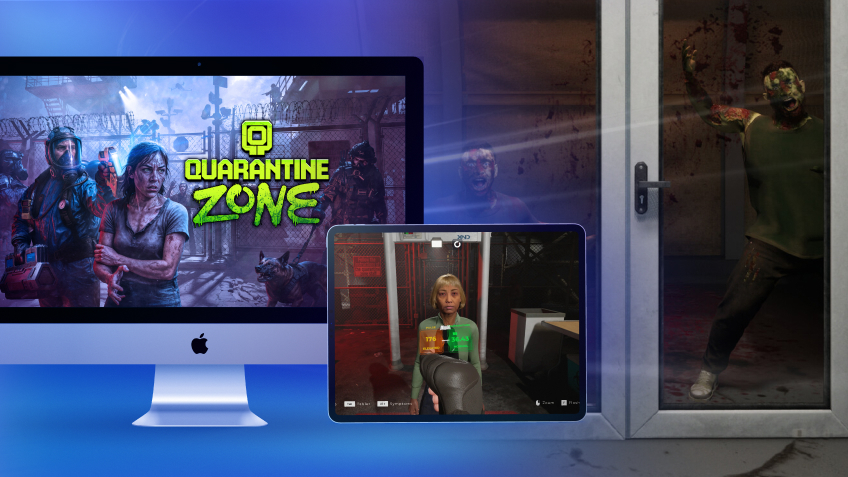
Quarantine Zone: The Last Check is available on Steam as a Windows PC game, so you may not have a native macOS version to install on your MacBook. With Shadow PC, you can play Quarantine Zone: The Last Check on Mac by streaming a full Windows gaming PC to macOS and launching the official Steam version. Step into a collapsing city’s last checkpoint, scan survivors for signs of infection, and make split-second calls that decide who gets saved, and who becomes tomorrow’s threat.

Play Quarantine Zone: The Last Check on your Mac with Shadow PC
Shadow PC is a Windows gaming PC in the cloud. On your Mac, you simply open the Shadow app (or use your browser), access your Windows desktop, then install the game from Steam like any PC player. Check Shadow PC pricing, download the Shadow app for macOS, and start playing on MacBook without dealing with local Windows installs.
AMD EPYC CPU, 8 cores (3.25 GHz); 16 GB RAM; NVIDIA RTX 2000 Ada GPU, 16 GB (GeForce RTX 4060-class GPU); 512 GB SSD
AMD EPYC CPU, 8 cores (up to 3.7 GHz); 28 GB RAM; NVIDIA RTX A4500 GPU, 20 GB (GeForce RTX 3070 Ti–class GPU); 512 GB SSD
A zombie border patrol game where every choice has consequences
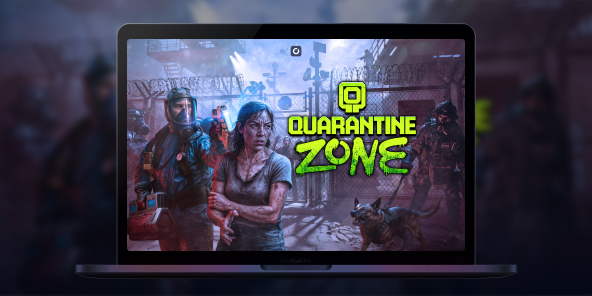
In Quarantine Zone: The Last Check, you command a critical quarantine checkpoint during a zombie outbreak. You inspect survivors, manage scarce resources, and try to keep your base standing as the situation spirals. It’s a tense, single-player loop built around observation, decision-making, and survival management.
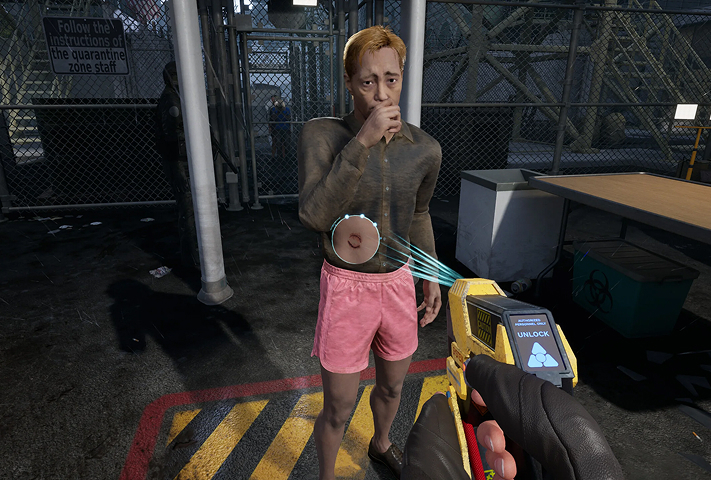
Use screening tools and your instincts to spot symptoms, suspicious behavior, and contaminated items. Search baggage for contraband and forbidden goods, then choose: send them through, quarantine them for observation, or stop them at the gate.
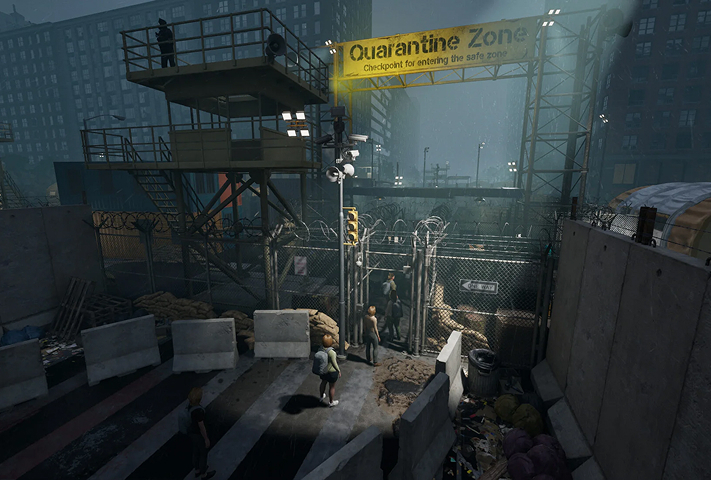
Your checkpoint isn’t just a desk, it’s a living operation. As more survivors arrive, you expand your living blocks and keep the essentials running while pressure builds day after day.
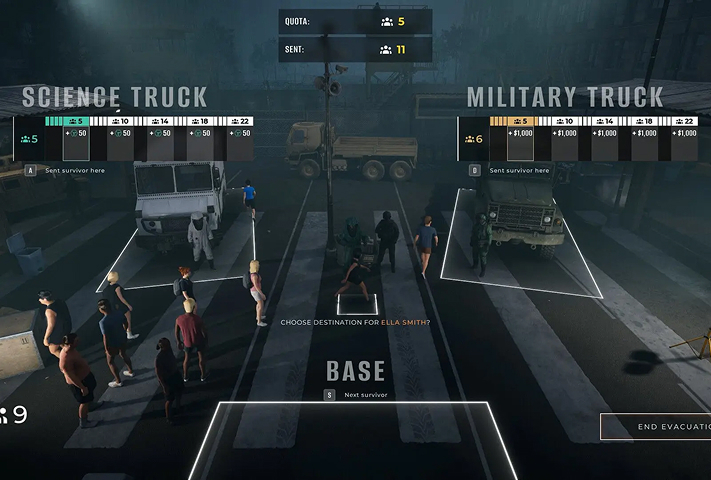
Power, food, and medicine are never enough. When breaches happen, you shift from paperwork to defense, reinforce your perimeter and deploy armed drones to keep infected from overrunning the compound.
The full game expands your tools beyond the demo
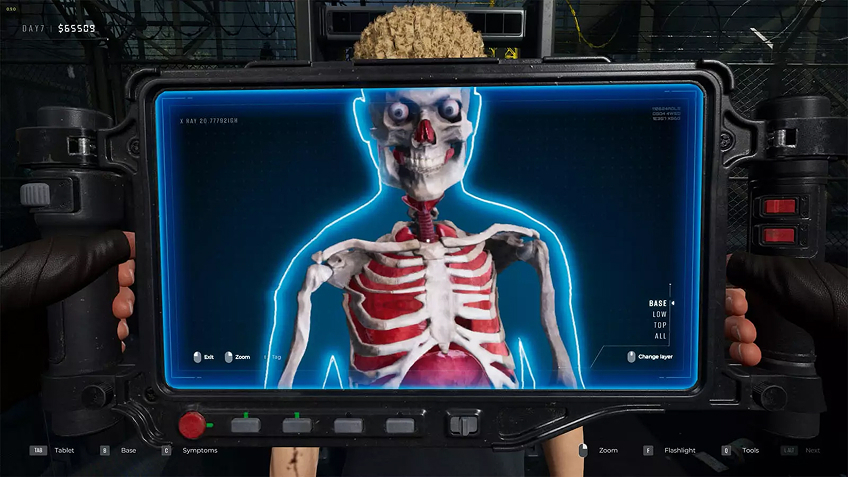
If you tried the demo, the full game goes deeper with advanced diagnostic checks designed to catch what a quick glance misses, like X-ray scanners, eye probes, and reflex tests. This matters because the game rewards careful reading and punishes sloppy approvals: the more precise your inspections, the fewer outbreaks you’ll have to fight later. On Mac via Shadow PC, you still get the full Windows feature set and the same detailed UI, streamed cleanly to macOS while you focus on the choices, not the hardware.
Your Gaming PC in just a few clicks
Shadow runs games directly from powerful remote servers, providing you with a Windows gaming PC experience equipped with Nvidia graphics, no matter your device! Whether you use a PC, Mac, or Linux device, using your Shadow PC is easy:

Choose the plan that best
suits your needs.


Launch Shadow, install Quarantine Zone: The Last Check and start playing. it’s that simple!
Your gaming PC, anytime, anywhere
Log in to your Shadow PC and play Quarantine Zone: The Last Check along with all your favorite games on any Apple device (even iPhone or Apple TV), or directly from your web browser. Shadow's cloud gaming and streaming technologies turns your Mac into a powerful gaming PC, accessible from anywhere, anytime!

FAQ
Although the game is limited to Windows, Shadow PC allows you to run it on a Mac by streaming a full PC. Simply install the Shadow app on your Mac to access a high-performance Windows environment. You can then launch Steam and play with optimal graphics without worrying about Apple's software incompatibility.
Shadow PC makes it possible to run this PC game on a smartphone or tablet via its dedicated app. Once connected to your cloud instance, the game launches on your phone exactly as it would on a standard computer. For precise playability, using a Bluetooth controller or an accessory like a Razer Kishi is highly recommended.
To play via Shadow, subscribe to a plan and log in to your cloud PC from any device. Install Steam on your virtual Windows session, then download the game as usual. This method guarantees a smooth, high-quality experience even if your physical hardware is old or low-powered.
Shadow is a complete Windows gaming PC fully hosted in the cloud. It’s the only virtual machine whose performance rivals that of a local PC. And unlike cloud-gaming services, you can install and run any game, app, or software: there’s no restricted catalog.
Your Shadow is a true professional Windows workstation. Install everything you need*: Adobe Suite, CAD tools, development IDEs, etc.
Yes, both the Shadow app and the browser version work on most recent versions of macOS and computers.
For each device of your choosing, you can download the Shadow PC software client for free; in particular, this will allow you to test the browsing quality and adjust your video quality settings to the highest resolution, such as 4k. When you need to quickly access your environment and files via a new device or a workstation that's limited in terms of software installation, you can now directly access your Shadow PC via a browser. No installation required, it's quick and easy: Just head to the pc.shadow.tech web page! This access mode comes particularly in handy when you're giving a client a demo or delivering training via a demanding software directly on your clients or prospects' device: No need to lug around your own hardware, with your software and data, as Shadow PC gives you easy and instant access to it, at any tie and anywhere.
Yes, with Shadow you get 1 Gb/s download speeds to your Shadow PC, even if your local internet connection is slow.
In short: no. We provide enough power to meet your needs based on your chosen plan. Regarding latency, our advanced technology enables smooth usage even at low bandwidth (starting at 15 Mb/s), delivering virtually imperceptible latency. Of course, compression can impact image quality, and if your connection is too weak, you may notice a difference compared to the original image.
Yes, Shadow does not limit the resolution, allowing you to run Windows, your games, and software in 4K UHD. Please note that some games may not support 4K or may experience reduced performance at this resolution. Additionally, higher resolutions require more bandwidth, meaning you'll need a faster and more stable internet connection compared to lower resolutions.
Yes, you can activate a second screen directly on the Quick Menu.