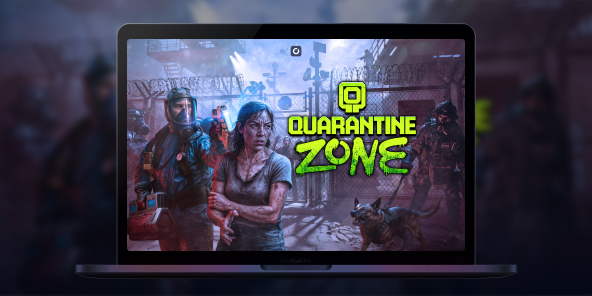
How to play Quarantine Zone: The Last Check on Mac?
Quarantine Zone: The Last Check is available on Steam as a Windows PC game, so you may not have a native macOS version to install on your MacBook. With Shadow PC, you can play Quarantine Zone: The Last Check on Mac by streaming a full Windows gaming PC to macOS and launching the official Steam version. Step into a collapsing city’s last checkpoint, scan survivors for signs of infection, and make split-second calls that decide who gets saved, and who becomes tomorrow’s threat.

Play Quarantine Zone: The Last Check on your Mac with Shadow PC
Shadow PC is a Windows gaming PC in the cloud. On your Mac, you simply open the Shadow app (or use your browser), access your Windows desktop, then install the game from Steam like any PC player. Check Shadow PC pricing, download the Shadow app for macOS, and start playing on MacBook without dealing with local Windows installs.
CPU AMD EPYC de 8 núcleos (3,25 GHz); 16 GB de RAM; GPU NVIDIA RTX 2000 Ada de 16 GB (GPU de clase GeForce RTX 4060); SSD de 512 GB
CPU AMD EPYC de 8 núcleos (hasta 3,7 GHz); 28 GB de RAM; GPU NVIDIA RTX A4500 de 20 GB (GPU de clase GeForce RTX 3070 Ti); SSD de 512 GB
A zombie border patrol game where every choice has consequences
In Quarantine Zone: The Last Check, you command a critical quarantine checkpoint during a zombie outbreak. You inspect survivors, manage scarce resources, and try to keep your base standing as the situation spirals. It’s a tense, single-player loop built around observation, decision-making, and survival management.
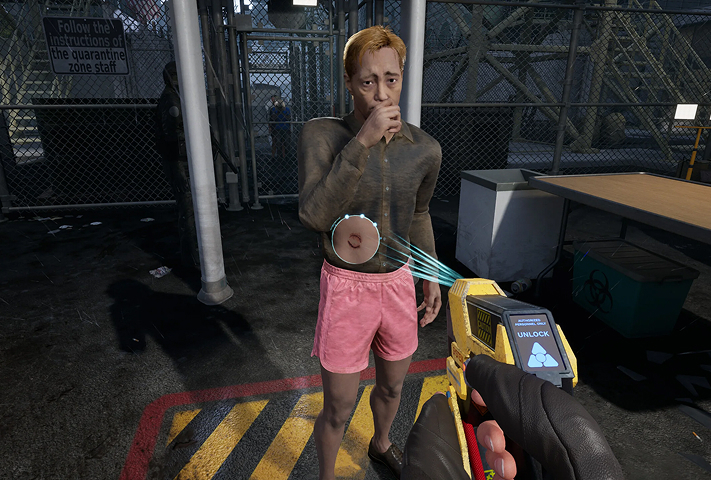
Use screening tools and your instincts to spot symptoms, suspicious behavior, and contaminated items. Search baggage for contraband and forbidden goods, then choose: send them through, quarantine them for observation, or stop them at the gate.
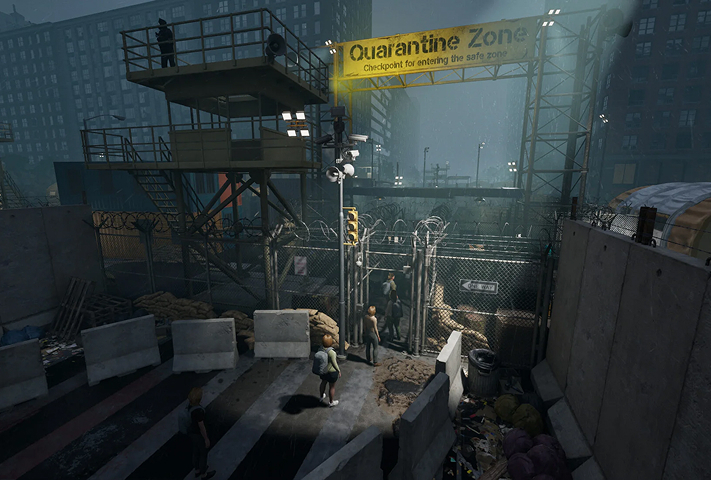
Your checkpoint isn’t just a desk, it’s a living operation. As more survivors arrive, you expand your living blocks and keep the essentials running while pressure builds day after day.
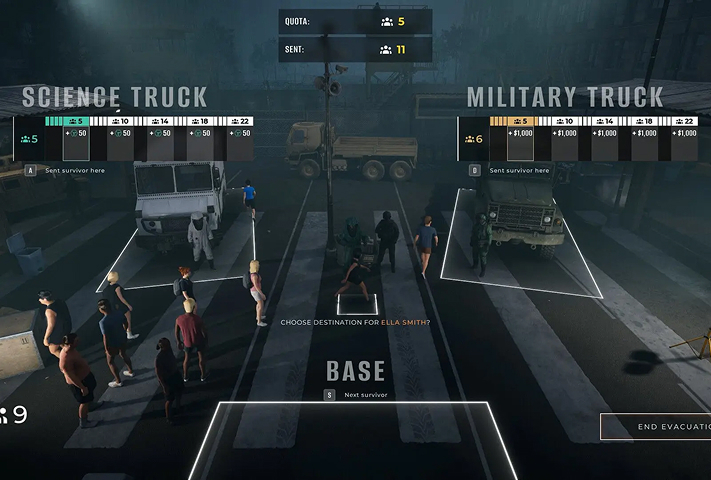
Power, food, and medicine are never enough. When breaches happen, you shift from paperwork to defense, reinforce your perimeter and deploy armed drones to keep infected from overrunning the compound.
The full game expands your tools beyond the demo
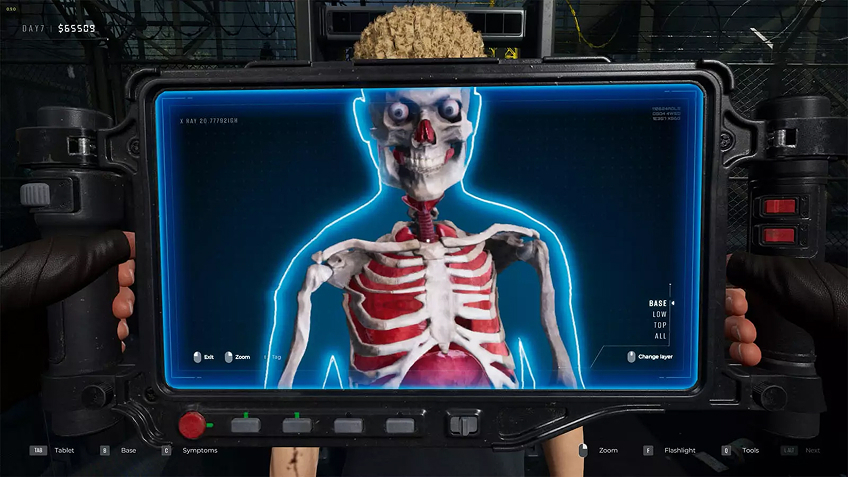
If you tried the demo, the full game goes deeper with advanced diagnostic checks designed to catch what a quick glance misses, like X-ray scanners, eye probes, and reflex tests. This matters because the game rewards careful reading and punishes sloppy approvals: the more precise your inspections, the fewer outbreaks you’ll have to fight later. On Mac via Shadow PC, you still get the full Windows feature set and the same detailed UI, streamed cleanly to macOS while you focus on the choices, not the hardware.
Your Gaming PC in just a few clicks
Shadow runs games directly from powerful remote servers, providing you with a Windows gaming PC experience equipped with Nvidia graphics, no matter your device! Whether you use a PC, Mac, or Linux device, using your Shadow PC is easy:

Choose the plan that best
suits your needs.


Launch Shadow, install Quarantine Zone: The Last Check and start playing. it’s that simple!
Your gaming PC, anytime, anywhere
Log in to your Shadow PC and play Quarantine Zone: The Last Check along with all your favorite games on any Apple device (even iPhone or Apple TV), or directly from your web browser. Shadow's cloud gaming and streaming technologies turns your Mac into a powerful gaming PC, accessible from anywhere, anytime!

FAQ
Although the game is limited to Windows, Shadow PC allows you to run it on a Mac by streaming a full PC. Simply install the Shadow app on your Mac to access a high-performance Windows environment. You can then launch Steam and play with optimal graphics without worrying about Apple's software incompatibility.
Shadow PC makes it possible to run this PC game on a smartphone or tablet via its dedicated app. Once connected to your cloud instance, the game launches on your phone exactly as it would on a standard computer. For precise playability, using a Bluetooth controller or an accessory like a Razer Kishi is highly recommended.
To play via Shadow, subscribe to a plan and log in to your cloud PC from any device. Install Steam on your virtual Windows session, then download the game as usual. This method guarantees a smooth, high-quality experience even if your physical hardware is old or low-powered.
Shadow es un completo PC para juegos con Windows alojado íntegramente en la nube. Es la única máquina virtual cuyo rendimiento rivaliza con el de un PC local. Y, a diferencia de los servicios de juegos en la nube, puedes instalar y ejecutar cualquier juego, aplicación o software: no hay catálogo restringido.
Tu Shadow es una auténtica estación de trabajo profesional con Windows. Instala todo lo que necesites*: Adobe Suite, herramientas CAD, entornos de desarrollo, etc.
Sí, tanto la aplicación Shadow como la versión para navegador funcionan en la mayoría de las versiones recientes de macOS y en ordenadores compatibles.
Para cada terminal que elija, podrá descargar de forma gratuita el software cliente Shadow PC; entre otras cosas, podrá poner a prueba la calidad de la navegación o ajustar los parámetros de la calidad de vídeo, para llegar incluso a la más alta resolución, como el 4K. Cuando precise acceder de forma rápida desde un nuevo terminal o estación de trabajo con restricciones para la instalación de software, ahora podrá disfrutar de un acceso directo a su PC Shadow desde un explorador. Sin necesidad de realizar instalación alguna, resulta rápido y sencillo: solo tiene que visitar la página pc.shadow.tech. Este modo de acceso resulta muy práctico para fines de demostración o formación sobre su contenido, a través de un programa de software exigente directamente desde la estación de trabajo de sus clientes y clientes potenciales: no hay necesidad de transportar el terminal, el software y los datos, accede a ellos con total facilidad.
Sí, cuando usas Shadow, obtienes una velocidad de descarga de hasta 1 Gb/s, incluso si tu conexión en casa es más lenta.
En resumen: no. Proporcionamos potencia suficiente para satisfacer sus necesidades según la oferta elegida. En cuanto a la latencia, nuestra tecnología avanzada permite utilizar una conexión con poco ancho de banda (a partir de 15 Mb/s) ofreciendo una latencia prácticamente imperceptible. Por supuesto, la compresión puede afectar la calidad de imagen, y si su conexión es demasiado lenta, podrá notar la diferencia respecto a la imagen original.
Sí, Shadow no limita la resolución y permite ejecutar Windows, sus juegos y programas en 4K UHD. Tenga en cuenta que algunos juegos podrían no admitir 4K o podrían tener un rendimiento inferior con esta resolución. Además, una resolución así requiere mayor ancho de banda, por lo que necesitará una conexión a Internet más rápida y estable que con resoluciones más bajas.
Sí, puede activar una segunda pantalla directamente desde el Menú Rápido de su PC Shadow.