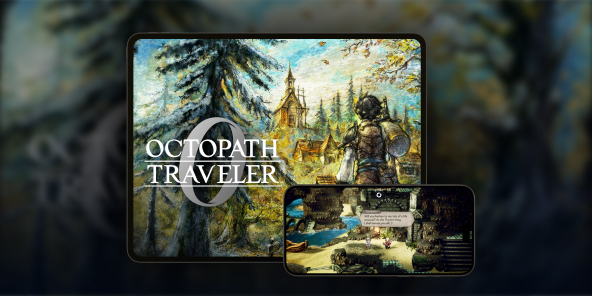
How to play Octopath Traveler 0 on iPhone, iPad, or Android?
A console adaptation of the game Champions of the Continent, Octopath Traveler 0 does not have an iOS or Android version. The solution for playing Octopath Traveler 0 on iPad? Use Shadow PC, your Windows computer in the cloud, to stream the full PC version to tablets (iPad and Android) and smartphones.

Play Octopath Traveler 0 on your smartphone or iPad with Shadow PC
Shadow PC gives you access to a powerful Windows gaming PC directly from an application on your Android smartphone or tablet, or iOS device. Simply install Octopath Traveler 0 via Steam or the Microsoft Store on your Shadow PC (directly on your iPhone or iPad) to start playing as if you were on your computer... but from your iPad, iPhone, or Android phone! In short, a complete gaming PC in your pocket, thanks to cloud gaming!
AMD EPYC CPU, 8 cores (3.25 GHz); 16 GB RAM; NVIDIA RTX 2000 Ada GPU, 16 GB (GeForce RTX 4060–class GPU); 512 GB SSD
AMD EPYC CPU, 8 cores (up to 3.7 GHz); 28 GB RAM; NVIDIA RTX A4500 GPU, 20 GB (GeForce RTX 3070 Ti–class GPU); 512 GB SSD
Octopath Traveler 0: A dark prequel set in the heart of Orsterra
Delve into the origins of the saga with a brand-new story centered on revenge and rebuilding.
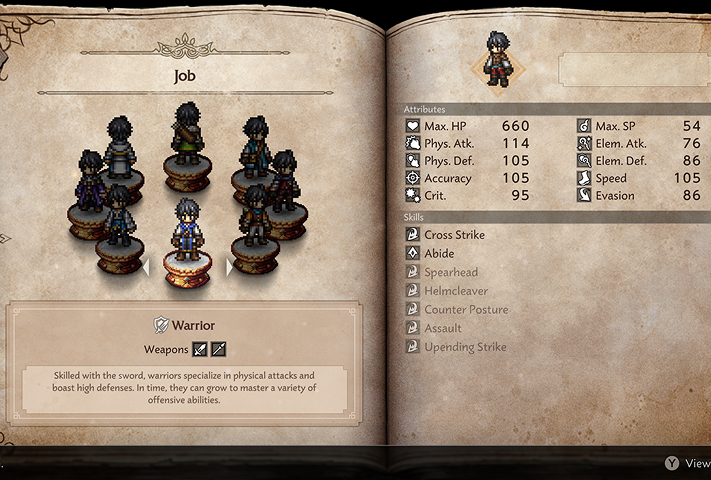
For the first time in the series, you don't choose a predefined hero. Thanks to the new character creation system, you can shape your avatar, choose their appearance and voice (English or Japanese), and start without a fixed class.
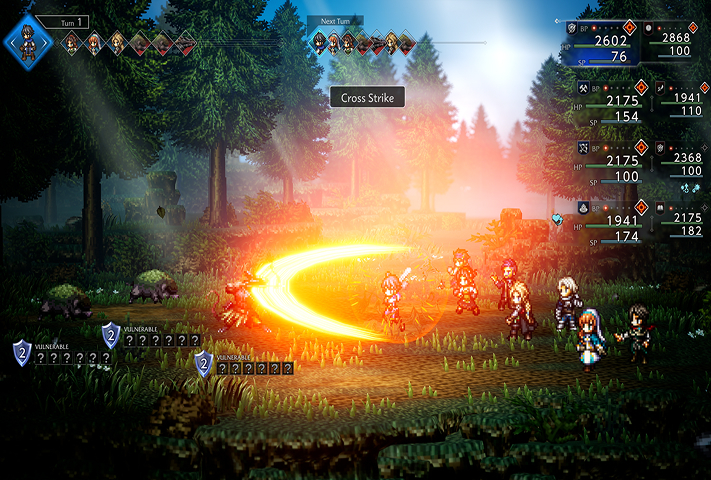
The gameplay has evolved significantly, with battles involving up to 8 simultaneous combatants spread across two lines (front and rear).
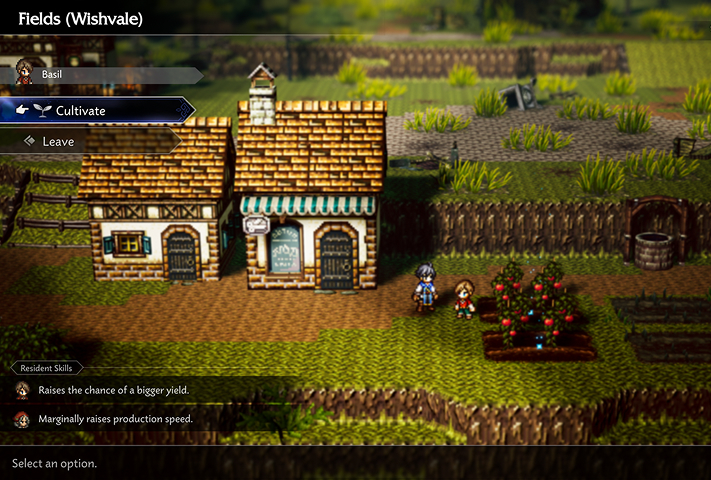
Your quest also involves rebuilding your hometown, Wishvale. This town building system allows you to freely place buildings and assign recruited inhabitants.

More than an RPG: Rebuild your home
Discover how city management fits into the heart of the action in Octopath Traveler 0. Your mission doesn't end with combat: gather resources, recruit allies across Orsterra, and watch Wishvale rise from the ashes. Thanks to the power of Shadow PC, enjoy every detail of the animations and HD-2D art direction of this deep simulation, right on your mobile screen.

Thanks to Shadow PC, enjoy Octopath Traveler 0 on your smartphone and tablet
Discover three key advantages of playing the Cloud Gaming version of Octopath Traveler 0 with Shadow PC: from the flexibility of mobile farming to seamless continuity between your screens.

Carry the full PC version of Octopath Traveler 0 in your pocket. Turn your commute into an opportunity to manage the reconstruction of Wishvale or perform Travel Actions with NPCs. The game runs without compromise on Shadow PC, allowing you to progress anywhere, anytime.

The larger screen of your iPad or Android tablet is ideal for admiring the unique HD-2D art direction, combining pixel art and modern 3D effects. Enjoy perfect readability to manage your strategic 8-character battles and appreciate the dynamic lighting effects of Orsterra with the comfort of a high-definition touch screen.

Never miss a minute of this adventure, which promises nearly 100 hours of gameplay. Start a quest on your computer and finish it on your phone. Your session is streamed from the cloud: your save data and cross-game bonuses are always synchronized and instantly accessible, regardless of the screen you choose.
Turn your Mac or iPhone into a gaming PC in just a few clicks!
Whether you're on a Mac (with few games compatible with macOS), a Linux machine (where Windows emulation hurts performance), or an older PC (or one with an underpowered graphics card), Shadow gives you access in just a few clicks to a powerful gaming PC to install all your favorite games*!

Choose the plan that best fits your needs.


Launch Shadow, install Octopath Traveler 0, and start playing. It’s that simple!
Your gaming PC, whenever you want, wherever you are
Log in to your Shadow PC and play Octopath Traveler 0 along with all your favorite games* on any Apple device (even iPhone or Apple TV), or directly from your web browser. Shadow's cloud gaming and streaming technologies turns your Mac into a powerful gaming PC, accessible from anywhere, anytime!

FAQ
Shadow is a complete Windows gaming PC fully hosted in the cloud. It’s the only virtual machine whose performance rivals that of a local PC. And unlike cloud-gaming services, you can install and run any game, app, or software: there’s no restricted catalog.
Your Shadow is a true professional Windows workstation. Install everything you need*: Adobe Suite, CAD tools, development IDEs, etc.
Yes, both the Shadow app and the browser version work on most recent versions of macOS and computers.
For each device of your choosing, you can download the Shadow PC software client for free; in particular, this will allow you to test the browsing quality and adjust your video quality settings to the highest resolution, such as 4k. When you need to quickly access your environment and files via a new device or a workstation that's limited in terms of software installation, you can now directly access your Shadow PC via a browser. No installation required, it's quick and easy: Just head to the pc.shadow.tech web page! This access mode comes particularly in handy when you're giving a client a demo or delivering training via a demanding software directly on your clients or prospects' device: No need to lug around your own hardware, with your software and data, as Shadow PC gives you easy and instant access to it, at any tie and anywhere.
Yes, with Shadow you get 1 Gb/s download speeds to your Shadow PC, even if your local internet connection is slow.
In short: no. We provide enough power to meet your needs based on your chosen plan. Regarding latency, our advanced technology enables smooth usage even at low bandwidth (starting at 15 Mb/s), delivering virtually imperceptible latency. Of course, compression can impact image quality, and if your connection is too weak, you may notice a difference compared to the original image.
Yes, Shadow does not limit the resolution, allowing you to run Windows, your games, and software in 4K UHD. Please note that some games may not support 4K or may experience reduced performance at this resolution. Additionally, higher resolutions require more bandwidth, meaning you'll need a faster and more stable internet connection compared to lower resolutions.
Yes, you can activate a second screen directly on the Quick Menu.