How to run OpenClaw AI agents for free on Shadow PC
OpenClaw is the fastest-growing open-source project in GitHub history. An autonomous AI agent that manages your emails, calendar, files, and projects around the clock. But to unlock its full potential, it needs a secure isolated environment with a dedicated GPU. That's exactly what Shadow PC provides.
With NVIDIA's NemoClaw, the enterprise-grade security layer for OpenClaw, Shadow is the ideal platform for hosting your personal AI assistant: local inference, no cloud APIs, total privacy.
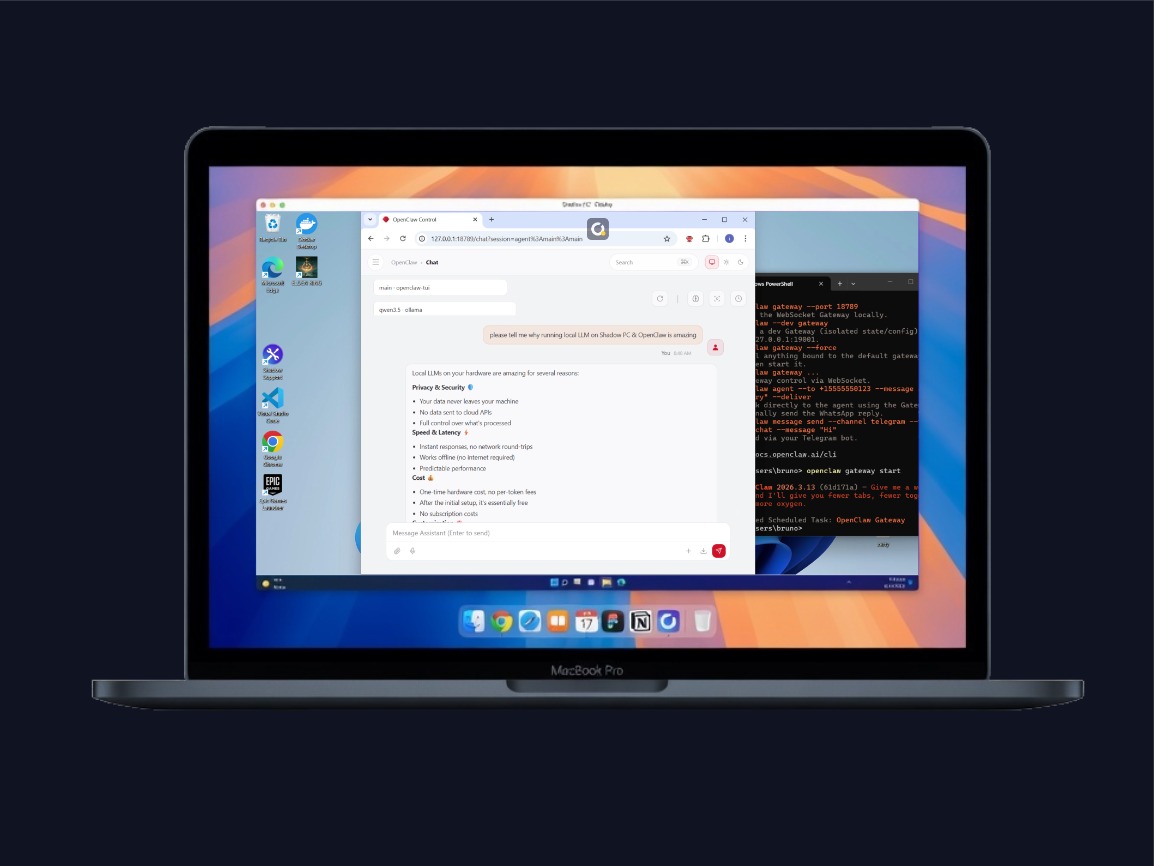
What is OpenClaw?
OpenClaw (originally Clawdbot, then briefly Moltbot after an Anthropic trademark request) is an open-source AI agent created by Austrian developer Peter Steinberger in late 2025. Unlike traditional chatbots that only respond, OpenClaw acts autonomously: it reads your emails, drafts contextual replies, manages your calendar, monitors GitHub projects, browses the web, executes code, and communicates via WhatsApp, Telegram, or Discord.
On March 3, 2026, OpenClaw surpassed React to become GitHub's most-starred software project with over 250,000 stars — going from zero to #1 in roughly 60 days. NVIDIA CEO Jensen Huang has called it "the operating system for personal AI."
🔥 Autonomous management of emails, calendar, files, and projects
📲 Reachable via Telegram, WhatsApp, Discord, Slack, iMessage
☁ Works with cloud models (Claude, GPT) and local models (Ollama, LM Studio)
🧠 Persistent memory — learns your preferences over time
🧩 100+ integrations: Notion, GitHub, Gmail, smart home, Spotify, and more
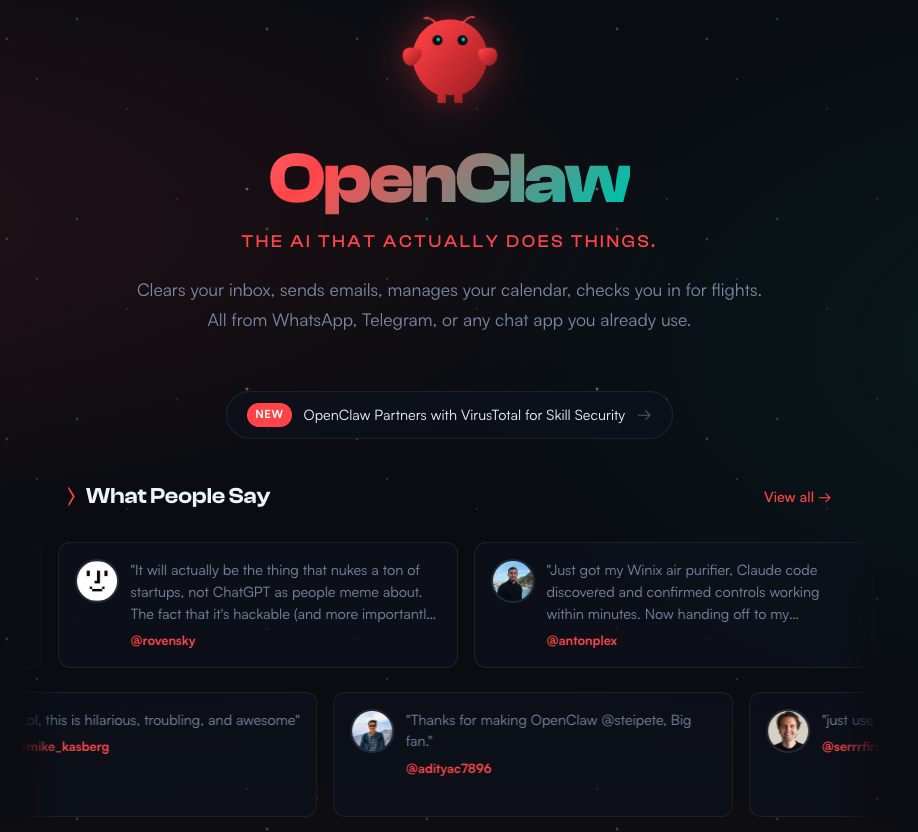
Note: OpenClaw and its more secure version Nemoclaw are fast-evolving, alpha products. APIs, configuration schemas, and runtime behavior may change between releases. Use at your own risks.
Why OpenClaw is the #1 AI tool in 2026?
Emails sorted and answered, calendar managed, projects monitored, tasks scheduled. OpenClaw works while you focus on other things.
The OpenShell sandbox controls every network request and file access. Your data never leaves the Shadow PC.
With a local model running on GPU, you eliminate cloud API fees. The cost is fixed, regardless of how many requests your agent makes per day.
OpenClaw remembers your preferences, projects, and habits. It improves with every interaction and accumulates context over time.
Gmail, Slack, Notion, GitHub, Spotify, smart home, Telegram, Discord, WhatsApp, iMessage, OBS — plus a growing ecosystem of community "skills."
OpenClaw can create its own skills, orchestrate other agents (Claude Code, Codex), and even modify its own configuration autonomously.
The safest setup for OpenClaw
The idea is simple: use your Shadow PC as a dedicated host for your OpenClaw agent. A full Windows PC in the cloud, isolated from your personal machine, equipped with a powerful NVIDIA GPU, connected via 1 Gbps fiber.
🔐 Isolation solves the main security problem. Your Shadow is a separate environment: your personal files, browser passwords, and banking data are never exposed to the agent. If something goes wrong, you reset the Shadow. Your digital life stays intact.
💰 The built-in GPU eliminates dependency on cloud APIs. With 16 to 20 GB of VRAM, you can run models like Qwen 3 14B, Mistral Small 3.1, or Qwen 3 30B-A3B directly on your instance. No data ever reaches a third-party server.
💡Tips: On Shadow Gaming plans (Boost, Neo, Power), the PC shuts down automatically after a period of inactivity even if a program is running. For continuous 24/7 OpenClaw usage, Shadow PC Pro with the "Always On" option is recommended: it disables auto-shutdown and keeps your agent running permanently, even when you're not connected. The Always On option is available on select Pro plans.
Why Shadow is the best platform for OpenClaw
Compare hosting options for your autonomous AI agents.
| Shadow PC | Local Mac Mini | Standard VPS | OpenClaw Cloud | |
|---|---|---|---|---|
| Dedicated GPU (local LLM) | ||||
| Isolation from personal computer | ||||
| Full graphical interface (GUI) | Limited |
|||
| Always On (24/7) | Pro |
Manual setup |
||
| Built-in 1 Gbps fiber | Varies |
Varies |
||
| Multi-purpose (gaming, work...) | ||||
| Zero hardware investment | ||||
| NemoClaw / OpenShell support | Mac = limited |
No GPU |
No need for a Mac Mini. Run Local AI models with OpenClaw on Shadow PC.
Discover our offers made to run OpenClaw and popular local AI models securely, on any device.
-
NVIDIA® RTX 2000 ADA 16 GB (Karte vom Typ Geforce RTX 4060)
-
AMD EPYC 9354P 8 vCores - 3.25 GHz
-
16 GB RAM
-
C:\ 1 TB SSD
-
D:\ Bis zu 5 TB HDD als Option verfügbar
-
Windows 11 Home/Enterprise*
-
Bis zu 1 Gb/s an Bandbreite
-
NVIDIA® RTX™ A4500 20 GB (Karte vom Typ Geforce RTX 3070 Ti)
-
AMD EPYC™ 7543P 8 vCores (bis 3.7 GHz)
-
28 GB RAM
-
C:\ 1 TB SSD
-
D:\ Bis zu 5 TB HDD als Option verfügbar
-
Windows 11 Home/Enterprise*
-
Bis zu 1 Gb/s an Bandbreite
-
NVIDIA® Quadro RTX 6000 24 GB
-
Intel Xeon™ 12 vCores (bis 4,5 Ghz)
-
41 GB RAM
-
C:\ 1 TB SSD
-
D:\ Bis zu 5 TB HDD als Option verfügbar
-
Windows 11 Home/Enterprise*
-
Bis zu 1 Gb/s an Bandbreite
Getting Started with OpenClaw
The Best AI models to use on Shadow PC with OpenClaw - Spring 2026
Neo Pro – RTX 2000 Ada (16 GB VRAM)
Recommended models
- Qwen 3 14B (Q4_K_M) ~10 GB VRAM
- Mistral Small 3.1 24B (Q3_K) ~12 GB VRAM
- Nemotron Mini 15B (Q4_K_M) ~11 GB VRAM
- DeepSeek R1 14B (Q4_K_M) ~10 GB VRAM
- Qwen 3 8B (Q8_0) ~10 GB VRAM
- Gemma 3 12B (Q4_K_M) ~9 GB VRAM
Power Pro – RTX A4500 (20 GB VRAM)
Recommended models
- Qwen 3 30B–A3B (MoE, Q4_K_M) ~19 GB VRAM
- Qwen 3 14B (Q8_0) ~16 GB VRAM
- Mistral Small 3.1 24B (Q4_K_M) ~16 GB VRAM
- Gemma 3 27B (Q3_K) ~16 GB VRAM
- DeepSeek R1 32B (Q3_K) ~17 GB VRAM
- Nemotron Mini 15B (Q8_0) ~17 GB VRAM