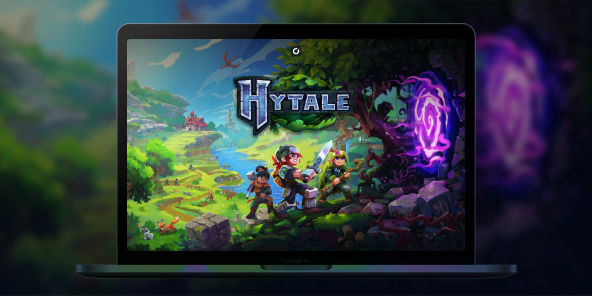
How to create or join Hytale servers?
Want to create or join servers and play with your friends on Minecraft's concurrent game? With Shadow PC, you stream a full Windows gaming PC and you can play the official Windows version of Hytale, even if your setup is limited. Team up with friends for multiplayer adventures, join community worlds, or build your own private server.

Play Hytale online with Shadow PC
Shadow PC is a high end Windows gaming PC in the cloud. Install Hytale like you would on a regular PC. Play with a smooth streamed experience and jump into multiplayer coop adventures.
CPU AMD EPYC, 8 core (3,25 GHz); 16 GB di RAM; GPU NVIDIA RTX 2000 Ada da 16 GB (GPU di classe GeForce RTX 4060); SSD da 512 GB
CPU AMD EPYC, 8 core (fino a 3,7 GHz); 28 GB di RAM; GPU NVIDIA RTX A4500 da 20 GB (GPU di classe GeForce RTX 3070 Ti); SSD da 512 GB
Hytale: a Minecraft-like sandbox survival experience
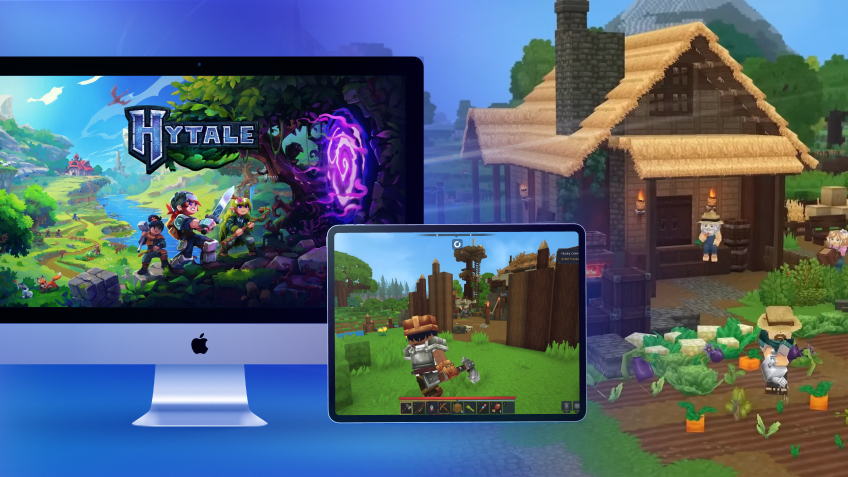
Hytale mixes a block based sandbox with RPG flavored exploration. It is built for adventurers, builders, and creators who want a world that feels alive, full of secrets, and shaped by the community.
Mods and servers that feel effortless to join
Hytale is designed around a server first philosophy: even single player is treated like joining a local server. The goal is simple for players: join a server without fighting with separate client mod packs, and let servers shape the experience.
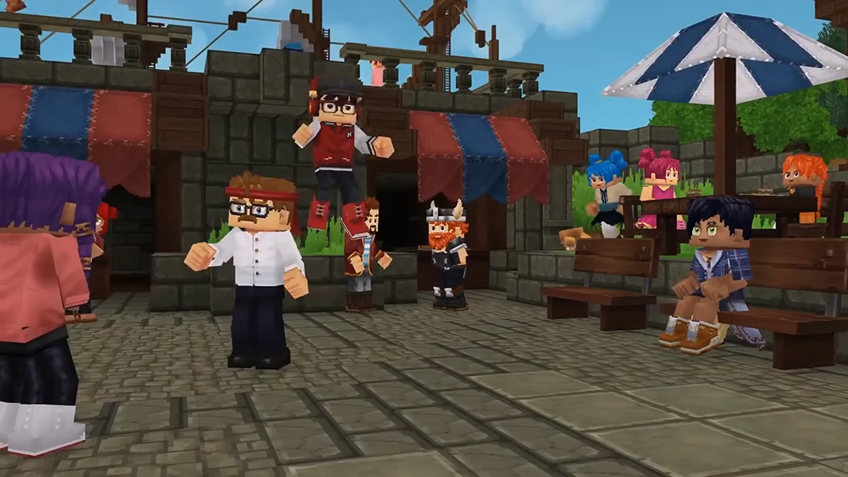
How to play Hytale online with friends?
Online play in Hytale revolves around one thing: servers. In just a few clicks, you can jump into a public server with other players, or set up a private space reserved for your own group.
Hosting a public Hytale server
If you want to run your own public server, you have several hosting options available, with pricing tiers to suit different budgets and player counts.
To help you compare providers, we recommend starting with this article to the best Hytale server hosting services:
https://www.hostinger.com/tutorials/best-hytale-server-hosting-providers
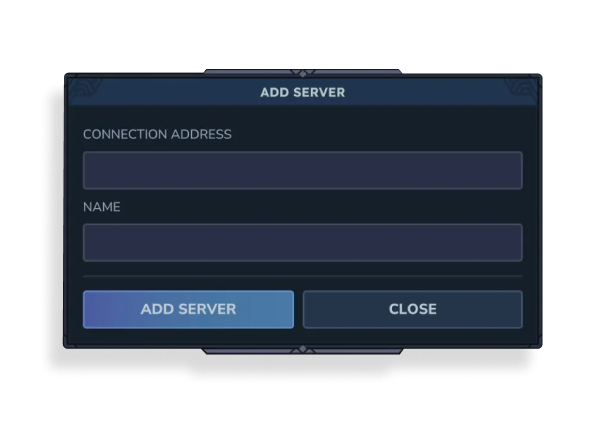
If you prefer joining servers that already exist, just open the Servers menu, click Add Server, then enter the server’s Connection Address and assign it a name. You’ll be connected in seconds.

Creating a private server (friends-only)
If your goal is simply to play with friends and not with strangers, you can create a private multiplayer session instead.
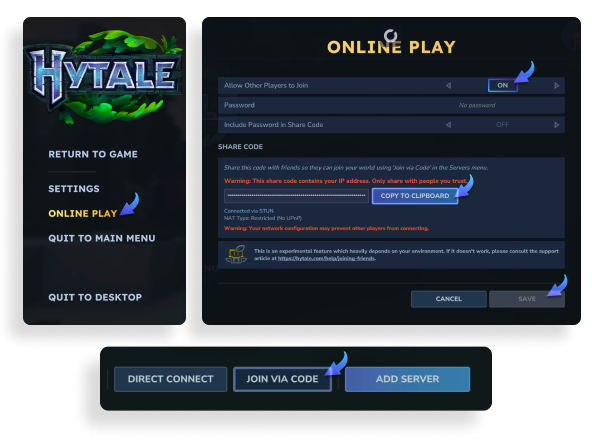
To set up a private peer-to-peer server, go to the Worlds tab and choose the mode you want: Adventure, Exploration, or Creative. Name your world and adjust any settings to match your preferences. Once the world is running, press Escape, open Online Play, and make sure Allow Other Players to Join is turned On. You can optionally add a password, then click Save.
The game will then generate a join code. Click Copy to Clipboard and send it to your friend(s). On their side, they’ll need to go to the Servers tab, select Join via code, paste the code, and connect.
Installing mods to enhance your experience
WIth Shadow PC, since you have access to a full Windows PC, you can even install mods to expand and improve your gameplay.
Start by visiting:
https://www.curseforge.com/download/app
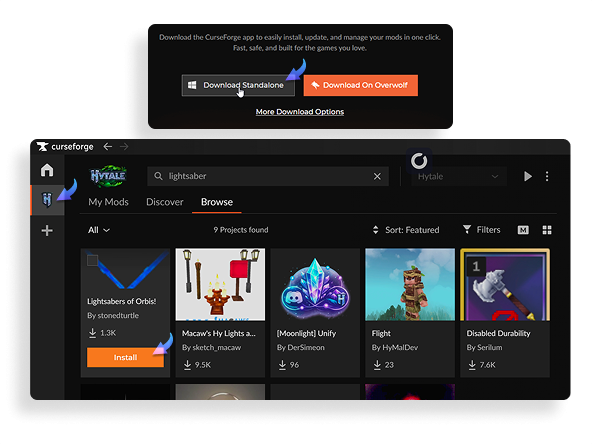
Download and install the CurseForge app. Once it’s open, add Hytale from the left-hand sidebar (if it isn’t already listed), then browse the available mods. When you find one you like, simply click Install.
After installation, your mod should appear in the My Mods tab. From there, simply launch the game via its official launcher and you’re ready to play.
Turn any of your device into a gaming PC in just a few clicks!
Whether you're on a Mac (with few games compatible with macOS), a Linux machine (where Windows emulation hurts performance), or an older PC (one with an underpowered graphics card), Shadow gives you access in just a few clicks to a powerful gaming PC to install all your favorite games*!

Choose the plan that best fits your needs.


Launch Shadow, Hytale, and start playing. It’s that simple!
Your gaming PC, anytime, anywhere
Connect to your high-performance Shadow PC and play Hytale along with all your favorite titles on any device, whether it’s an iPhone, iPad, mobile tablet, Windows or Linux computer, Meta Quest, or just your web browser. Benefit from a smooth, dependable, and ultimate cloud gaming service wherever you go, and elevate your gaming sessions with the unmatched power of Shadow PC.

FAQ
Join the same server. You can pick a public server, or set up a private server and share the address with your group. Servers can be vanilla or modded, so agree on a server style before you start.
Yes. You can host a private server for friends, then share the connection details. For a server that runs all day, use a dedicated hosting option and keep regular backups.
Yes, servers are a core part of the modding vision. Many community servers will offer custom rules, content, and experiences, so check each server description before joining.
Shadow è un PC da gioco Windows completo interamente ospitato nel cloud. È l'unica macchina virtuale le cui prestazioni rivaleggiano con quelle di un PC locale. E a differenza dei servizi di cloud gaming, puoi installare ed eseguire qualsiasi gioco, app o software: non ci sono restrizioni sul catalogo.
Il tuo Shadow è una vera workstation Windows professionale. Installa tutto ciò di cui hai bisogno*: Adobe Suite, strumenti CAD, ambienti di sviluppo, ecc.
Sì, sia l’app Shadow che la versione browser funzionano con le versioni più recenti di macOS e sui computer compatibili.
Per ogni dispositivo di vostra scelta, potete scaricare gratuitamente il software client Shadow PC; vi permette nello specifico di testare la qualità di navigazione, impostare i parametri di qualità video fino alla risoluzione più alta come la 4k Per le esigenze di accesso rapido da un nuovo dispositivo o una postazione con limiti in termini di installazione di software, potete ora accedere direttamente al vostro PC Shadow da un browser. Nessuna installazione necessaria, è un'operazione semplice e rapida: accedete alla pagina pc.shadow.tech! Questa modalità di accesso è in particolare molto pratica per le demo o le formazioni dei vostri contenuti tramite un software esigente, direttamente dalla postazione dei vostri clienti o prospect: non è più necessario trasportare il vostro dispositivo, i vostri software e i vostri dati, potrete accedervi in totale semplicità.
Sì, con Shadow disponi di una velocità di download di 1 Gb/s sul tuo PC Shadow, anche se la tua connessione internet locale è lenta.
In breve: no. Forniamo una potenza sufficiente a soddisfare le vostre esigenze in base all'offerta scelta. Quanto alla latenza, la nostra tecnologia avanzata consente di utilizzare una connessione a bassa larghezza di banda (a partire da 15 Mb/s) con una latenza praticamente impercettibile. Naturalmente, la compressione può influenzare la qualità dell'immagine e, se la vostra connessione è troppo lenta, potreste notare una differenza rispetto all'immagine originale.
Sì, Shadow non limita la risoluzione e permette di utilizzare Windows, i vostri giochi e programmi in 4K UHD. Si noti che alcuni giochi potrebbero non supportare la risoluzione 4K o potrebbero subire cali di prestazioni a tale definizione. Inoltre, una risoluzione così alta richiede una maggiore larghezza di banda, dunque una connessione internet più veloce e stabile rispetto alle definizioni inferiori.
Sì, è possibile attivare un secondo schermo direttamente dal Menu Rapido del vostro PC Shadow.