- Shadow Blog
- Play on Mac
- How do I play Life is Strange: Reunion on Mac with the graphics set to maximum?
How do I play Life is Strange: Reunion on Mac with the graphics set to maximum?
Life is Strange: Reunion marks the triumphant return of Max and Chloe in a deeply moving narrative adventure. Built using Unreal Engine 5, the game is a visual masterpiece, but it doesn't offer a native version for macOS and requires phenomenal graphics power to run at its best. Don’t compromise on the emotional impact: with Shadow PC, turn your Mac into a powerhouse capable of running the game at its “Hella High” settings. Dive into the story of Caledon University with perfect fluidity, without worrying about the limitations of your Apple hardware.
Unlock "Hella High" mode (Ultra 4K) directly on your Mac
In the game’s official settings, the "Hella High" preset delivers the ultimate 2160p experience. Shadow PC brings that power to your MacBook or iMac through the cloud. It’s a full Windows gaming PC hosted in the cloud, letting you enable Lumen lighting and high resolution textures with no compromises.
CPU AMD EPYC, 8 core (3,25 GHz); 16 GB di RAM; GPU NVIDIA RTX 2000 Ada da 16 GB (GPU di classe GeForce RTX 4060); SSD da 512 GB
CPU AMD EPYC, 8 core (fino a 3,7 GHz); 28 GB di RAM; GPU NVIDIA RTX A4500 da 20 GB (GPU di classe GeForce RTX 3070 Ti); SSD da 512 GB
The most ambitious narrative experience in the series
Life is Strange: Reunion pushes Unreal Engine 5 to its limits for total immersion. Experience every emotional moment without compromise thanks to cloud gaming power.

Reunite with Max Caulfield and Chloe Price, brought to life by their original voice actors, in a sequel that blends the timelines of Double Exposure.

Explore Caledon University, a stunning location threatened by an act of arson set to destroy everything in just three days.
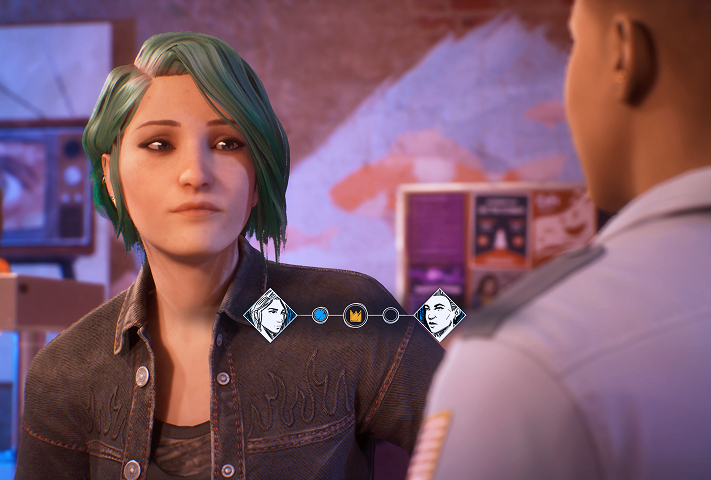
Investigate the source of the disaster and decide who will survive; every decision shapes one of the multiple endings in this emotional finale.
Unreal Engine 5: stunning visuals without the slowdown
The game uses technologies like Lumen lighting to create a unique atmosphere, but these effects can cause major FPS drops on many setups. Shadow PC removes that barrier by handling the full processing load on its high performance servers. Your Mac receives a flawless high resolution video stream, so you can enjoy every detail of the "Photo Wall" with no latency.

Tutorial: play Life is Strange: Reunion with cloud gaming in 3 steps
Whether you’re on Mac with no native macOS version, on Linux, or using an older computer, Shadow gives you access in just a few clicks to a powerful gaming PC so you can enjoy your favorite games with max graphics settings.

Go to shadow.tech and choose the PC configuration that matches your performance needs.

Install the Shadow client on your Mac, or sign in directly from your web browser via pc.shadow.tech

Launch your Shadow PC and install Life is Strange: Reunion. That’s it. All that’s left is to play in Ultra settings.
Your gaming PC, whenever you want, wherever you are
Sign in to your Shadow PC and play Life is Strange: Reunion along with all your favorite games on any Apple device, including iPhone and Apple TV, or directly from your web browser. Shadow’s cloud gaming technology turns your Mac into a powerful gaming PC you can access from anywhere.

FAQ
Shadow è un PC da gioco Windows completo interamente ospitato nel cloud. È l'unica macchina virtuale le cui prestazioni rivaleggiano con quelle di un PC locale. E a differenza dei servizi di cloud gaming, puoi installare ed eseguire qualsiasi gioco, app o software: non ci sono restrizioni sul catalogo.
Il tuo Shadow è una vera workstation Windows professionale. Installa tutto ciò di cui hai bisogno*: Adobe Suite, strumenti CAD, ambienti di sviluppo, ecc.
Sì, sia l’app Shadow che la versione browser funzionano con le versioni più recenti di macOS e sui computer compatibili.
Per ogni dispositivo di vostra scelta, potete scaricare gratuitamente il software client Shadow PC; vi permette nello specifico di testare la qualità di navigazione, impostare i parametri di qualità video fino alla risoluzione più alta come la 4k Per le esigenze di accesso rapido da un nuovo dispositivo o una postazione con limiti in termini di installazione di software, potete ora accedere direttamente al vostro PC Shadow da un browser. Nessuna installazione necessaria, è un'operazione semplice e rapida: accedete alla pagina pc.shadow.tech! Questa modalità di accesso è in particolare molto pratica per le demo o le formazioni dei vostri contenuti tramite un software esigente, direttamente dalla postazione dei vostri clienti o prospect: non è più necessario trasportare il vostro dispositivo, i vostri software e i vostri dati, potrete accedervi in totale semplicità.
Sì, con Shadow disponi di una velocità di download di 1 Gb/s sul tuo PC Shadow, anche se la tua connessione internet locale è lenta.
In breve: no. Forniamo una potenza sufficiente a soddisfare le vostre esigenze in base all'offerta scelta. Quanto alla latenza, la nostra tecnologia avanzata consente di utilizzare una connessione a bassa larghezza di banda (a partire da 15 Mb/s) con una latenza praticamente impercettibile. Naturalmente, la compressione può influenzare la qualità dell'immagine e, se la vostra connessione è troppo lenta, potreste notare una differenza rispetto all'immagine originale.
Sì, Shadow non limita la risoluzione e permette di utilizzare Windows, i vostri giochi e programmi in 4K UHD. Si noti che alcuni giochi potrebbero non supportare la risoluzione 4K o potrebbero subire cali di prestazioni a tale definizione. Inoltre, una risoluzione così alta richiede una maggiore larghezza di banda, dunque una connessione internet più veloce e stabile rispetto alle definizioni inferiori.
Sì, è possibile attivare un secondo schermo direttamente dal Menu Rapido del vostro PC Shadow.