How to play Octopath Traveler 0 on iPhone, iPad, or Android?
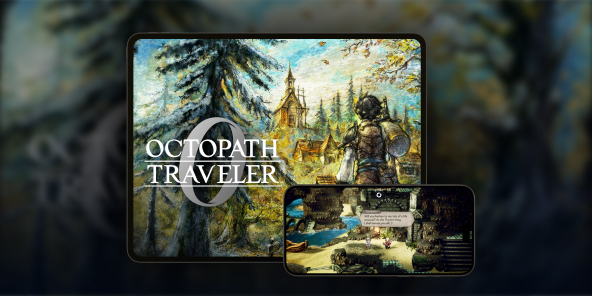
A console adaptation of the game Champions of the Continent, Octopath Traveler 0 does not have an iOS or Android version. The solution for playing Octopath Traveler 0 on iPad? Use Shadow PC, your Windows computer in the cloud, to stream the full PC version to tablets (iPad and Android) and smartphones.

Play Octopath Traveler 0 on your smartphone or iPad with Shadow PC
Shadow PC gives you access to a powerful Windows gaming PC directly from an application on your Android smartphone or tablet, or iOS device. Simply install Octopath Traveler 0 via Steam or the Microsoft Store on your Shadow PC (directly on your iPhone or iPad) to start playing as if you were on your computer... but from your iPad, iPhone, or Android phone! In short, a complete gaming PC in your pocket, thanks to cloud gaming!
CPU AMD EPYC, 8 core (3,25 GHz); 16 GB di RAM; GPU NVIDIA RTX 2000 Ada da 16 GB (GPU di classe GeForce RTX 4060); SSD da 512 GB
CPU AMD EPYC, 8 core (fino a 3,7 GHz); 28 GB di RAM; GPU NVIDIA RTX A4500 da 20 GB (GPU di classe GeForce RTX 3070 Ti); SSD da 512 GB
Octopath Traveler 0: A dark prequel set in the heart of Orsterra
Delve into the origins of the saga with a brand-new story centered on revenge and rebuilding.
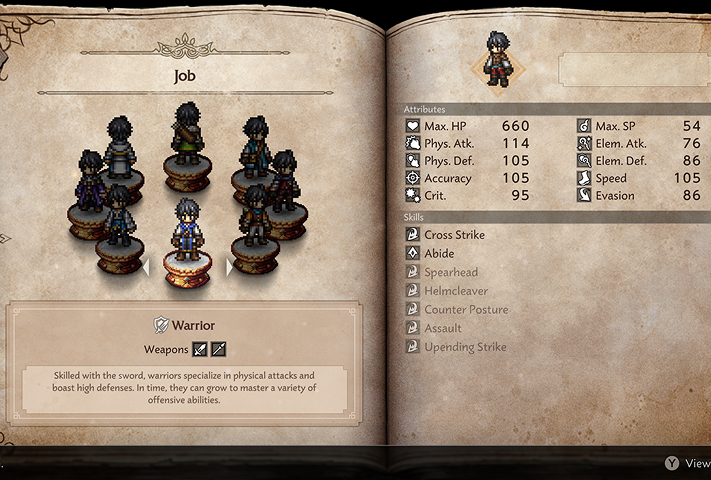
For the first time in the series, you don't choose a predefined hero. Thanks to the new character creation system, you can shape your avatar, choose their appearance and voice (English or Japanese), and start without a fixed class.
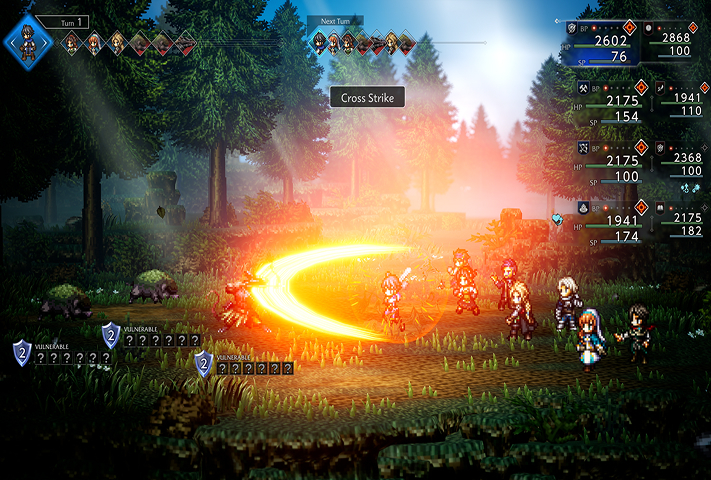
The gameplay has evolved significantly, with battles involving up to 8 simultaneous combatants spread across two lines (front and rear).
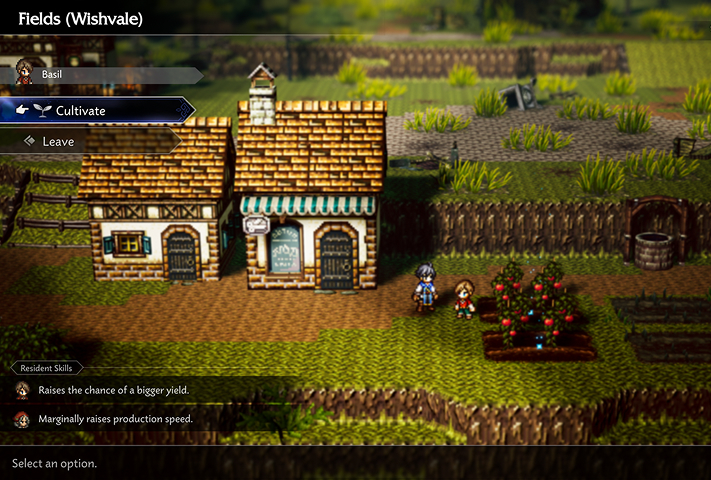
Your quest also involves rebuilding your hometown, Wishvale. This town building system allows you to freely place buildings and assign recruited inhabitants.

More than an RPG: Rebuild your home
Discover how city management fits into the heart of the action in Octopath Traveler 0. Your mission doesn't end with combat: gather resources, recruit allies across Orsterra, and watch Wishvale rise from the ashes. Thanks to the power of Shadow PC, enjoy every detail of the animations and HD-2D art direction of this deep simulation, right on your mobile screen.

Thanks to Shadow PC, enjoy Octopath Traveler 0 on your smartphone and tablet
Discover three key advantages of playing the Cloud Gaming version of Octopath Traveler 0 with Shadow PC: from the flexibility of mobile farming to seamless continuity between your screens.

Carry the full PC version of Octopath Traveler 0 in your pocket. Turn your commute into an opportunity to manage the reconstruction of Wishvale or perform Travel Actions with NPCs. The game runs without compromise on Shadow PC, allowing you to progress anywhere, anytime.

The larger screen of your iPad or Android tablet is ideal for admiring the unique HD-2D art direction, combining pixel art and modern 3D effects. Enjoy perfect readability to manage your strategic 8-character battles and appreciate the dynamic lighting effects of Orsterra with the comfort of a high-definition touch screen.

Never miss a minute of this adventure, which promises nearly 100 hours of gameplay. Start a quest on your computer and finish it on your phone. Your session is streamed from the cloud: your save data and cross-game bonuses are always synchronized and instantly accessible, regardless of the screen you choose.
Turn your Mac or iPhone into a gaming PC in just a few clicks!
Whether you're on a Mac (with few games compatible with macOS), a Linux machine (where Windows emulation hurts performance), or an older PC (or one with an underpowered graphics card), Shadow gives you access in just a few clicks to a powerful gaming PC to install all your favorite games*!

Choose the plan that best fits your needs.


Launch Shadow, install Octopath Traveler 0, and start playing. It’s that simple!
Your gaming PC, whenever you want, wherever you are
Log in to your Shadow PC and play Octopath Traveler 0 along with all your favorite games* on any Apple device (even iPhone or Apple TV), or directly from your web browser. Shadow's cloud gaming and streaming technologies turns your Mac into a powerful gaming PC, accessible from anywhere, anytime!

FAQ
Shadow è un PC da gioco Windows completo interamente ospitato nel cloud. È l'unica macchina virtuale le cui prestazioni rivaleggiano con quelle di un PC locale. E a differenza dei servizi di cloud gaming, puoi installare ed eseguire qualsiasi gioco, app o software: non ci sono restrizioni sul catalogo.
Il tuo Shadow è una vera workstation Windows professionale. Installa tutto ciò di cui hai bisogno*: Adobe Suite, strumenti CAD, ambienti di sviluppo, ecc.
Sì, sia l’app Shadow che la versione browser funzionano con le versioni più recenti di macOS e sui computer compatibili.
Per ogni dispositivo di vostra scelta, potete scaricare gratuitamente il software client Shadow PC; vi permette nello specifico di testare la qualità di navigazione, impostare i parametri di qualità video fino alla risoluzione più alta come la 4k Per le esigenze di accesso rapido da un nuovo dispositivo o una postazione con limiti in termini di installazione di software, potete ora accedere direttamente al vostro PC Shadow da un browser. Nessuna installazione necessaria, è un'operazione semplice e rapida: accedete alla pagina pc.shadow.tech! Questa modalità di accesso è in particolare molto pratica per le demo o le formazioni dei vostri contenuti tramite un software esigente, direttamente dalla postazione dei vostri clienti o prospect: non è più necessario trasportare il vostro dispositivo, i vostri software e i vostri dati, potrete accedervi in totale semplicità.
Sì, con Shadow disponi di una velocità di download di 1 Gb/s sul tuo PC Shadow, anche se la tua connessione internet locale è lenta.
In breve: no. Forniamo una potenza sufficiente a soddisfare le vostre esigenze in base all'offerta scelta. Quanto alla latenza, la nostra tecnologia avanzata consente di utilizzare una connessione a bassa larghezza di banda (a partire da 15 Mb/s) con una latenza praticamente impercettibile. Naturalmente, la compressione può influenzare la qualità dell'immagine e, se la vostra connessione è troppo lenta, potreste notare una differenza rispetto all'immagine originale.
Sì, Shadow non limita la risoluzione e permette di utilizzare Windows, i vostri giochi e programmi in 4K UHD. Si noti che alcuni giochi potrebbero non supportare la risoluzione 4K o potrebbero subire cali di prestazioni a tale definizione. Inoltre, una risoluzione così alta richiede una maggiore larghezza di banda, dunque una connessione internet più veloce e stabile rispetto alle definizioni inferiori.
Sì, è possibile attivare un secondo schermo direttamente dal Menu Rapido del vostro PC Shadow.