How to play Quarantine Zone: The Last Check on Mac?
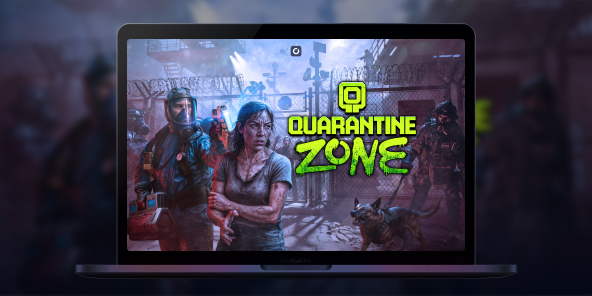
Quarantine Zone: The Last Check is available on Steam as a Windows PC game, so you may not have a native macOS version to install on your MacBook. With Shadow PC, you can play Quarantine Zone: The Last Check on Mac by streaming a full Windows gaming PC to macOS and launching the official Steam version. Step into a collapsing city’s last checkpoint, scan survivors for signs of infection, and make split-second calls that decide who gets saved, and who becomes tomorrow’s threat.

Play Quarantine Zone: The Last Check on your Mac with Shadow PC
Shadow PC is a Windows gaming PC in the cloud. On your Mac, you simply open the Shadow app (or use your browser), access your Windows desktop, then install the game from Steam like any PC player. Check Shadow PC pricing, download the Shadow app for macOS, and start playing on MacBook without dealing with local Windows installs.
CPU AMD EPYC, 8 core (3,25 GHz); 16 GB di RAM; GPU NVIDIA RTX 2000 Ada da 16 GB (GPU di classe GeForce RTX 4060); SSD da 512 GB
CPU AMD EPYC, 8 core (fino a 3,7 GHz); 28 GB di RAM; GPU NVIDIA RTX A4500 da 20 GB (GPU di classe GeForce RTX 3070 Ti); SSD da 512 GB
A zombie border patrol game where every choice has consequences
In Quarantine Zone: The Last Check, you command a critical quarantine checkpoint during a zombie outbreak. You inspect survivors, manage scarce resources, and try to keep your base standing as the situation spirals. It’s a tense, single-player loop built around observation, decision-making, and survival management.
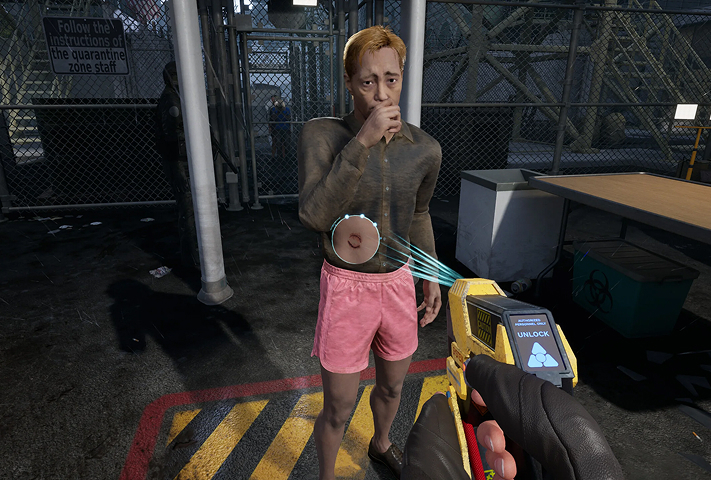
Use screening tools and your instincts to spot symptoms, suspicious behavior, and contaminated items. Search baggage for contraband and forbidden goods, then choose: send them through, quarantine them for observation, or stop them at the gate.
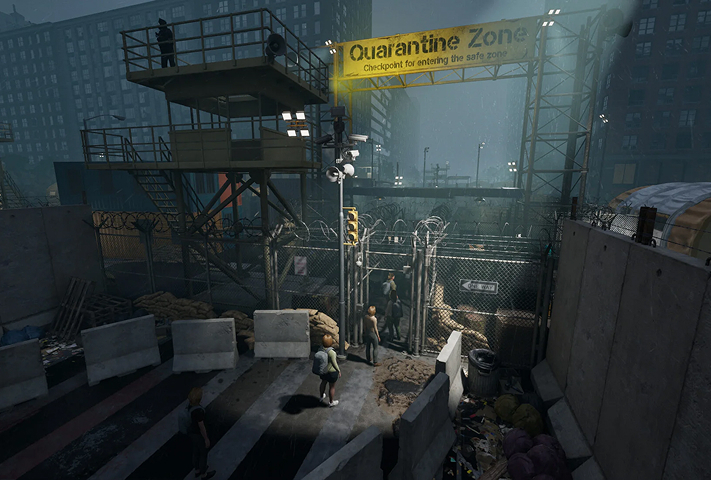
Your checkpoint isn’t just a desk, it’s a living operation. As more survivors arrive, you expand your living blocks and keep the essentials running while pressure builds day after day.
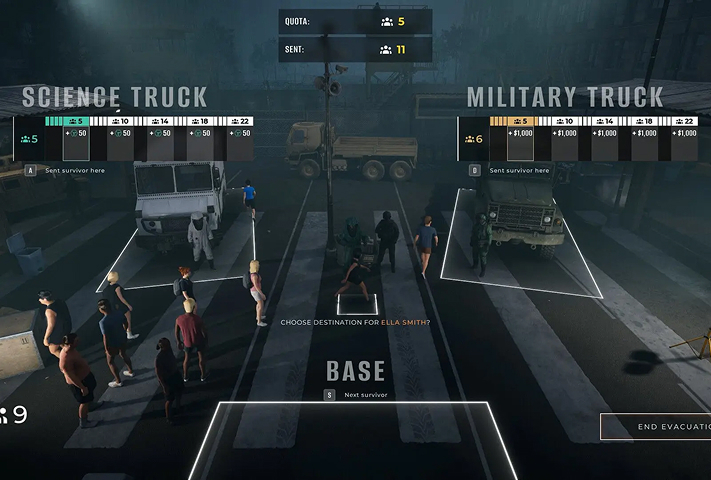
Power, food, and medicine are never enough. When breaches happen, you shift from paperwork to defense, reinforce your perimeter and deploy armed drones to keep infected from overrunning the compound.
The full game expands your tools beyond the demo
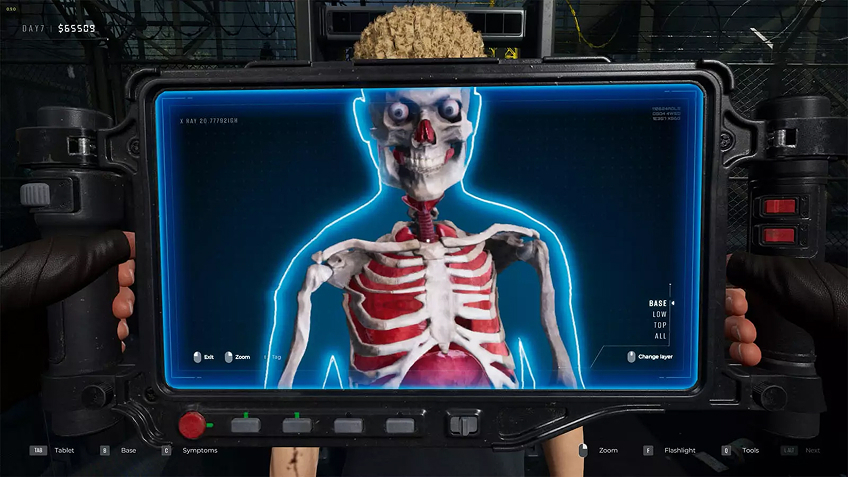
If you tried the demo, the full game goes deeper with advanced diagnostic checks designed to catch what a quick glance misses, like X-ray scanners, eye probes, and reflex tests. This matters because the game rewards careful reading and punishes sloppy approvals: the more precise your inspections, the fewer outbreaks you’ll have to fight later. On Mac via Shadow PC, you still get the full Windows feature set and the same detailed UI, streamed cleanly to macOS while you focus on the choices, not the hardware.
Your Gaming PC in just a few clicks
Shadow runs games directly from powerful remote servers, providing you with a Windows gaming PC experience equipped with Nvidia graphics, no matter your device! Whether you use a PC, Mac, or Linux device, using your Shadow PC is easy:

Choose the plan that best
suits your needs.


Launch Shadow, install Quarantine Zone: The Last Check and start playing. it’s that simple!
Your gaming PC, anytime, anywhere
Log in to your Shadow PC and play Quarantine Zone: The Last Check along with all your favorite games on any Apple device (even iPhone or Apple TV), or directly from your web browser. Shadow's cloud gaming and streaming technologies turns your Mac into a powerful gaming PC, accessible from anywhere, anytime!

FAQ
Although the game is limited to Windows, Shadow PC allows you to run it on a Mac by streaming a full PC. Simply install the Shadow app on your Mac to access a high-performance Windows environment. You can then launch Steam and play with optimal graphics without worrying about Apple's software incompatibility.
Shadow PC makes it possible to run this PC game on a smartphone or tablet via its dedicated app. Once connected to your cloud instance, the game launches on your phone exactly as it would on a standard computer. For precise playability, using a Bluetooth controller or an accessory like a Razer Kishi is highly recommended.
To play via Shadow, subscribe to a plan and log in to your cloud PC from any device. Install Steam on your virtual Windows session, then download the game as usual. This method guarantees a smooth, high-quality experience even if your physical hardware is old or low-powered.
Shadow è un PC da gioco Windows completo interamente ospitato nel cloud. È l'unica macchina virtuale le cui prestazioni rivaleggiano con quelle di un PC locale. E a differenza dei servizi di cloud gaming, puoi installare ed eseguire qualsiasi gioco, app o software: non ci sono restrizioni sul catalogo.
Il tuo Shadow è una vera workstation Windows professionale. Installa tutto ciò di cui hai bisogno*: Adobe Suite, strumenti CAD, ambienti di sviluppo, ecc.
Sì, sia l’app Shadow che la versione browser funzionano con le versioni più recenti di macOS e sui computer compatibili.
Per ogni dispositivo di vostra scelta, potete scaricare gratuitamente il software client Shadow PC; vi permette nello specifico di testare la qualità di navigazione, impostare i parametri di qualità video fino alla risoluzione più alta come la 4k Per le esigenze di accesso rapido da un nuovo dispositivo o una postazione con limiti in termini di installazione di software, potete ora accedere direttamente al vostro PC Shadow da un browser. Nessuna installazione necessaria, è un'operazione semplice e rapida: accedete alla pagina pc.shadow.tech! Questa modalità di accesso è in particolare molto pratica per le demo o le formazioni dei vostri contenuti tramite un software esigente, direttamente dalla postazione dei vostri clienti o prospect: non è più necessario trasportare il vostro dispositivo, i vostri software e i vostri dati, potrete accedervi in totale semplicità.
Sì, con Shadow disponi di una velocità di download di 1 Gb/s sul tuo PC Shadow, anche se la tua connessione internet locale è lenta.
In breve: no. Forniamo una potenza sufficiente a soddisfare le vostre esigenze in base all'offerta scelta. Quanto alla latenza, la nostra tecnologia avanzata consente di utilizzare una connessione a bassa larghezza di banda (a partire da 15 Mb/s) con una latenza praticamente impercettibile. Naturalmente, la compressione può influenzare la qualità dell'immagine e, se la vostra connessione è troppo lenta, potreste notare una differenza rispetto all'immagine originale.
Sì, Shadow non limita la risoluzione e permette di utilizzare Windows, i vostri giochi e programmi in 4K UHD. Si noti che alcuni giochi potrebbero non supportare la risoluzione 4K o potrebbero subire cali di prestazioni a tale definizione. Inoltre, una risoluzione così alta richiede una maggiore larghezza di banda, dunque una connessione internet più veloce e stabile rispetto alle definizioni inferiori.
Sì, è possibile attivare un secondo schermo direttamente dal Menu Rapido del vostro PC Shadow.