- Starseite
- Shadow Blog
- How to play
- How to Play LEGO Batman: Legacy of the Dark Knight in Ultra on Mac and Old PCs?
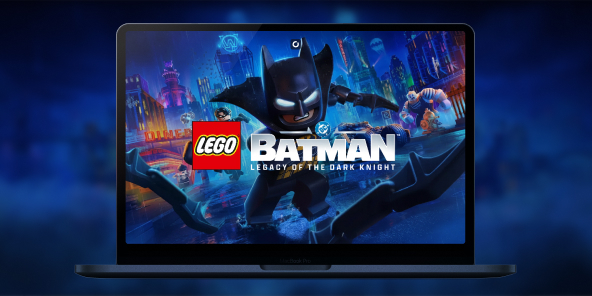
How to Play LEGO Batman: Legacy of the Dark Knight in Ultra on Mac and Old PCs?
LEGO Batman: Legacy of the Dark Knight requires a heavy configuration to run its open-world Gotham City smoothly. Is your PC getting old or are you on a Mac? With Shadow PC, transform any device into a gaming beast and enjoy the game without any lag.
Play LEGO Batman in Ultra mode on any screen
The technical requirements for this new Batman game are high and rely heavily on Frame Generation. Shadow PC is a full Windows gaming PC hosted in the cloud. You do not need to invest hundreds of euros in a new processor: buy the Standard or Deluxe Edition on Steam or the Epic Games Store, install the game on your Shadow, and start playing immediately with every detail maxed out.
Neo Lite
pro Monat

 Perfekt für Gaming in 1080/1440p mit RTX
 Streamen Sie auf Ihren Geräten bis zu 1440p+Installieren Sie Ihre Spiele und Mods über Steam, Epic, Battle.net...*Multi-Screen- und Ultrawide-UnterstützungKompatibel mit NVIDIA RTX und DLSS
Power Lite
pro Monat
Bis zu 50 % mehr GPU-Leistung
 28 GB RAM / 20 GB VRAM für bessere Gaming-LeistungStreaming auf jedem Gerät bis zu 5K+Installieren Sie Ihre Spiele und Mods über Steam, Epic...*Unterstützung für mehrere und Ultrawide-MonitoreKompatibel mit NVIDIA RTX und DLSS
Neo
In den ersten sechs Monaten, danach 32,99€.
Perfekt für Gaming in 1080/1440p mit RTXStreamen Sie auf Ihren Geräten bis zu 1440p+Installieren Sie Ihre Spiele und Mods über Steam, Epic, Battle.net...*Multi-Screen- und Ultrawide-UnterstützungKompatibel mit NVIDIA RTX und DLSS
Power
In den ersten sechs Monaten, danach 49,99€.
Bis zu 50 % mehr GPU-Leistung28 GB RAM / 20 GB VRAM für bessere Gaming-LeistungStreaming auf jedem Gerät bis zu 5K+Installieren Sie Ihre Spiele und Mods über Steam, Epic...*Unterstützung für mehrere und Ultrawide-MonitoreKompatibel mit NVIDIA RTX und DLSSThe ultimate tribute to the Dark Knight
LEGO Batman: Legacy of the Dark Knight brings together decades of myths surrounding the caped crusader. A massive adventure that requires a machine capable of displaying a bigger, more immersive Gotham than ever before.
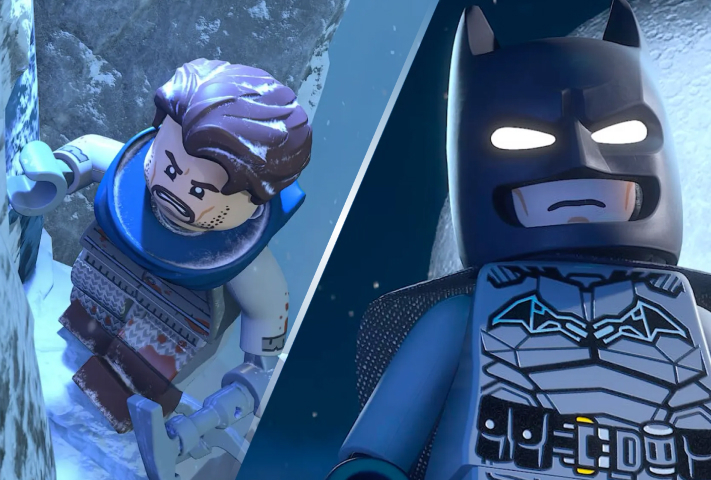
Follow young Bruce Wayne’s training with the League of Shadows and take part in his transformation into Gotham City’s protector. The story blends the best elements from the comics, movies, and the Arkham saga.
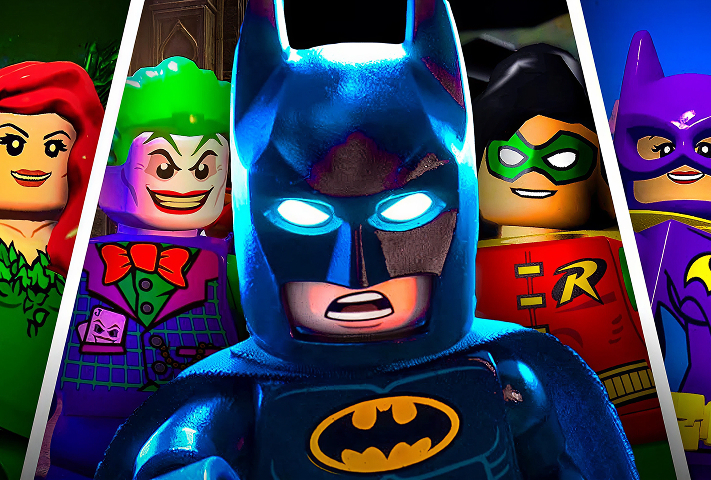
Play as Batman, but also as Nightwing, Robin, Batgirl, Catwoman, Jim Gordon, and Talia al Ghul. Unlock more than 100 suits and customize your own Batcave with over 250 trophies taken from your enemies.
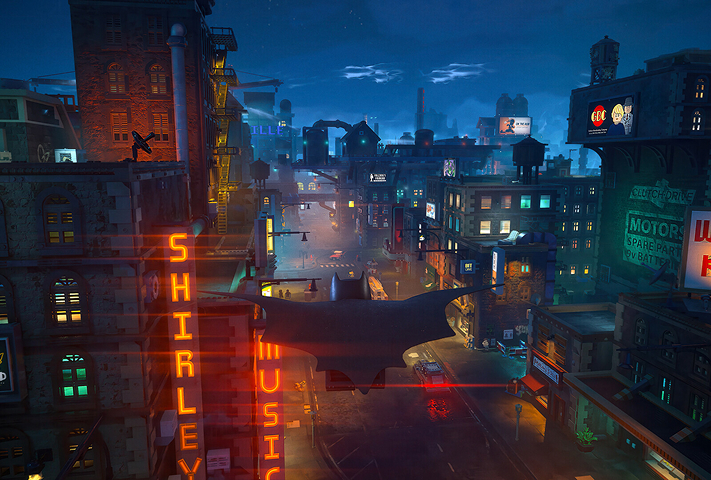
TT Games leaves the classic brawler behind for a fast-paced combat system with dodges, counters, and detective mode. Move around by gliding, grappling, or driving the Batmobile through a vertical open world packed with secrets.
Gotham’s open world: smoothness without compromise
The game engine renders a sprawling city, from Arkham Asylum to Wayne Tower. On an older machine or a Mac, the experience can quickly become choppy. Shadow PC removes this barrier: our servers handle the entire graphics workload. Your screen receives a flawless high-resolution video stream, letting you switch between the grappling hook and the Batcycle with no noticeable latency, wherever you are.
Tutorial: play LEGO Batman with cloud gaming in 3 steps
Whether you are on Mac (with no native macOS version), Linux, or an older computer that does not meet the minimum requirements, Shadow gives you access to a powerful gaming PC in just a few clicks so you can enjoy your favorite games with graphics maxed out!

Go to shadow.tech and select the PC configuration that matches your performance needs.

Install the Shadow client on your Mac or PC, or connect directly from your web browser via pc.shadow.tech.

Start your Shadow PC and install LEGO Batman. That is it! All that is left to do is play in Ultra mode!
Your gaming PC, whenever you want, wherever you are
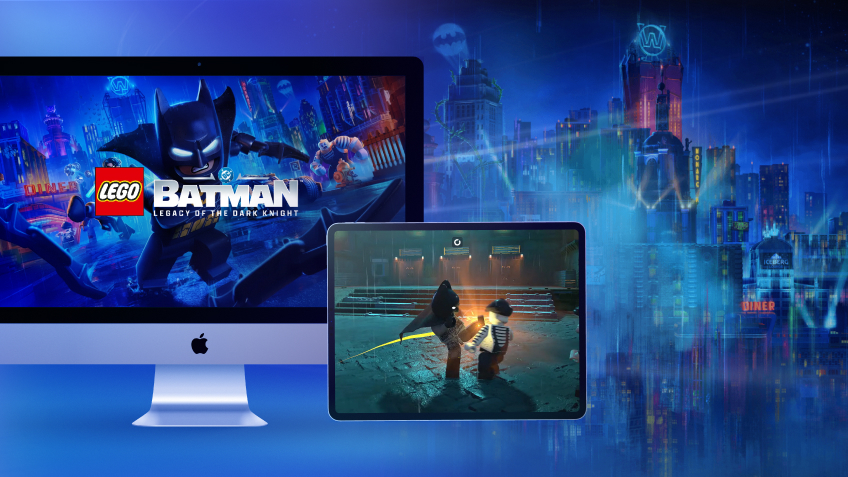
Connect to your Shadow PC and play LEGO Batman, along with all your favorite games, on any Apple device (even an iPhone or Apple TV), or directly from your web browser. Shadow’s cloud gaming technologies turn your Mac or older PC into a powerful gaming computer, accessible anywhere!

FAQ
The easiest solution is to use Shadow PC. It's a powerful Windows gaming computer accessible directly from the cloud. You don't need to buy any new hardware: just subscribe, install the game from Steam or the Epic Games Store, and enjoy Ultra quality instantly, even on a Mac or an aging PC.
A stable internet connection of around 15 Mbps is enough to enjoy smooth gameplay. Your Shadow PC handles all the heavy graphic processing required by the game; your local device (Mac, PC, or smartphone) simply acts as the display.
Absolutely. The game features a 2-player local co-op mode. You can plug two controllers (PlayStation, Xbox, etc.) into your device: Shadow will instantly recognize them just like a standard PC.
Yes. Because Shadow is a full Windows PC, you need to own the PC version of the game (purchased on Steam or the Epic Games Store) to install and play it from the cloud.
Shadow ist ein kompletter Windows-Gaming-PC, der vollständig in der Cloud gehostet wird. Es ist die einzige virtuelle Maschine, deren Leistung mit der eines lokalen PCs mithalten kann. Und im Gegensatz zu Cloud-Gaming-Diensten können Sie jedes Spiel, jede App und jede Software installieren und ausführen: Es gibt keinen eingeschränkten Katalog.
Ihr Shadow ist eine echte professionelle Windows-Arbeitsstation. Installieren Sie alles, was Sie benötigen*: Adobe Suite, CAD-Programme, Entwicklungsumgebungen, usw.
kompatibel-mit-allen-macs
Für jedes Endgerät Ihrer Wahl steht die Shadow PC Clientsoftware kostenlos zum Download zur Verfügung; Diese ermöglicht Ihnen insbesondere das Testen der Navigationsqualität und die Anpassung Ihrer Einstellungen für Videoqualität bis hin zur höchsten Auflösung von 4k. Für den schnellen Zugriff von einem neuen Endgerät oder einem Arbeitsplatz mit beschränkten Möglichkeiten zur Softwareinstallation können Sie jetzt direkt über einen Browser auf Ihren Shadow PC zugreifen. Und zwar ganz schnell und einfach, es ist keine Installation erforderlich: Besuchen Sie die Seite pc.shadow.tech! Dieser Zugriffsmodus ist besonders praktisch, wenn Sie Ihre Inhalte über eine anspruchsvolle Software direkt vom Rechner Ihrer Kunden und Interessenten aus vorführen oder schulen wollen: Sie müssen nun Ihr Endgerät, Ihre Software und Ihre Daten nicht mit sich herumtragen, sondern können ganz einfach ortsunabhängig darauf zugreifen.
Ja, mit Shadow erhalten Sie Downloadgeschwindigkeiten von 1 Gbit/s auf Ihren Shadow-PC, selbst wenn Ihre lokale Internetverbindung langsam ist.
Kurz gesagt: Nein. Wir stellen ausreichend Leistung bereit, um Ihre Anforderungen je nach gewähltem Angebot zu erfüllen. Hinsichtlich der Latenz ermöglicht unsere fortschrittliche Technologie eine Nutzung bereits ab einer geringen Bandbreite (ab 15 Mb/s) und sorgt dabei für eine kaum wahrnehmbare Verzögerung. Natürlich kann die Kompression die Bildqualität beeinflussen, und falls Ihre Verbindung zu langsam ist, könnten Sie im Vergleich zum Originalbild Unterschiede feststellen.
Ja, Shadow begrenzt die Auflösung nicht und ermöglicht es Ihnen, Windows sowie Ihre Spiele und Programme in 4K UHD auszuführen. Beachten Sie bitte, dass einige Spiele möglicherweise kein 4K unterstützen oder dabei geringere Leistungen aufweisen können. Zudem benötigt diese hohe Auflösung eine höhere Bandbreite, weshalb eine stabile und schnellere Internetverbindung als bei niedrigeren Auflösungen erforderlich ist.
Ja, Sie können direkt über das Schnellmenü Ihres Shadow-PCs einen zweiten Bildschirm aktivieren.