How to play Palworld on iPhone or Android?
Palworld's full 1.0 release has no official mobile app yet. Shadow PC streams the real PC game to your phone or tablet today.
So, how do you actually play
Palworld on your phone?
Honestly, the one already in your pocket. Palworld hit 1.0 on July 10, 2026, but the full release still runs only on PC, PlayStation, Xbox and Mac, no phone version exists yet, and the licensed mobile spin-offs in the works have no release date. A gaming PC to explore Palpagos and automate a base costs real money and sits on a desk. Shadow PC skips the desk: a real Windows 11 PC, your own Steam library, your own save, streamed straight to the phone you're already holding.
Why Shadow PC is the best PC to play Palworld
1. Palworld's full 1.0 release, not a mobile spin-off
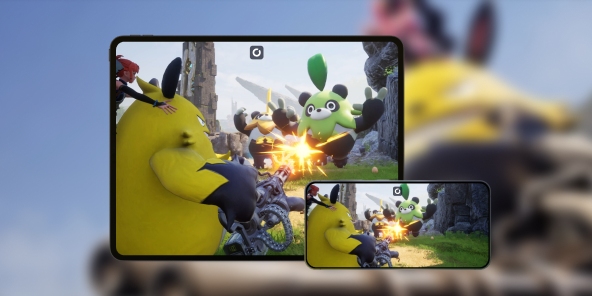
The official Palworld mobile projects are separate, reinterpreted games with no confirmed release date. Shadow PC streams the actual 1.0 release you already own on Steam: the real World Tree, the new Sky Islands, every Pal, every base you built. Your phone or tablet becomes the screen, the PC underneath stays a real Windows machine, running your own Steam library.
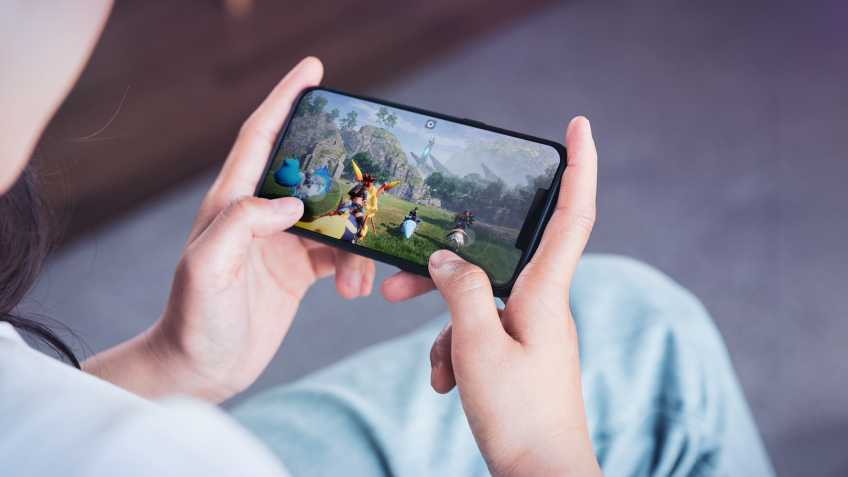
2. Every Pal on your base, crisp on your screen
Stream from a real Windows PC straight to your display, DLSS on, every setting up. A Lamball hauling ore, a tower boss raid over Palpagos, the light across the World Tree's canopy: all rendered the way Pocketpair actually built it, not trimmed down for a mobile port. The result matches your phone or tablet's own screen, at its own resolution.

3. Built for the phone or tablet you already have
No new device to buy, no app store wait. Shadow PC ships ready and stays current: Windows updates, GPU drivers, Steam itself, all kept fresh on our side. Pair a Bluetooth controller for combat and base building, or use touch controls through the Shadow app. Palworld runs great on the phone you already carry, thanks to Shadow PC.
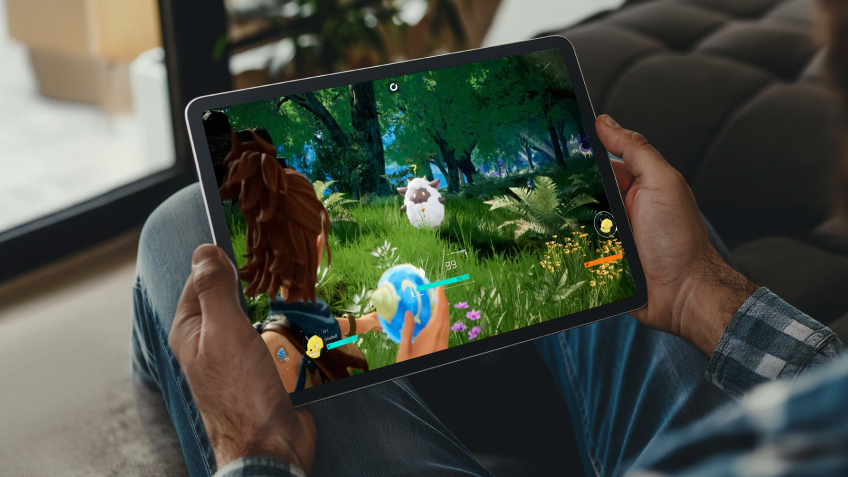
Shadow PC versus other ways to play Palworld on mobile
| Shadow PC | Waiting for the official mobile version | Cloud gaming rivals | |
|---|---|---|---|
| Set up in 5 minutes |
Shadow PC
|
Waiting for the official mobile version
No release date yet
|
Cloud gaming rivals
Some setup time
|
| The full 1.0 release, World Tree included |
Shadow PC
|
Waiting for the official mobile version
A separate, reinterpreted game
|
Cloud gaming rivals
Depends on catalog
|
| Your own Steam library and save |
Shadow PC
|
Waiting for the official mobile version
New account, new progress
|
Cloud gaming rivals
Depends on catalog
|
| No upgrade cycle for future content |
Shadow PC
|
Waiting for the official mobile version
|
Cloud gaming rivals
|
| Zero upfront hardware cost |
Shadow PC
|
Waiting for the official mobile version
|
Cloud gaming rivals
|
| Play from the phone you already own |
Shadow PC
|
Waiting for the official mobile version
Not yet
|
Cloud gaming rivals
|

Neo is the Shadow PC built for Palworld on mobile
Palworld's open world and base automation run smoothly on a real RTX-class GPU. Neo gives you 16 GB of RAM and DLSS support, already set up. Plenty to explore Palpagos, tame Pals and raid tower bosses at a comfortable frame rate, streamed straight to your phone or tablet.
Neo Lite
per month

 Perfect for occasional gaming in 1440p with RTX
 Up to 120 hours of play per month, sessions up to 4hStream to any device in 1440pInstall your games & mods from Steam, Epic, Battle.net...*Upgrade to Shadow PC anytime as you play more
Power Lite
per month
Up to 50% more GPU power than Neo28GB RAM / 20GB VRAM for better in-game performanceUp to 120 hours of play per month, sessions up to 4hStream to any device in 1440pInstall your games & mods from Steam, Epic, Battle.net...*Upgrade to Shadow PC anytime as you play more
Neo
For the first six months, 32,99€ after.
Perfect for 1080/1440p gaming with RTXStream to any device up to 1440p+Install your games & mods from Steam, Epic, Battle.net...*Multi screen and ultrawide supportNVIDIA RTX and DLSS compatibility
Power
For the first six months, 49,99€ after.
Up to 50% more GPU power
 28GB RAM / 20GB VRAM for better gaming performanceStream to any device up to 5K+Install your games & mods from Steam, Epic, Battle.net...*Multi screen and ultrawide supportNVIDIA RTX and DLSS compatibility
Getting started in 3 easy steps
Whether you're on an iPhone, an iPad, or an Android phone or tablet, Shadow gives you the best PC for Palworld in three clicks. No hardware to buy, no app store wait.

Go to shadow.tech and select the PC configuration that matches your performance needs.

Install the Shadow app from the App Store or Google Play, or open pc.shadow.tech in your mobile browser.

Start your Shadow PC, install Steam, and add Palworld to your library. That's it.
Palworld in short
Palworld is the open-world survival and creature-collecting game from Pocketpair, out of Early Access since its 1.0 release on July 10, 2026 on PC, PlayStation 5, Xbox and Mac. Explore the Palpagos Islands and the new Sky Islands, capture and raise Pals, automate a base, and take on tower boss raids. Full crossplay across every supported platform, and one of Steam's biggest launches ever.


FAQ
Shadow PC is a complete Windows 11 gaming PC hosted in the cloud, with its own dedicated GPU. You install and run any game, app or software, with no restricted catalog.
Your Shadow is a true professional Windows workstation. Install everything you need*: Adobe Suite, CAD tools, development IDEs, etc.
Most modern iPhones, iPads and Android devices. The Shadow app supports iOS 11 and Android 5.0 and up, Android 8 or newer recommended for the smoothest experience.
For each device of your choosing, you can download the Shadow PC software client for free; in particular, this will allow you to test the browsing quality and adjust your video quality settings to the highest resolution, such as 4k. When you need to quickly access your environment and files via a new device or a workstation that's limited in terms of software installation, you can now directly access your Shadow PC via a browser. No installation required, it's quick and easy: Just head to the pc.shadow.tech web page! This access mode comes particularly in handy when you're giving a client a demo or delivering training via a demanding software directly on your clients or prospects' device: No need to lug around your own hardware, with your software and data, as Shadow PC gives you easy and instant access to it, at any tie and anywhere.
Yes. Shadow PC downloads at up to 1 Gb/s to your virtual PC, even if your local connection is slow. Large game installs take minutes.
No. Streaming latency is virtually imperceptible, and on a stable 50 Mb/s connection the result matches a local PC.
Yes, up to 5K+ on the Power plan; Neo streams up to 1440p+, which already exceeds most phone and tablet screens.