Explore the world of Soulframe, right from your Mac
Play the free Open Preludes from a real RTX Windows PC, on the Mac you already own. No Boot Camp. No partition. No new machine.
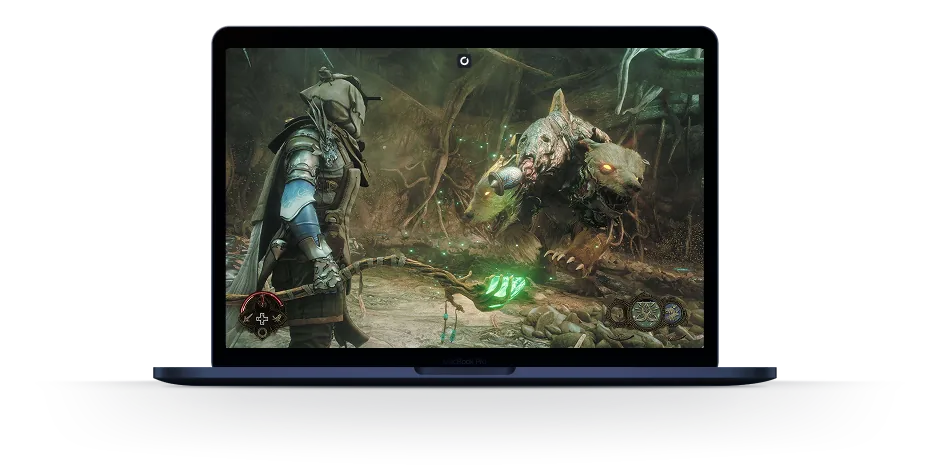


Play Soulframe on your Mac
Soulframe is the new fantasy action RPG from Digital Extremes, the studio behind Warframe. Since November 6, 2026, anyone can play its alpha for free: the Open Preludes. There's one catch for Mac owners. The game only runs on Windows, and Steam lists no macOS version.
Shadow PC gives your Mac the Windows PC this alpha needs. It's a full Windows 11 PC in the cloud with a dedicated NVIDIA RTX graphics card. Open the Shadow app on your Mac, download the Soulframe launcher, and step into the world of Alca with your mouse and keyboard or a controller.
Get a real Windows PC for Soulframe
1. Run the Windows launcher from your Mac
The Open Preludes don't come from Steam yet. You create a free account on the Soulframe website and download the game's own launcher, which is made for Windows. On a Mac, that's where it stops.
Your Shadow PC runs Windows 11, so the launcher installs like on any gaming PC, with no partition to make and no second system to restart into every time you want to play. Open the Shadow app, download Soulframe once, and find it ready every time you come back, with your Envoy where you left them.
2. Get every alpha update at 1 Gb/s
An alpha changes all the time. Digital Extremes keeps adding regions, Pacts and events, and every patch has to download before you play. The game already takes 50 GB on its own.
Your Shadow PC downloads at up to 1 Gb/s on its own connection, so a new patch installs quickly even when the internet at your place is slow. Shadow PC comes with 512 GB of SSD and Shadow PC Lite with 256 GB, both expandable to 5 TB. Each one has a dedicated RTX card, so the forests of Alca run on real PC hardware instead of your Mac's graphics chip.
3. Team up with three friends on PC
Soulframe lets you form parties of up to four players. Your friends play on Windows PCs, and so do you, with the same launcher and the same version of the game, so you join their party like any other player.
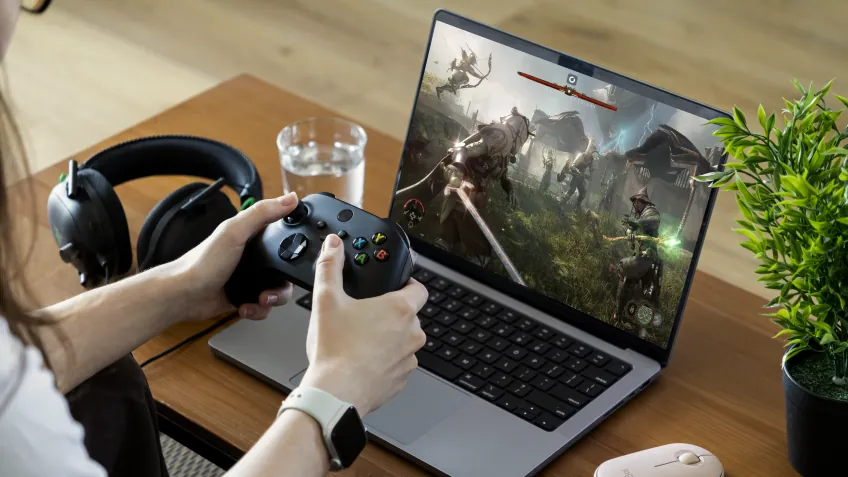
Prefer a controller? The game supports controllers fully. Plug one into your Mac, or open your Shadow PC on the TV in your living room and play from the couch. Only one device can use your Shadow PC at a time, and a 15 Mbit/s connection is enough to stream it.
Compare every way to play Soulframe on Mac
| Shadow PC | Boot Camp or Parallels | Rival cloud gaming services | |
|---|---|---|---|
| Set up in 5 minutes |
Shadow PC
|
Boot Camp or Parallels
Hours of partitioning
|
Rival cloud gaming services
Some setup time
|
| Runs on Apple Silicon Macs |
Shadow PC
|
Boot Camp or Parallels
Boot Camp unavailable on M1 to M4
|
Rival cloud gaming services
|
| A real Windows PC, not an emulator |
Shadow PC
|
Boot Camp or Parallels
|
Rival cloud gaming services
Catalog limited to supported titles
|
| Play right away, no waiting |
Shadow PC
|
Boot Camp or Parallels
Depends on your setup
|
Rival cloud gaming services
Wait for the game to be added
|
| No upgrade cycle for future updates |
Shadow PC
|
Boot Camp or Parallels
|
Rival cloud gaming services
|
| Play from any device you already own |
Shadow PC
|
Boot Camp or Parallels
Mac only
|
Rival cloud gaming services
|

Pick the Shadow PC for your Envoy
Every Shadow PC runs Windows 11 with a dedicated NVIDIA RTX graphics card. Power and Power Lite come with 20 GB of video memory and 28 GB of RAM. Neo is made for 1080p and 1440p gaming. No commitment.

Neo Lite
per month

 Perfect for occasional gaming in 1440p with RTX

 Up to 120 hours of playtime per month, sessions up to 4hStream to any device in 1440pInstall your games & mods from Steam, Epic, Battle.net...*Upgrade to Shadow PC anytime as you play more

Power Lite
per month
Up to 50% more GPU power than Neo28GB RAM / 20GB VRAM for better in-game performanceUp to 120 hours of playtime per month, sessions up to 4hStream to any device in 1440pInstall your games & mods from Steam, Epic, Battle.net...*Upgrade to Shadow PC anytime as you play more
Neo
per month
Perfect for 1080/1440p gaming with RTXStream to any device up to 1440p+Install your games & mods from Steam, Epic, Battle.net...*Multi screen and ultrawide supportNVIDIA RTX and DLSS compatibility
Power
per month
Up to 50% more GPU power
 28GB RAM / 20GB VRAM for better gaming performanceStream to any device up to 5K+Install your games & mods from Steam, Epic, Battle.net...*Multi screen and ultrawide supportNVIDIA RTX and DLSS compatibility
Start playing in 3 steps
Whether you're on a MacBook Air, an iMac, a Mac mini or a Mac Studio, three steps get you into the Open Preludes. No Windows machine to buy and no drive to repartition.

Go to shadow.tech and select the PC configuration that matches your performance needs.

Install the Shadow app on your Mac (Intel or Apple Silicon), or connect straight from your browser at pc.shadow.tech.

Start your Shadow PC, create your free account on the Soulframe website, install the Windows launcher and start your first Fable.
Soulframe at a glance
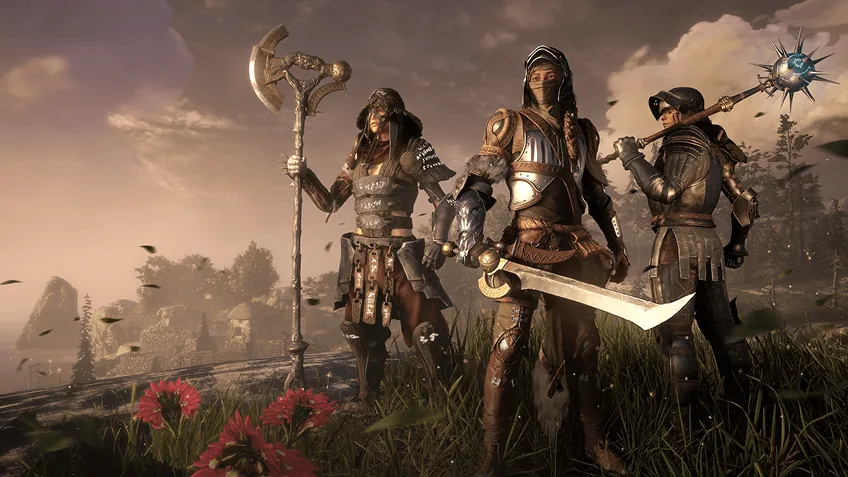
Soulframe is a free-to-play open-world fantasy action RPG from Digital Extremes, the studio behind Warframe. You play an Envoy in the land of Alca and fight a world-devouring corruption with blade, bow and magick, alone or in parties of up to four. The story unfolds in Fables, and the Pacts you seal with Omen Beasts shape your abilities. There is no release date yet: the alpha, called the Open Preludes, has been open to every PC player since November 6, 2026.
Other open worlds run on Shadow PC too, like Enshrouded, Skyrim or Valheim. See every game you can play on Shadow PC.
FAQ
Not natively. Soulframe is a Windows game, and its page on Steam lists no macOS version. With Shadow PC, the game runs on a Windows 11 PC in the cloud and streams to your Mac through the Shadow app for macOS. It works on MacBook Air, MacBook Pro, iMac and Mac mini.
Yes. The Open Preludes, the game's alpha, are free and open to everyone on PC since November 6, 2026, with no invite needed. Founder packs are sold on the side for players who want to support the game early. Digital Extremes plans to keep Soulframe free to play at launch.
Soulframe has a Steam page where you can add it to your wishlist, but the Open Preludes are only available on the official Soulframe website. You create an account there and download the Windows launcher. On Shadow PC, you do it from your Windows desktop, like on any PC.
There's no release date yet. The Open Preludes opened to all PC players on November 6, 2026. Digital Extremes says it wants to avoid progress wipes from now on, so what you unlock in the alpha should carry over, with any big change announced ahead of time.
The official minimum is Windows 7 64-bit, an Intel Core i7 860, Core i5 750 or AMD FX-4100, 8 GB of RAM, a DirectX 11 graphics card and 50 GB of storage. Digital Extremes recommends going above these numbers, and they can change during development. Every Shadow PC runs Windows 11 with a dedicated NVIDIA RTX graphics card.
Yes. Your Shadow PC is a Windows PC, so you play the same version as your friends and join their party like anyone else. Parties go up to four players. You can also play with a controller, on your Mac or on a TV, but only one device can use your Shadow PC at a time.
Neo is made for 1080p and 1440p gaming. Power and Power Lite go further, with 20 GB of video memory and 28 GB of RAM. With Power, you stream up to 5K and get 210 hours a month, with sessions of up to 6 hours. The Lite version streams in 1440p, with 120 hours a month and sessions of up to 4 hours. Every offer has a dedicated NVIDIA RTX graphics card, needs a connection of at least 15 Mbit/s and comes with no commitment.