
Play PCVR on your Quest 3 — with no gaming PC
You don't need to own a gaming PC to play PCVR on a Quest 3. Shadow PC is a real Windows machine in the cloud; Virtual Desktop streams SteamVR from it to your headset over Wi-Fi. Same games, same mods, and no tower under the desk.
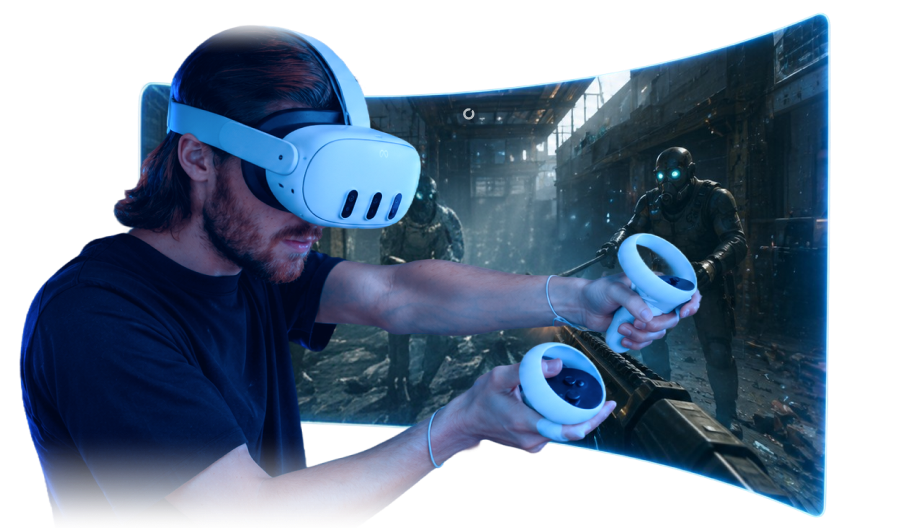
Skip step zero: buying the PC
Search "SteamVR on Quest 3" and every guide opens the same way: connect your headset to your gaming PC. The unwritten step zero is owning one, a machine that costs more than the headset it serves. Shadow PC removes that step. You rent a real Windows 11 PC running in the cloud, set it up once, and from then on your Quest treats it exactly like a tower in the next room.

How to play PCVR on Quest 3 with Virtual Desktop
The whole method fits in three steps; the official guide keeps the fine print.
-
Get your Shadow PC — Subscribe and boot a Windows 11 machine from any device you own. Install Steam, SteamVR and the Virtual Desktop Streamer on it, like on any PC.
-
Set up your Quest 3 — Get the Virtual Desktop app from the Meta Store and sign in with the same account. That's the only install the headset needs.
-
Connect and play — Open Virtual Desktop, pick your Shadow PC, launch SteamVR. From here on, it's just your games.

Three ways to get PCVR on a Quest 3
A Quest 3 can't render PCVR on its own; it needs a Windows PC with a real GPU behind it. Whether you own that PC or rent it in the cloud changes the bill, not the games.
| Shadow PC | Your own gaming PC | Quest 3 alone | |
|---|---|---|---|
| Your full SteamVR library | Store apps only | ||
| Cost of setup | A monthly sub | Expensive | None |
| Wireless via Virtual Desktop | — | ||
| Plays PC games from anywhere | At home only | — | |
| Plays with mods | Limited |
Your Quest just outgrew its store
The Meta Store stops at what a mobile chip can carry. SteamVR doesn't. Half-Life: Alyx, a Skyrim VR buried under mods, Blade & Sorcery with its community arsenal: the games built for desktop GPUs now render on yours, in the cloud, and stream to the couch. Between sessions, mods and saves stay where you left them.

Forget about getting a PC, one sub is all you need
Neo carries most PCVR sessions on a Quest 3 comfortably; Power steps in for the titles that punish even desktop rigs. Prices sit on the cards, monthly, cancel anytime.
Neo Lite
per month

 Real PCVR power, wireless on your headset, at the lightest price.
 Up to 120 hours of playtime per month, sessions up to 4hStream to any device in 1440pInstall your games & mods from Steam, Epic, Battle.net...*Upgrade to Shadow PC anytime as you play more
Power Lite
per month
Up to 50% more GPU power than NeoMore GPU power for heavier PCVR titles, wireless on your headset.Up to 120 hours of playtime per month, sessions up to 4hStream to any device in 1440pInstall your games & mods from Steam, Epic, Battle.net...*Upgrade to Shadow PC anytime as you play more
Neo
per month

 Perfect for most of your PCVR library, wireless on your headset.
 Stream on your devices up to 1440p+Install your games & mods from Steam, Epic, Battle.net...*Multi screen and ultrawide supportNVIDIA RTX and DLSS compatibility
Power
per month
Up to 50% more GPU power
 For the most demanding VR and your heavily-modded worlds.Stream to any device up to 5K+Install your games & mods from Steam, Epic...*Multiple & Ultrawide monitors supportNVIDIA RTX and DLSS compatibility
Frequently asked questions
Yes. The Quest 3 can't run PCVR on its own hardware, but it can stream it: Shadow PC provides a real Windows machine in the cloud, and Virtual Desktop carries SteamVR to the headset over Wi-Fi. You play the full PCVR catalog without owning a gaming PC.
Wireless. Virtual Desktop streams from your Shadow PC to the Quest 3 over your home Wi-Fi, no Link cable involved. A 5 or 6 GHz band with the headset alone on it gives the smoothest picture. Steam Link exists as an alternative; Virtual Desktop is the method Shadow documents.
Mostly a network question. VR streaming is demanding: on a crowded Wi-Fi band it will show, while a clean 5 or 6 GHz connection at around 30 Mbps plays smoothly. Shadow's guide lists the exact settings worth checking first.
Meta Quest 2, 3 and Pro, through the Virtual Desktop app from the Meta Store — the method Shadow's experts recommend and document. Other PC-compatible headsets can connect with their own streaming tools, but Quest via Virtual Desktop is the tested, supported path in the official guide.
One app: Virtual Desktop, from the Meta Store. Steam, SteamVR, the games and the mods all install on your Shadow PC, where the GPU actually lives.
Your Quest 3 was built for this
The headset half is done. Shadow PC is the other half: subscribe, set up Virtual Desktop, and be inside SteamVR before the battery asks for its first recharge.