Run an LLM locally, without buying a GPU
A full Windows PC in the cloud with a dedicated RTX GPU, ready when you are.
See the offers- Ollama and LM Studio, native
- Dedicated NVIDIA RTX GPU
- Your models stay on your drive
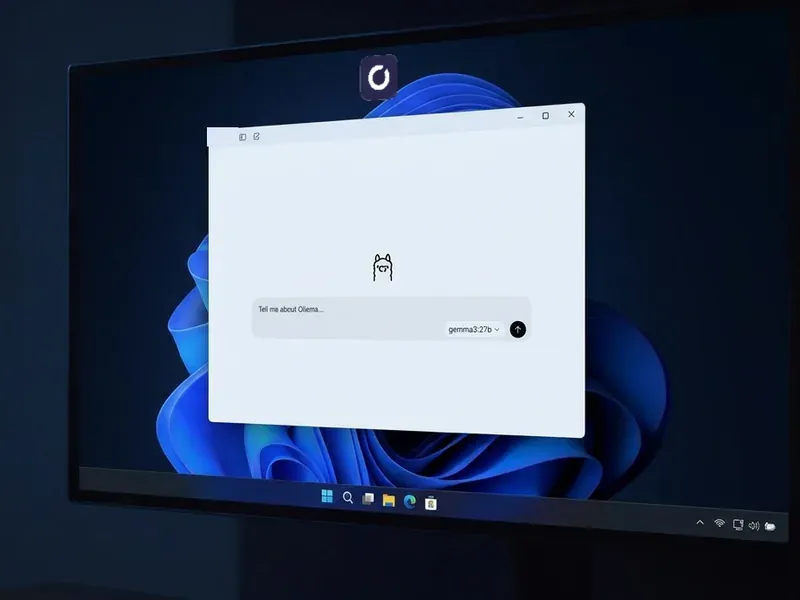
You can run an LLM locally on a Shadow PC exactly the way you would on a tower under your desk. Ollama and LM Studio install natively on Windows, you pull a quantised model, and it answers on the GPU. The model file sits on your drive and stays there between sessions. Nothing goes through a third-party model provider, and nothing is billed per token.
What decides everything is the GPU. A 7B model needs roughly 6 GB of VRAM at 4-bit once a working context is loaded, a 14B model closer to 12 GB, and most laptops stop well short of the second.
What you can run locally, and how fast
A 7B model quantised to 4 bits needs about 5 GB for its weights, an 8B model a little more, a 14B model about 9 GB, and the context you load comes on top: plan on roughly 6 GB and 12 GB in real use. Every extra stretch of context comes out of the same budget. That arithmetic decides whether a local model feels instant or unusable, and it is why the same model behaves nothing alike on two machines.
Here is what a Shadow PC brings to that budget. Power and Power Pro carry 20 GB of dedicated VRAM and 28 GB of RAM, and the offers page puts the ceiling at 32B, with Q3 to Q4 quantisation. That covers inference and light LoRA work. It does not cover training your own models from scratch.
On Neo Pro, Qwen3.5 9B runs at 29 tokens per second and GPT-OSS 20B at 59; on Power Pro, 74 and 133. Whisper Medium transcribes 9 to 11 times faster than real time. These are the figures published on our offers page, with the language models at Q4_K_M quantisation, and results may vary with updates and drivers.
Neo Pro
Measured speed
- Qwen3.5 9B29 t/s
- Gemma4 e4b45 t/s
- GPT-OSS 20B59 t/s
- Whisper Medium9× real time
Power Pro
Measured speed, with 20 GB of VRAM and 28 GB of RAM
- Qwen3.5 9B74 t/s
- Gemma4 e4b97 t/s
- GPT-OSS 20B133 t/s
- Whisper Medium11× real time
What fits in VRAM
Rough needs at 4-bit quantisation
- 7B modelabout 6 GB
- 14B modelabout 12 GB
- Largest on Shadow PCup to 32B, Q3 to Q4
Speeds published on the Shadow PC offers page, Q4_K_M quantisation. Results may vary based on updates and drivers. Every gigabyte of context comes out of the same VRAM budget.
Three steps to your first local model
-
Open your Shadow PC. From a Mac, a Windows laptop, an iPad, a Chromebook or the browser. You land on a Windows 11 desktop that is yours, with a dedicated RTX GPU behind it.
-
Install Ollama or LM Studio. The regular Windows installer, from the official website. No container, no command-line gymnastics. LM Studio gives you a model browser and a chat window. Ollama gives you a local app and an API on localhost.
-
Pull a model and run it.
ollama run qwen3.5:9bdownloads a few gigabytes over a 1 Gb/s link and starts answering. The next time you connect, the model is still there. You do not download it twice.
What local means here
Most guides use "local" to mean "on the machine in my living room". It covers two different things.
The first is who sits between you and the model: no provider reading your prompts, no API key, no per-token meter. A Shadow PC gives you that in full. The model weights are files on your drive, you choose the model, the quantisation and the front end, and your content is never used by Shadow to train models. We do not have access to your prompts.
The second is where the hardware sits. A Shadow PC is a computer you reach over the internet: it needs a connection, and your data sits in our data centre. If you must work with no connection at all, that takes hardware on your desk. If privacy, control and cost are the requirement, a Shadow PC covers them.
Your models stay where you put them
Rent a GPU by the hour and the meter starts before the model does: a 32B model is a download of around 20 GB, billed by the minute, and unless you paid to keep the volume, you download it all again next week.
A Shadow PC is a machine with a drive, expandable up to 5 TB, and what you install stays installed: your model library, your LM Studio presets, your Python environment. You pay by the month, so a long download costs you nothing extra.
One limit: the PC shuts down after a period of inactivity and at the end of a session, even if something is still running. For long jobs, Shadow PC Pro offers Always On, a paid option.

Buy, rent by the hour, or subscribe
Three ways to put a GPU behind a local model, and each one has a different weak spot. Buying a card is the only route that works with no connection at all. It is also the one you pay for in full up front, that needs a desktop to put the card in, and that leaves you with hardware that ages. Renting a GPU by the hour is the cheapest way to run something once, and the worst way to run something regularly: the meter counts while you download, the storage bills separately, and nothing you install survives unless you pay to keep the volume. A monthly subscription to a full Windows PC is the middle path: a fixed cost and a drive that keeps your models. And the same machine plays your games when it is not running inference.
| Shadow PC | Buying a card | GPU by the hour | |
|---|---|---|---|
| Works with no connection at all |
Shadow PC
Not available
|
Buying a card
Available
|
GPU by the hour
Not available
|
| Upfront payment |
Shadow PC
None
|
Buying a card
Paid in full up front
|
GPU by the hour
None
|
| Billing |
Shadow PC
Monthly, fixed
|
Buying a card
One off
|
GPU by the hour
Per hour, metered
|
| Downloading a large model |
Shadow PC
Part of the month
|
Buying a card
On your own connection
|
GPU by the hour
Billed while it runs
|
| Models stay installed |
Shadow PC
Available
|
Buying a card
Available
|
GPU by the hour
Only with a paid volume
|
| Storage |
Shadow PC
Included, expandable up to 5 TB as an option
|
Buying a card
Your own drives
|
GPU by the hour
Billed separately
|
| Full Windows desktop, for your other apps and games |
Shadow PC
Available
|
Buying a card
Available
|
GPU by the hour
Containers and command line
|
| Runs around the clock |
Shadow PC
With the paid Always On option, Pro range
|
Buying a card
Available
|
GPU by the hour
Available
|
GPU by the hour refers to per hour GPU rental services as described on their pricing pages in September 2026. No amounts are shown: they vary by market and change often.
Which Shadow PC for a local LLM
Power and Power Pro list 20 GB of dedicated VRAM and 28 GB of RAM, and the offers page rates Power at up to 50% more GPU power than Neo. The Pro range adds Always On, a paid option, for jobs that need to keep going without you.

Neo
For the first six months, 32,99€ after.

 Your assistants and light local models, next to your games
 ChatGPT, Claude and Gemini as desktop appsOllama and LM Studio for your local modelsYour models and prompts stay on your diskYour games installed on the same PC
Power
For the first six months, 49,99€ after.
Image generation and the bigger local models
 No API meter runningComfyUI, Stable Diffusion and FLUXBigger local models in Ollama or LM StudioRoom for your checkpoints and your workflowsYour games installed on the same PC
Neo Pro
For the first six months, 39,99€ after.
Everyday AI on a PC that can stay on with the Always On optionYour assistants and local models, always at handThe Always On option keeps it running while you are awayPriority access & Longer sessionsYour models and prompts stay on your disk
Power Pro
For the first six months, 54,99€ after.
Heavy models and ComfyUI rendersYour games installed on the same PCThe fastest local models of the rangeComfyUI renders without the waitThe Always On option for agents and long jobsPriority access & Longer sessionsThe GPU your Mac never had
One in six visitors to our AI pages is on a Mac. Apple silicon runs small models well, then hits a wall on anything that wants CUDA, and much of the tooling still assumes an NVIDIA card.
A Shadow PC is a second machine that does have the card, reachable from the one you already use: a MacBook Air, a work laptop you cannot install anything on, a thin ultrabook. You run a 14B model from the sofa, and the fans that spin up are not yours.
It also keeps your own GPU free for games. And since a Shadow PC is a normal Windows 11 machine, it plays games too when it is not running a model: Ollama sits next to Steam, not instead of it.
Questions about running an LLM locally
Yes, in the sense that matters. A local LLM has no API meter: once the model is on your drive, you can generate as many tokens as you like without paying per million. The real limits are the machine and your time. A bigger model runs slower, a longer context uses more memory, and on Shadow PC the monthly fair use allowance is 120 hours on Shadow PC Lite and 210 hours on Shadow PC and Shadow PC Pro.
For a 7B model quantised to 4 bits, 6 GB of VRAM is just about enough, with a short context and nothing else on the card. It is also the setup that gives local models their worst reputation. At 8B and above you want more headroom, and a 14B model takes about 9 GB for its weights and closer to 12 GB with a useful context. Shadow PC Power and Power Pro carry 20 GB of dedicated VRAM, enough for a 14B model with a long context.
Our offers page puts the ceiling at 32B, with Q3 to Q4 quantisation; the 20 GB of VRAM on Power and Power Pro is what gets you there. Below that, every model in our published benchmarks runs: Qwen3.5 9B, Gemma4 e4b and GPT-OSS 20B, and so does the 14B tier with a long context. Since the PC is a normal Windows machine, the model catalogue is whatever Ollama, LM Studio or Hugging Face offer, not a list someone curated for you.
Three reasons come up again and again. Cost: an API bills every token, a local model costs nothing more after the download. Control: you pick the model and the quantisation, and no provider changes them or retires them under you. Data: your prompts and your documents never reach a model provider. Speed is rarely the reason, since a hosted frontier model is usually faster than anything you run yourself.
No. A Shadow PC is a computer you reach over the internet, so it needs a connection, and the model runs there rather than on the device in front of you. Your prompts still go nowhere near a model provider, and the weights still live on your drive, but offline use is something a cloud PC cannot give you. If you need to work with no connection at all, you need local hardware.
Not indefinitely. A Shadow PC shuts down after a period of inactivity and at the end of a session, even if a program is still running, so a long job left unattended will be interrupted. The paid Always On option on the Shadow PC Pro range is designed for this: it keeps the machine up so a batch job or an agent can keep working while you are away. On the other ranges, plan for jobs that finish inside a session.
System RAM matters less than VRAM, but it still matters. Reserve 8 GB for Windows and your usual applications, then count on the model loader keeping parts of the model in RAM while it feeds the GPU. In practice 16 GB is workable for 7B and 8B models, and more helps once you go past that or run a front end alongside. Shadow PC Power and Power Pro ship with 28 GB, which leaves room for the model loader and your browser at the same time.
Your next AI machine is a subscription away
No card to source, no build to plan. Install Ollama and your first model answers within minutes.