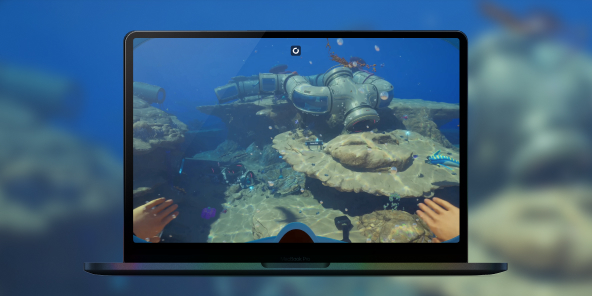
What’s the best way to play Subnautica 2 on Mac?
Subnautica 2 has no Mac version. Stream the full PC game from a real RTX Windows PC, on the Mac you already own, with your Steam library and saves.
So, what is the best PC to play
Subnautica 2 on Mac?
The one you don't have to buy. Subnautica 2 has no Mac version, and an Apple Silicon Mac can't run Windows, so your machine stays locked out of the alien ocean, the 4-player co-op, the whole survival loop. A PC that handles Unreal Engine 5 runs $1,000 and up, and you replace it every few years. Or you skip the tower and stream a real one. Shadow PC gives you Windows 11, your own Steam library, your own saves. The full PC version, on the Mac you already own.
Why Shadow PC is the best PC to play Subnautica 2
1. The real PC version of Subnautica 2, on your Mac
A dedicated NVIDIA RTX GPU runs Subnautica 2 at the settings a high-end machine would, but you never buy the GPU, install it, or replace it when the next big release lands. Stream the result, and your MacBook, iMac or Mac mini becomes the gaming PC. Power gives you 20 GB of VRAM and 28 GB of RAM, already set up. Nothing to order, nothing to assemble.
2. The alien ocean, lit by Unreal Engine 5
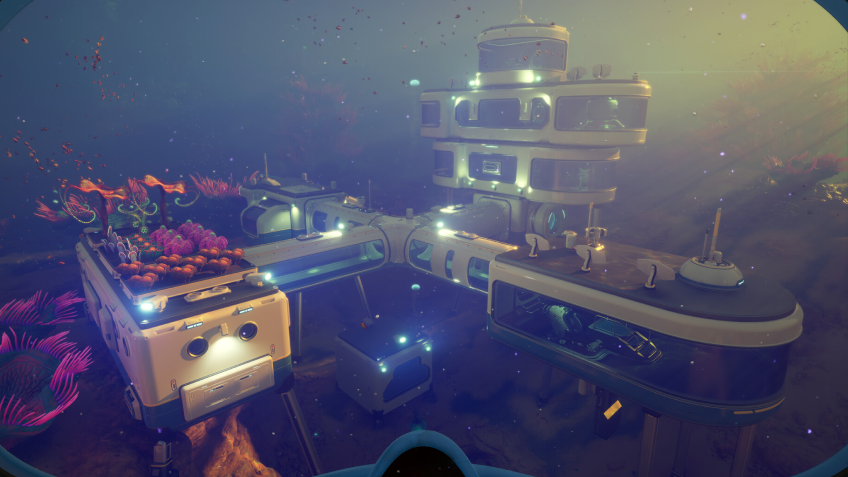
Stream from a real RTX-powered Windows PC, straight to your screen. Picture light shafts piercing the surface, caustics rippling across the seabed, a bioluminescent reef glowing in the dark, the silhouette of a leviathan in the gloom. At 1440p and a smooth 60 fps with Unreal Engine 5 Lumen lighting on, it all lands crisp on the Mac you already own. The look Unknown Worlds shipped, on your screen.
3. Built for the Mac you already have
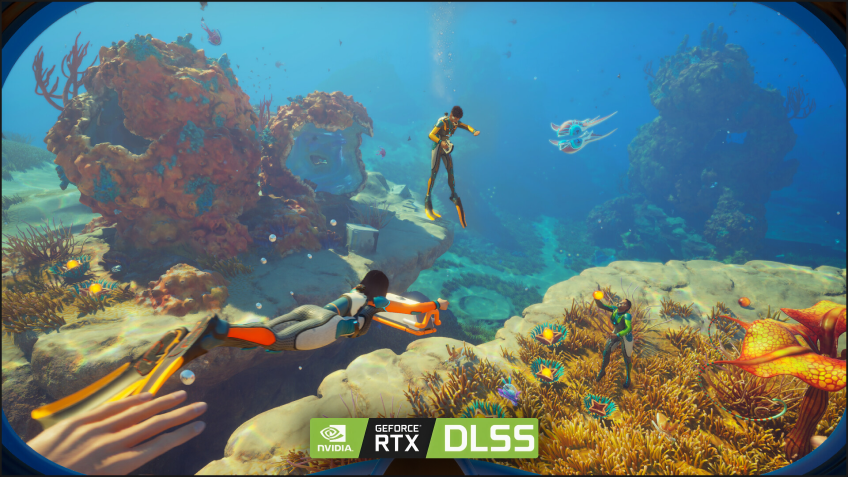
Nothing to assemble. No Windows install. No driver updates. Shadow PC ships ready and stays current, with GPU drivers, Windows patches and launchers all kept fresh on our side. Plug in your mouse, keyboard and headset, then pair an Xbox, PlayStation or Switch Pro controller in seconds and join the 4-player cross-play co-op with friends on PC and Xbox. Subnautica 2 runs the way it should, thanks to Shadow PC.
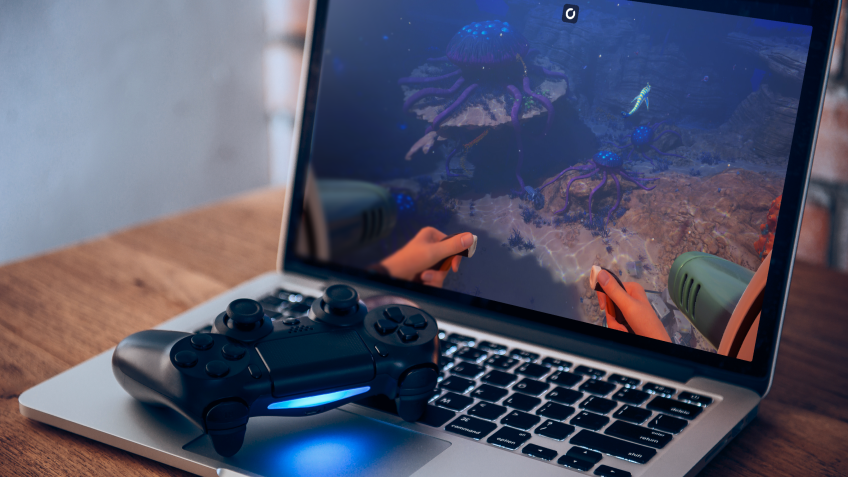
Shadow PC versus other ways to play Subnautica 2 on Mac
| Shadow PC | Cloud gaming services | Buying a gaming PC | |
|---|---|---|---|
| Plays on the Mac you already own |
Shadow PC
|
Cloud gaming services
|
Buying a gaming PC
A separate machine to buy
|
| Install the Steam or Epic copy you own |
Shadow PC
|
Cloud gaming services
Their catalog only
|
Buying a gaming PC
|
| Your own saves and progress |
Shadow PC
|
Cloud gaming services
Limited
|
Buying a gaming PC
|
| Your mods (Nexus, Steam Workshop) |
Shadow PC
|
Cloud gaming services
Not allowed
|
Buying a gaming PC
|
| No expensive hardware to buy |
Shadow PC
|
Cloud gaming services
|
Buying a gaming PC
$1,000+, redone every 2-3 years
|
| Ready to play in 5 minutes |
Shadow PC
|
Cloud gaming services
|
Buying a gaming PC
Hours of assembly
|

Power is the Shadow PC built for Subnautica 2
To run Subnautica 2 on Unreal Engine 5 with Lumen on and the open ocean at 1440p and 60 fps, we recommend Power. It gives you the headroom to explore the depths without slowdown, streaming to the MacBook, iMac or Mac mini you already own.

Neo Lite
per month

 Perfect for occasional gaming in 1440p with RTX
 Up to 120 hours of play per month, sessions up to 4hStream to any device in 1440pInstall your games & mods from Steam, Epic, Battle.net...*Upgrade to Shadow PC anytime as you play more
Power Lite
per month
Up to 50% more GPU power than Neo28GB RAM / 20GB VRAM for better in-game performanceUp to 120 hours of play per month, sessions up to 4hStream to any device in 1440pInstall your games & mods from Steam, Epic, Battle.net...*Upgrade to Shadow PC anytime as you play more
Neo
For the first six months, 45,99$ after.
Perfect for 1080/1440p gaming with RTXStream to any device up to 1440p+Install your games & mods from Steam, Epic, Battle.net...*Multi screen and ultrawide supportNVIDIA RTX and DLSS compatibility
Power
For the first six months, 63,99$ after.
Up to 50% more GPU power
 28GB RAM / 20GB VRAM for better gaming performanceStream to any device up to 5K+Install your games & mods from Steam, Epic, Battle.net...*Multi screen and ultrawide supportNVIDIA RTX and DLSS compatibility
Getting started in 3 easy steps
Whether you're on a 5-year-old MacBook, an iMac, a Mac mini or a desktop Mac, Shadow PC gives you the best PC for Subnautica 2 in three clicks. Nothing to buy, nothing to build, nothing to install.

Go to shadow.tech and select the PC configuration that matches your performance needs.


Start your Shadow PC, install Steam, get Subnautica 2 in early access, and dive in.
Subnautica 2 in short
Subnautica 2 is the sequel to Unknown Worlds' underwater survival game, in Early Access since May 2026 on PC, with the full 1.0 release still to come. Explore a new alien ocean solo or in 4-player co-op with PC and Xbox cross-play, the first multiplayer in the series. Deep-sea exploration across biomes, base building, crafting, underwater vehicles and oxygen management, all built on Unreal Engine 5.

FAQ
Shadow PC is a complete Windows 11 gaming PC hosted in the cloud, with its own dedicated GPU. You install and run any game, app or software, with no restricted catalog.
Yes. Shadow PC is a real Windows PC, so you install Subnautica 2 from your own Steam or Epic copy and run it like on a native machine, mods included. A small number of games (around 30) with strict anti-cheat, such as Fortnite and Valorant, are not supported yet, but Subnautica 2 runs normally.
Yes, both the Shadow app and the browser version work on most recent versions of macOS and computers.
For each device of your choosing, you can download the Shadow PC software client for free; in particular, this will allow you to test the browsing quality and adjust your video quality settings to the highest resolution, such as 4k. When you need to quickly access your environment and files via a new device or a workstation that's limited in terms of software installation, you can now directly access your Shadow PC via a browser. No installation required, it's quick and easy: Just head to the pc.shadow.tech web page! This access mode comes particularly in handy when you're giving a client a demo or delivering training via a demanding software directly on your clients or prospects' device: No need to lug around your own hardware, with your software and data, as Shadow PC gives you easy and instant access to it, at any tie and anywhere.
Yes. Shadow PC downloads at up to 1 Gb/s straight to your cloud PC, even when your home connection is slower. That's handy for Subnautica 2's roughly 50 GB install, which is ready in minutes rather than hours.
No. Streaming latency is virtually imperceptible, and on a stable 50 Mb/s connection the result feels like a local PC. You explore the ocean and pilot your vehicles with no perceptible delay.
Yes. Shadow PC streams up to 4K UHD, higher on Power. Some games may not support 4K natively.
Yes. Shadow PC runs the real Windows version of Subnautica 2, so you join the 4-player cross-play co-op and explore the alien ocean with friends on PC and Xbox, straight from your Mac.