What is the best PC for Second Life?
Play Second Life on a Windows PC in the cloud with an NVIDIA RTX graphics card, from the device you already have. No new PC to buy.
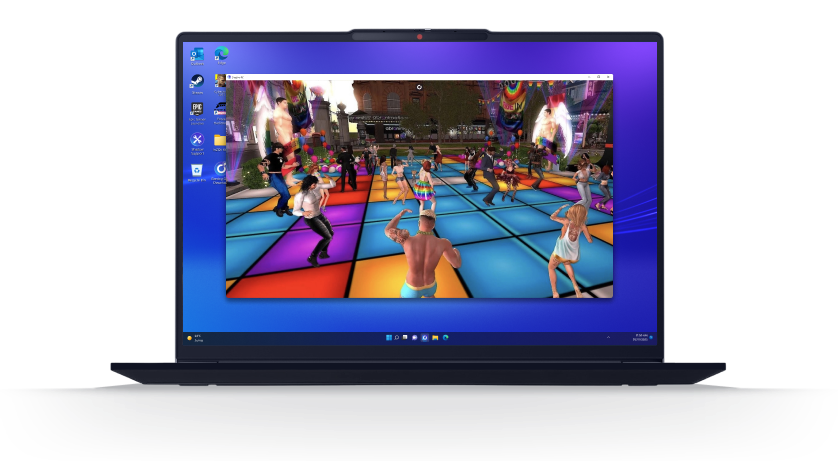


So, what is the best PC
for Second Life?
One that stays smooth when lots of people are around. In Second Life, everything loads live: avatars, their clothes, buildings. The more people around you, the harder your computer has to work. Linden Lab, the company behind the game, recommends 16 GB of RAM, 8 GB of video memory and an 8-core processor. Many laptops don't have that much power. Shadow PC is a full Windows PC in the cloud with an NVIDIA RTX graphics card. You install Second Life on it like on your own computer, and play from the screen you already have.
Why Shadow PC is the best PC to play Second Life
1. A powerful graphics card for crowded places
Club nights, weddings, shopping events: that's when Second Life needs the most power, because dozens of avatars show up at once. With Shadow PC, your computer doesn't do the work. An NVIDIA RTX graphics card in the cloud does. You can keep shadows and the most detailed graphics on, even in a packed club. The game downloads everything to your Shadow PC at up to 1 Gb/s, and your device only receives the picture.
2. Your creation tools, on the same PC
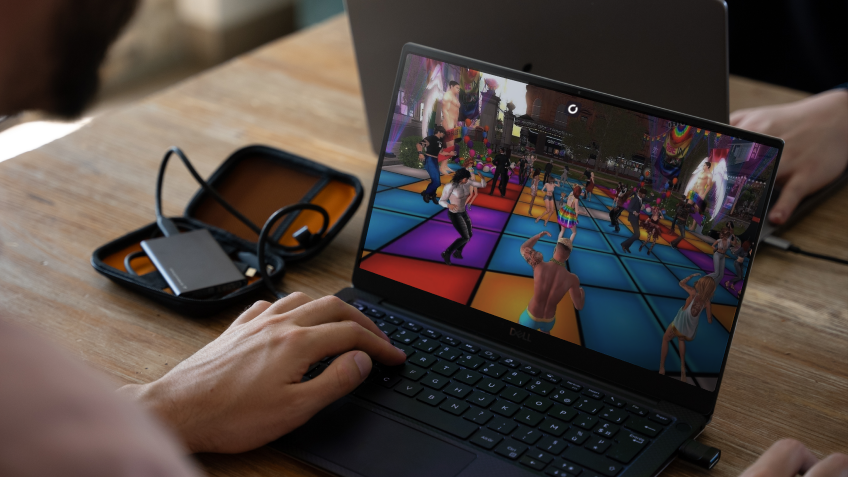
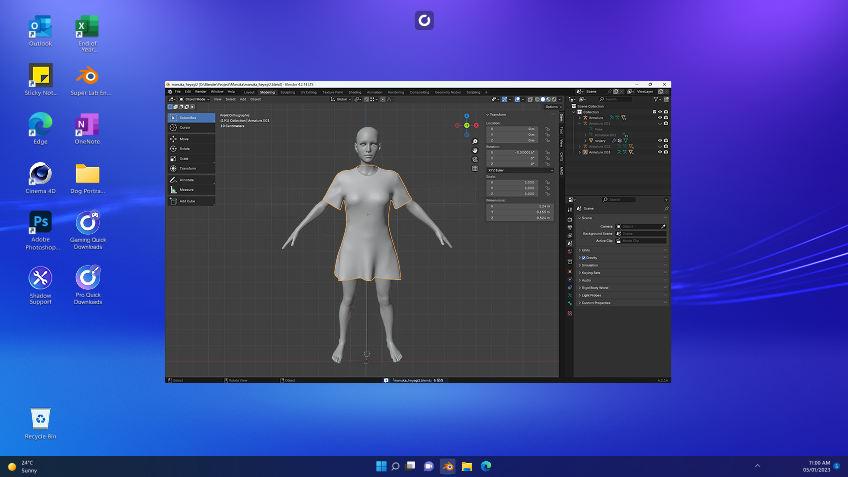
Do you make objects or clothes for Second Life? Shadow PC is a real Windows PC, so you can install Blender, Substance Painter or Photoshop next to Second Life. Create your item, upload it to the game and see the result right away, without switching computers. Screenshot and streaming apps work too, for your photos, videos or live DJ sets. Your files stay on your Shadow PC from one session to the next.
3. Your settings, on every screen
Start a chat on your laptop and continue it in the evening on your Mac. Firestorm, the app many players use for Second Life, saves your settings and conversations on the computer it's installed on. With Shadow PC, that computer is always the same one. Whether you connect from a laptop, a Mac, an Android phone or a Chromebook, you find Second Life exactly as you left it.
Shadow PC versus other options for Second Life
| Shadow PC | Buying a gaming laptop | Official mobile app (beta) | |
|---|---|---|---|
| Firestorm or the full official software |
Shadow PC
|
Buying a gaming laptop
|
Official mobile app (beta)
Lighter version
|
| An NVIDIA RTX graphics card |
Shadow PC
|
Buying a gaming laptop
Depends on the model
|
Official mobile app (beta)
Phone chip
|
| Graphics on max (shadows, realistic materials) |
Shadow PC
|
Buying a gaming laptop
Depends on the model
|
Official mobile app (beta)
Reduced graphics
|
| Creation and streaming apps |
Shadow PC
|
Buying a gaming laptop
|
Official mobile app (beta)
Not possible
|
| Play from a phone, tablet or Chromebook |
Shadow PC
|
Buying a gaming laptop
Laptop only
|
Official mobile app (beta)
Phone and tablet
|
| Game downloads at up to 1 Gb/s |
Shadow PC
|
Buying a gaming laptop
Your home connection
|
Official mobile app (beta)
Your phone's connection
|
| No hardware to buy |
Shadow PC
|
Buying a gaming laptop
A laptop to buy
|
Official mobile app (beta)
|

Neo is the Shadow PC made for Second Life
For most players, Neo is the right fit: an NVIDIA RTX graphics card, 210 hours a month and sessions of up to 6 hours, with images in 1440p and beyond. Only play a few hours a day? Shadow PC Lite gives you 120 hours a month. For big nights out with every setting on max, Power adds up to 50% more graphics power, 20 GB of video memory and 28 GB of RAM.

Neo Lite
per month

 Perfect for occasional gaming in 1440p with RTX
 Up to 120 hours of play per month, sessions up to 4hStream to any device in 1440pInstall your games & mods from Steam, Epic, Battle.net...*Upgrade to Shadow PC anytime as you play more
Power Lite
per month
Up to 50% more GPU power than Neo28GB RAM / 20GB VRAM for better in-game performanceUp to 120 hours of play per month, sessions up to 4hStream to any device in 1440pInstall your games & mods from Steam, Epic, Battle.net...*Upgrade to Shadow PC anytime as you play more
Neo
For the first six months, $37.99 after.
Perfect for 1080/1440p gaming with RTXStream to any device up to 1440p+Install your games & mods from Steam, Epic, Battle.net...*Multi screen and ultrawide supportNVIDIA RTX and DLSS compatibility
Power
For the first six months, $54.99 after.
Up to 50% more GPU power
 28GB RAM / 20GB VRAM for better gaming performanceStream to any device up to 5K+Install your games & mods from Steam, Epic, Battle.net...*Multi screen and ultrawide supportNVIDIA RTX and DLSS compatibility
Getting started in 3 easy steps
An old laptop, a Mac, a Chromebook or an Android phone is enough. No new computer to buy, no settings to lower.

Go to shadow.tech and select the PC configuration that matches your performance needs.

Install the Shadow app on Windows, macOS, Linux, Android or iOS, or connect from pc.shadow.tech in a Chromium browser.

Start your Shadow PC, install Firestorm or the official Second Life software, then log in to your account.
Second Life in short
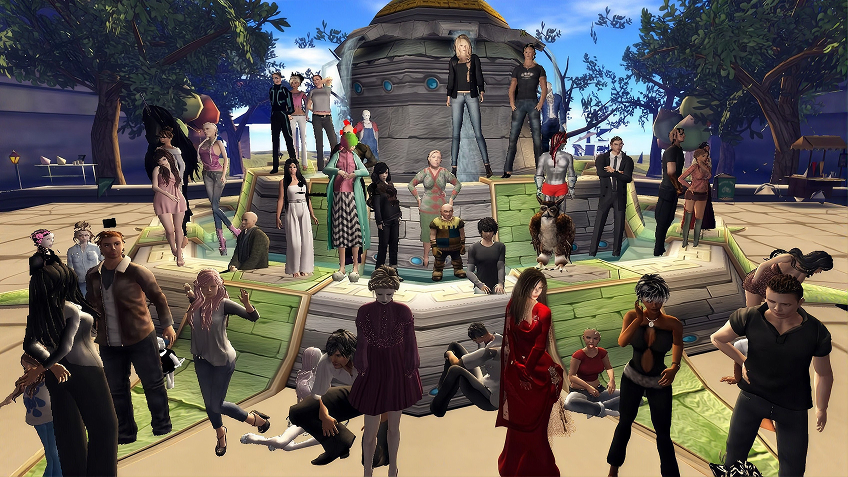
Second Life is a 3D virtual world launched by Linden Lab in 2003. It's free to join. Players, called residents, create their avatar, build almost everything themselves, open shops and clubs, and pay in Linden dollars (L$), the game's currency. A Premium membership adds land and other perks. You play with the official software on Windows and macOS, with other apps such as Firestorm, or with the mobile app, still in beta.

FAQ
On Windows, Second Life needs Windows 10 or 11 (64-bit), at least 8 GB of RAM and 4 GB of video memory. Linden Lab recommends 16 GB of RAM, 8 GB of video memory and an 8-core processor. Windows PCs with an ARM chip aren't supported. If your computer isn't powerful enough, Shadow PC runs Second Life for you, on a Windows PC in the cloud with an NVIDIA RTX graphics card.
The one you already have, as long as it can play a video. With Shadow PC, Second Life runs on an NVIDIA RTX graphics card in the cloud, and your laptop only shows the picture. You keep your Windows laptop, Mac, Linux computer or Chromebook, and skip the gaming laptop.
Yes. Linden Lab and Firestorm both have a Mac version. But since the big 2024 graphics update, Second Life needs more power, and some players report slowdowns on newer Macs with Apple chips. With Shadow PC, you install the Shadow app on your Mac and play the Windows version on an NVIDIA RTX graphics card in the cloud. Your Mac only shows the picture.
Yes. Shadow PC is a full Windows 11 PC. You install Firestorm, the official software or another Second Life app, just like on your own computer. Your settings and chats stay on your Shadow PC, whichever device you connect from.
Start your Shadow PC, open a web browser and download Firestorm from firestormviewer.org (or another app such as Alchemy). Install it like on any Windows PC, then log in with your Second Life account. Does the camera move too fast when you zoom with the Alt key or turn with the right mouse button? Press Ctrl+Alt+Shift+S to open the advanced settings, search for DisableMouseWarp and set it to TRUE. That fixes it in most cases.
Yes, with Shadow PC. The official mobile app is still in beta and does less: no full inventory, no Marketplace, no building. Linden Lab's browser version, Project Zero, closed in April 2026. With the Shadow app on Android, iPhone and iPad, or at pc.shadow.tech in a Chromium browser (Chrome, Edge...), you play the full version of Second Life.
Not with services that offer a game catalog. They only run the games on their list, and the main ones don't have Second Life. Shadow PC works differently: it's a full Windows PC in the cloud. You install Firestorm or the official software yourself, just like at home.
Not nonstop. Your Shadow PC turns off after 30 minutes without activity. A session lasts up to 6 hours with Shadow PC and 4 hours with Shadow PC Lite, and you can reconnect right away. To stay online longer, Shadow PC Pro offers 8-hour sessions and an Always On option that keeps your PC running.
Neo suits most players: an NVIDIA RTX graphics card, 210 hours a month and sessions of up to 6 hours. If you only play a few hours a day, Shadow PC Lite is the most affordable option: 120 hours a month in 1440p and sessions of up to 4 hours. For big events with every setting on max, Power adds up to 50% more graphics power, 20 GB of video memory and 28 GB of RAM.
Yes, when the lag comes from your computer. The game runs on an NVIDIA RTX graphics card and downloads to your Shadow PC at up to 1 Gb/s. But if a place is overloaded, the lag comes from Linden Lab's servers, and it's the same on any PC. Your connection just needs to receive a stable picture.
At least 15 Mb/s. Shadow recommends 50 Mb/s for smooth 1080p and 100 Mb/s for 4K, ideally with an Ethernet cable or 5 GHz Wi-Fi. Everything the game downloads goes straight to your Shadow PC, so your connection only receives the picture.