How to play STAR WARS Zero Company on a low-end PC?
Keep your current PC and get ready for Zero Company on a cloud Windows gaming PC. No new GPU or rebuild. Compatibility will be tested at launch.
Play STAR WARS Zero Company on a
low-end PC
Keep your low-end PC and let Shadow PC handle Zero Company's hardware demands. EA lists 16 GB of RAM and a GTX 1080 even for 1080p at 30 fps on Low, while its High preset targets 32 GB and an RTX 3080. That leaves many everyday laptops and older desktops outside the briefing room. Shadow PC moves the Windows 11 gaming hardware to the cloud, while your Steam or EA app copy, saves, settings, keyboard and mouse stay yours. Once confirmed compatible, the full PC campaign arrives without a rebuild.
Why Shadow PC is the best PC to play STAR WARS Zero Company
1. The full Windows campaign, without a new GPU
Keep your familiar screen, keyboard and mouse. Once launch compatibility is confirmed, Shadow PC will run the Windows game on a dedicated NVIDIA RTX GPU in the cloud, then stream the action to your current PC. Power brings 20 GB of VRAM and 28 GB of RAM to a Windows 11 machine where you install Steam or the EA app. Your local graphics card handles the video stream, so there is nothing to order and nothing to rebuild.
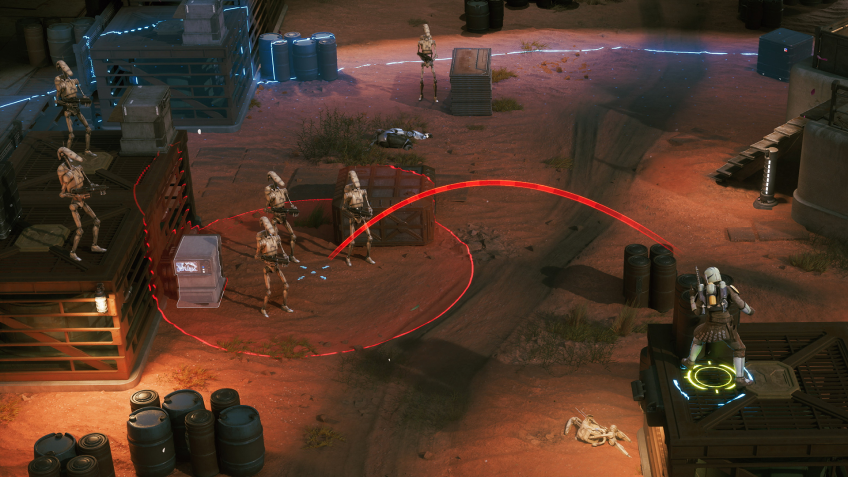
2. Battlefield detail that informs every move
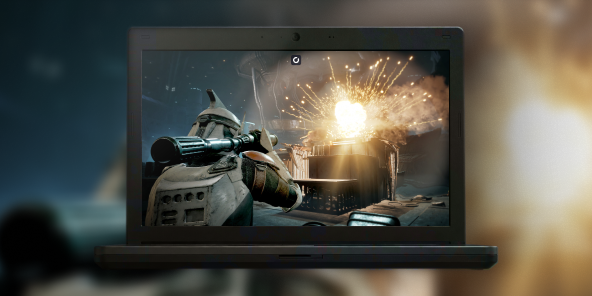
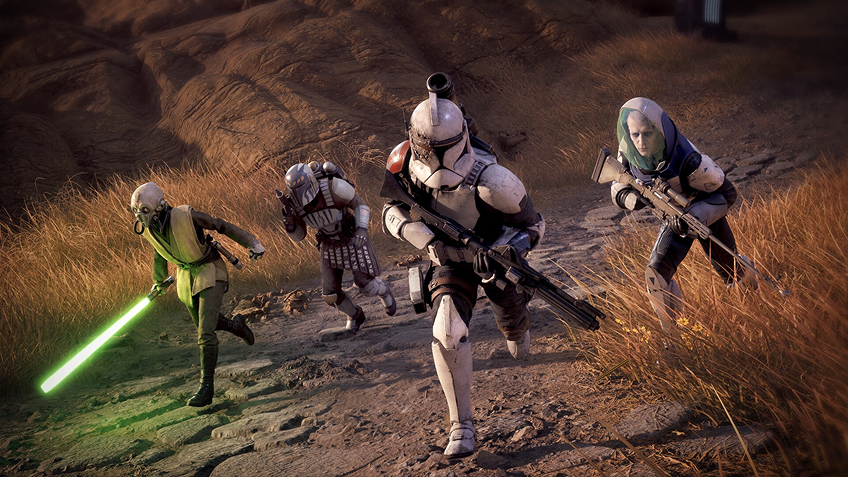
Read the battlefield before you commit a move. Cover lines, blaster fire, the green glow of Tel-Rea's lightsaber and explosions inside Separatist facilities stay clear on the screen in front of you. The PC version supports HDR, while Power will stream the image to your display once compatibility is confirmed. Every tactical cue remains part of the decision, from the Den to the next mission.
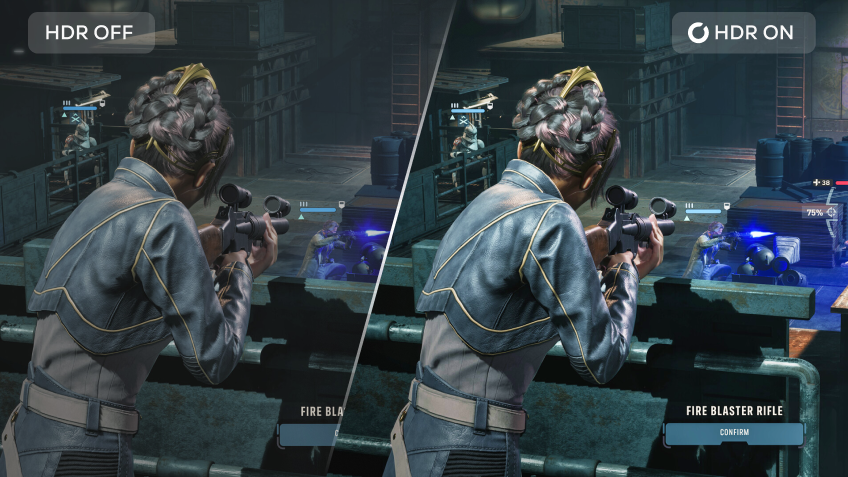
3. Built for the PC you already own
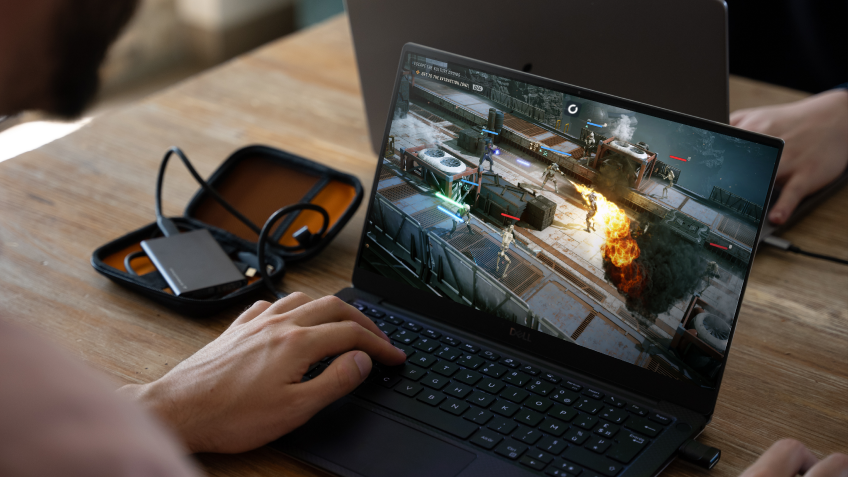
Open the Shadow app on Windows 10 or a recent Linux distribution, or connect through pc.shadow.tech in a Chromium-based browser. Your old computer only needs to decode the video stream, so a local gaming GPU is no longer the gatekeeper. A stable 15 Mb/s connection is the starting point, and your usual mouse and keyboard stay right where they are. Once compatibility is confirmed, return to the same Windows 11 desktop and saves on the PC you already own.
Shadow PC versus local hardware upgrades for STAR WARS Zero Company
| Shadow PC | Upgrading your current PC | Buying a gaming PC | |
|---|---|---|---|
| Play on your current low-end PC |
Shadow PC
|
Upgrading your current PC
Major upgrade required
|
Buying a gaming PC
New PC required
|
| No local gaming GPU needed |
Shadow PC
|
Upgrading your current PC
New GPU required
|
Buying a gaming PC
Included in purchase
|
| No upfront hardware purchase |
Shadow PC
|
Upgrading your current PC
Parts to buy
|
Buying a gaming PC
PC to buy
|
| No local PC rebuild |
Shadow PC
|
Upgrading your current PC
Parts to install
|
Buying a gaming PC
New PC setup
|
| 50 GB kept off local storage |
Shadow PC
|
Upgrading your current PC
50 GB local storage
|
Buying a gaming PC
50 GB local storage
|
| Move between compatible screens |
Shadow PC
|
Upgrading your current PC
Main PC stays put
|
Buying a gaming PC
Main PC stays put
|

Power is the Shadow PC built for STAR WARS Zero Company
For the most gaming headroom available on Shadow PC, choose Power. Its RTX 3070 Ti-class GPU, 20 GB of VRAM and 28 GB of RAM exceed EA's published minimum configuration, while remaining below the recommended RTX 3080 and 32 GB of RAM. It is the strongest fit in the Shadow PC gaming range for this campaign. Compatibility, resolution and graphics settings must be confirmed after launch.
Neo Lite
per month

 Perfect for occasional gaming in 1440p with RTX
 Up to 120 hours of play per month, sessions up to 4hStream to any device in 1440pInstall your games & mods from Steam, Epic, Battle.net...*Upgrade to Shadow PC anytime as you play more
Power Lite
per month
Up to 50% more GPU power than Neo28GB RAM / 20GB VRAM for better in-game performanceUp to 120 hours of play per month, sessions up to 4hStream to any device in 1440pInstall your games & mods from Steam, Epic, Battle.net...*Upgrade to Shadow PC anytime as you play more
Neo
For the first six months, $37.99 after.
Perfect for 1080/1440p gaming with RTXStream to any device up to 1440p+Install your games & mods from Steam, Epic, Battle.net...*Multi screen and ultrawide supportNVIDIA RTX and DLSS compatibility
Power
For the first six months, $54.99 after.
Up to 50% more GPU power
 28GB RAM / 20GB VRAM for better gaming performanceStream to any device up to 5K+Install your games & mods from Steam, Epic, Battle.net...*Multi screen and ultrawide supportNVIDIA RTX and DLSS compatibility
Getting started in 3 easy steps
An older laptop, a compact desktop or a work PC can become your way into the Clone Wars in three steps. No new GPU. No new tower. No local 50 GB install.

Go to shadow.tech and select the PC configuration that matches your performance needs.

Install the Shadow client on your current Windows or Linux PC, or connect through pc.shadow.tech.

Start your Shadow PC, install Steam or the EA app, then install STAR WARS Zero Company once compatibility is confirmed. Assemble your squad and prepare the Den.
STAR WARS Zero Company in short
STAR WARS Zero Company is a single-player, turn-based tactics game developed by Bit Reactor and published by Electronic Arts, launching August 27, 2026 on PC, PlayStation 5 and Xbox Series X|S. Lead former Republic officer Hawks and a customizable squad against the Infinite Coil during the twilight of the Clone Wars. Fight tactical missions, manage the Den and develop squad Bonds. Permadeath is enabled by default and can be switched off.

FAQ
Shadow PC is a complete Windows 11 gaming PC hosted in the cloud, with its own dedicated GPU. You install and run any game, app or software, with no restricted catalog.
Your Shadow is a true professional Windows workstation. Install everything you need*: Adobe Suite, CAD tools, development IDEs, etc.
Any device capable of playing HD video works as a client. Shadow PC runs in a lightweight app on Windows, Linux, Mac, Android, iOS or Apple TV, or in any browser. The heavy lifting happens in the cloud.
For each device of your choosing, you can download the Shadow PC software client for free; in particular, this will allow you to test the browsing quality and adjust your video quality settings to the highest resolution, such as 4k. When you need to quickly access your environment and files via a new device or a workstation that's limited in terms of software installation, you can now directly access your Shadow PC via a browser. No installation required, it's quick and easy: Just head to the pc.shadow.tech web page! This access mode comes particularly in handy when you're giving a client a demo or delivering training via a demanding software directly on your clients or prospects' device: No need to lug around your own hardware, with your software and data, as Shadow PC gives you easy and instant access to it, at any tie and anywhere.
Yes. Shadow PC downloads at up to 1 Gb/s to your virtual PC, even if your local connection is slow. Large game installs take minutes.
Yes, streaming introduces some compression and latency, but how noticeable they are depends on your network, display and local decoder. A stable connection of at least 15 Mb/s is required, and Ethernet or reliable Wi-Fi is recommended. Turn-based tactics are also less timing-sensitive than a competitive action game.
Yes. Shadow PC streams up to 4K UHD, higher on Power. Some games may not support 4K natively.